

2026.10.12
AfterFrame: A Local-First Workspace for Large Photo Libraries
AfterFrame combines local photo cataloging, search, culling, organization, and editing for photographers who want originals to remain on their drives.
What it is for
AfterFrame is a local-first photo workspace for macOS and Windows. It is designed for photographers who have images spread across folders or drives but want one visual place to browse, filter, cull, and edit them. The application creates one .afcatalog per project while keeping original files in their existing locations. It can therefore serve as a catalog, review tool, and lightweight editor for large collections of JPEG, HEIF, and RAW files.
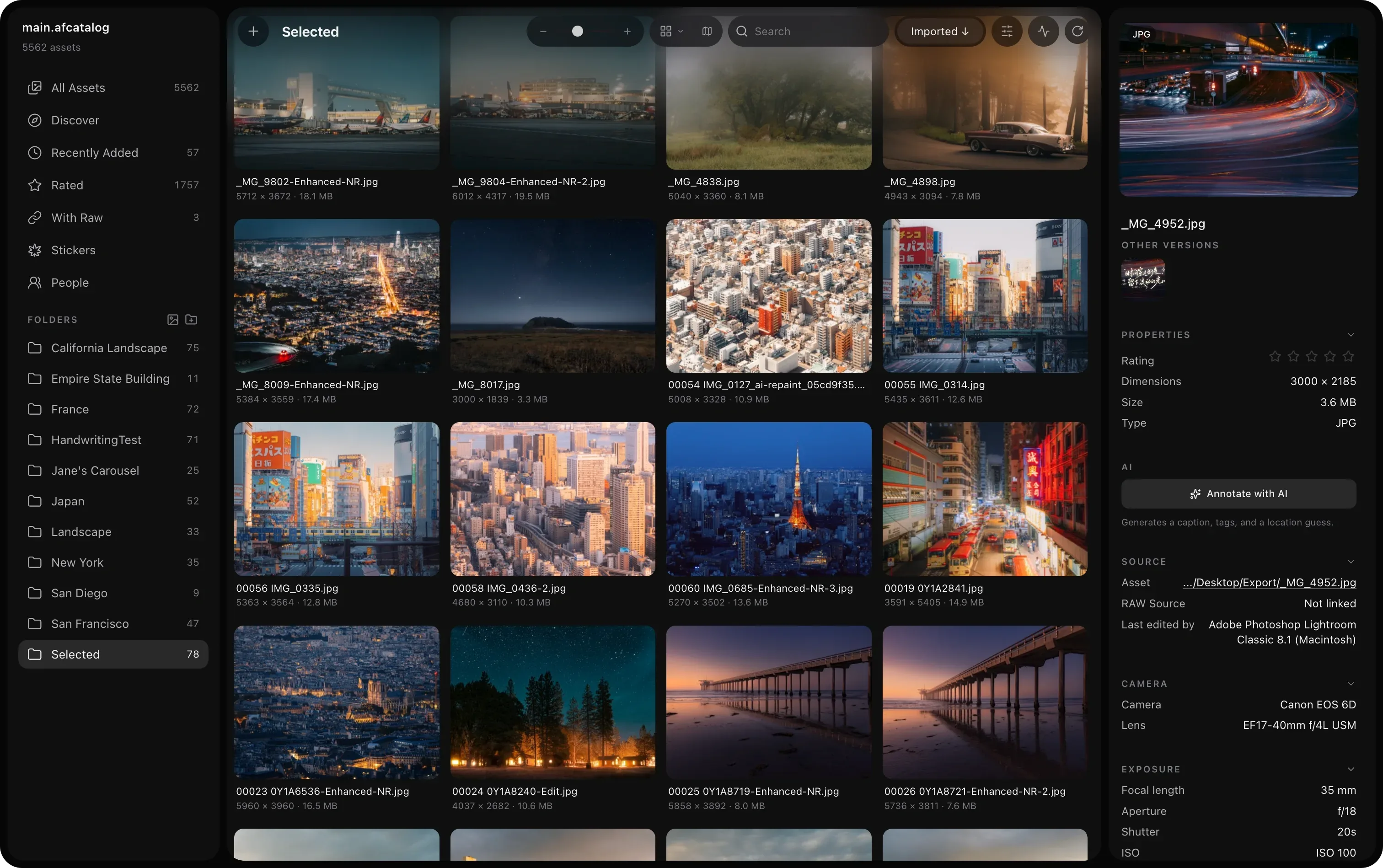
Image source: AfterFrame. Published by the project; the interface may vary by version.
Who it suits
The project is aimed at photographers, creators, and personal archivists who need metadata-aware browsing rather than a simple folder viewer. It can read camera, lens, exposure, capture-time, GPS, and color-space information, then combine filters for dates, ratings, flags, tags, locations, orientation, colors, and camera data. Lightroom XMP ratings can be imported, and the Pick, Reject, and clear-flag workflow supports an initial cull after a shoot.
Its local-first model will appeal to users who want originals to stay on their own storage. The project site says originals remain where they are, while its on-device face recognition keeps photos and face embeddings inside the local catalog. People groups can be reviewed, named, merged, or corrected. These are documented project behaviors, not the same as an independent security audit or a guarantee for every deployment.
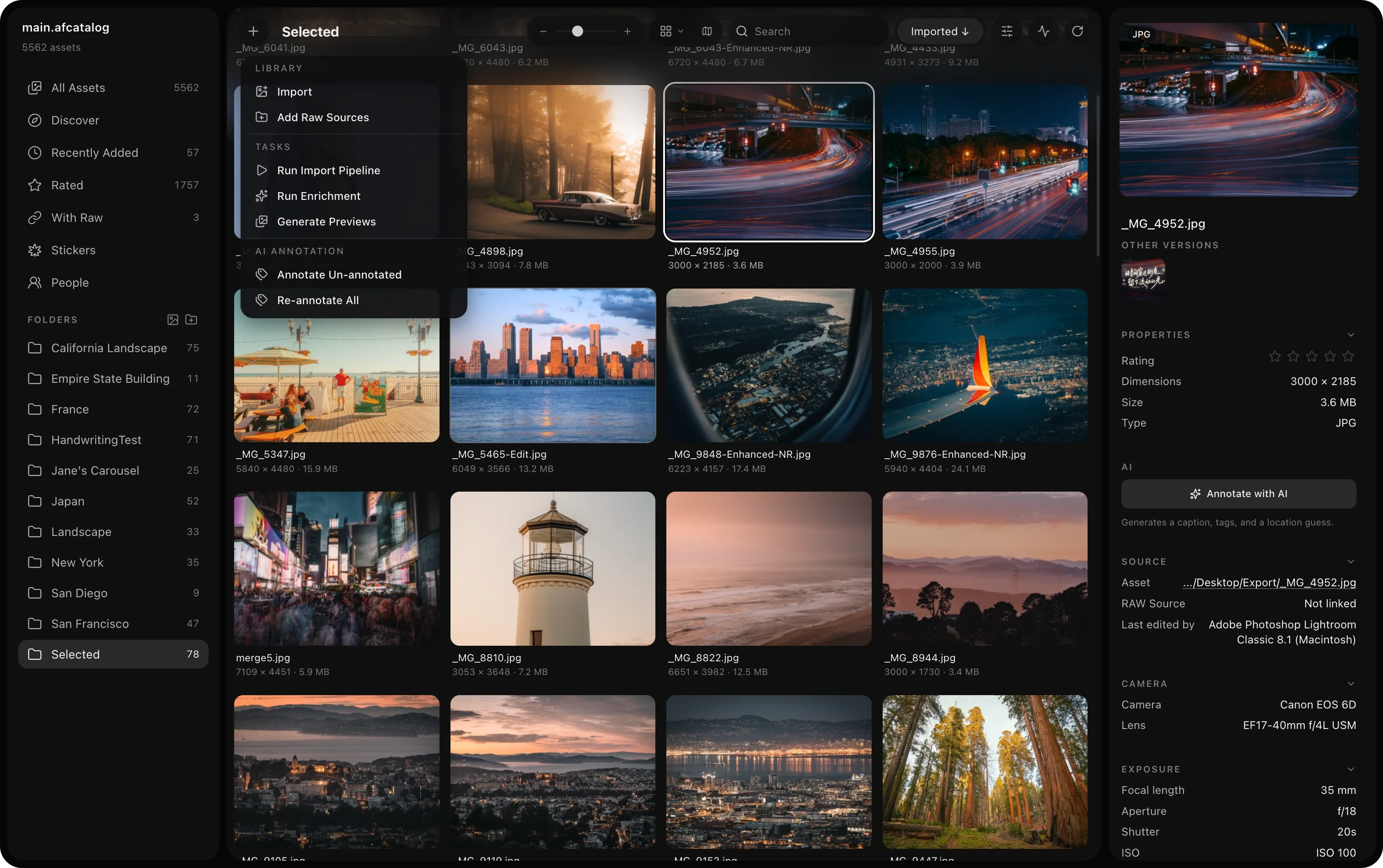
Image source: AfterFrame. Published by the project; the interface may vary by version.
Documented capabilities
The gallery offers grid, tile, justified, and waterfall layouts with virtual scrolling. Search covers filenames, camera and lens metadata, AI annotations, OCR text, and tags; smart collections save filter conditions. Editing includes crop, rotation, flipping, text and overlay layers, collages, stickers, camera frames, and splitting wide images into social-media panels. On macOS, the editor also includes LUTs, on-device depth-aware text, and subject extraction for stickers.
BYOK features include AI repainting, automatic annotation, and AI handwriting generation. The official site describes using a user’s own AI provider and API key. AfterFrame also exposes a local MCP server that can let an agent search, tag, crop, export, and show selections in the app. This makes it relevant to users building personal photo-management automation, while still leaving provider choice and key management to the user.
Limits and deployment considerations
Check the target operating system before adopting it. Release 0.5.11 provides an Apple Silicon build for macOS 14, macOS 12/13 and Intel builds, plus a 64-bit Windows installer for Windows 10 or 11. People, Scene Depth, and Stickers require macOS 14. On Windows, Stickers, People, Scene Depth, and LUTs are currently unavailable. The Intel build has a documented limitation with some DNG files compressed with JPEG XL.
A large import will create metadata, thumbnails, and optionally HD previews, so storage planning matters. The catalog is an index, not a backup of the original photos. Before moving, renaming, or disconnecting a photo volume, understand how catalog paths relate to the files. The Windows installer was not signed in this release, and macOS may show an initial-launch warning for a build that is not notarized. AI workflows also require users to manage API keys, provider costs, and third-party terms themselves. The repository identifies the project as MIT licensed, but the complete license file should still be reviewed before adoption.
Sources
Sources checked: 2026-10-12