

2026.10.01
Nextcloud All-in-One: A Docker-managed self-hosted stack
Nextcloud AIO is the official Docker-based installation method for Nextcloud. It bundles core services and optional office, calling, backup, and security components behind a web interface. It suits administrators who want centralized maintenance, but domain, storage, networking, and recovery responsibilities remain.
What it is for
Nextcloud All-in-One (AIO) is Nextcloud’s official Docker-based installation and maintenance method. It is not a standalone sync client; it is a coordinated deployment managed through a master container. The core stack includes Nextcloud, PostgreSQL, Redis, and APCu. Optional components include Nextcloud Office, Talk, recording, backup, ClamAV, Imaginary, full-text search, and Whiteboard. The repository is licensed under AGPL-3.0 and is not archived according to the supplied metadata.
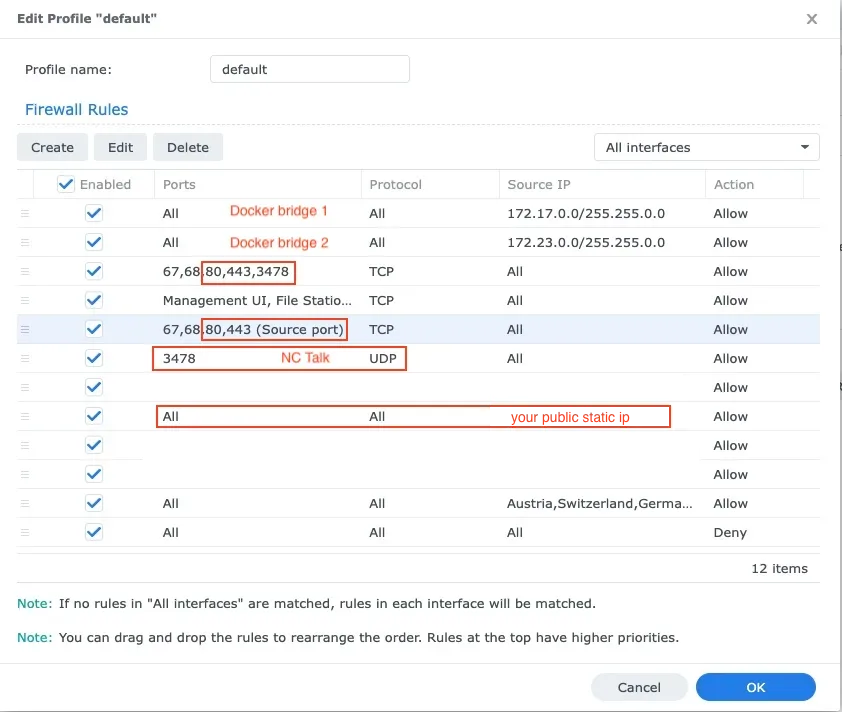
Image source: all-in-one. Published by the project; the interface may vary by version.
Who it suits
AIO is aimed at people who want to run Nextcloud on their own server, home infrastructure, or organizational platform without assembling every database, cache, and supporting service separately. Its web interface centralizes installation, updates, backups, restores, and container log access. That makes it relevant to administrators who understand Docker but want less ongoing manual configuration. Families, small teams, and small organizations needing file collaboration, calendars, calls, or online documents can evaluate the optional components as one deployment.
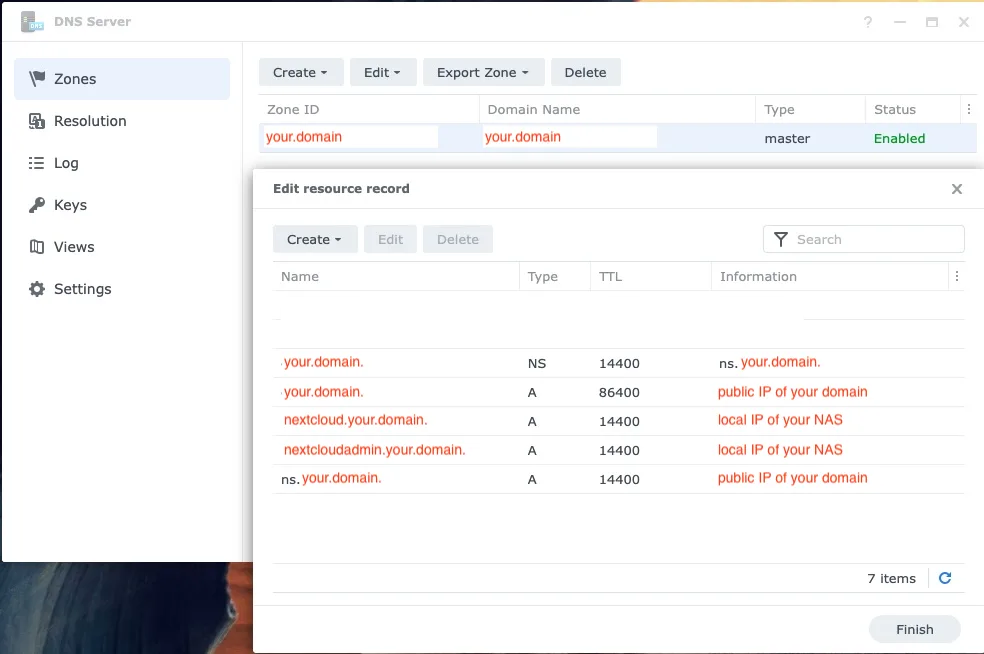
Image source: all-in-one. Published by the project; the interface may vary by version.
Documented capabilities
The README describes update and backup notifications, optional BorgBackup, restoration of a complete instance from a backup archive, and adjustable data and backup locations. It also documents deployment paths or guidance for reverse proxies, Cloudflare Tunnel, Tailscale, LDAP, IPv6, Docker rootless, Docker Swarm, and Kubernetes. These entries indicate available project support or documentation; they do not mean every environment works without additional configuration.
Nextcloud’s official blog also describes integrated deSEC domain and DNS setup. The feature can obtain a free dynamic-DNS domain through the AIO interface, with DNS configuration and certificate issuance handled through the service. Suitability for production still depends on reachability, domain policy, and organizational requirements.
Limitations and deployment considerations
AIO is built around Docker, so administrators should understand containers, volumes, networks, ports, and persistent storage. The supplied sources do not state a universal minimum hardware requirement, so they cannot establish whether a particular machine is sufficient. Enabling Office, previews, calls, full-text search, or antivirus may also change resource needs as usage and data volume grow.
Plan network exposure before deployment. Automatic TLS, a reverse proxy, Cloudflare Tunnel, or deSEC does not replace review of DNS, ports, firewall rules, and access boundaries. If host paths, external storage, or the Docker socket are used, review permissions and data locations first. AIO’s backup feature is not by itself a complete disaster-recovery plan: verify the backup destination, password custody, restore procedure, capacity, and regular integrity checks, and identify external data that requires separate protection.
The v14.2.0 release notes state that Nextcloud 34.0.4 is included and that new instances can install Nextcloud 35. Before adoption, check the target version, upgrade path, and application compatibility. This article does not claim independent performance, security, or deployment testing; validate the official guidance in the intended environment before production use.
Sources
Sources checked: 2026-10-01