

2026.10.08
AI Grid: One Local AI Endpoint for Multiple Computers
AI Grid is aimed at people with several macOS or Linux machines who want to pool local model nodes behind an OpenAI-compatible endpoint. Review networking, model files, engine choices, and experimental training before adoption.
What the project is for
AI Grid is a self-hosted orchestration project for local AI. It places multiple computers behind one OpenAI-compatible endpoint, allowing an application to send requests to a single address while Grid routes each request to a node that serves the required model. Its role is to organize existing local machines, not to replace every model runtime already in use.
That makes it relevant to home-lab users, developers, and small teams that already own several computers and want to reuse their local hardware. One machine can provide the grid entry point while other machines serve models. Applications that already speak the OpenAI API can use the shared endpoint. The repository also references inference, distributed orchestration, fine-tuning, and training, but the README labels training as experimental, so it should not be treated as a mature training platform without further validation.
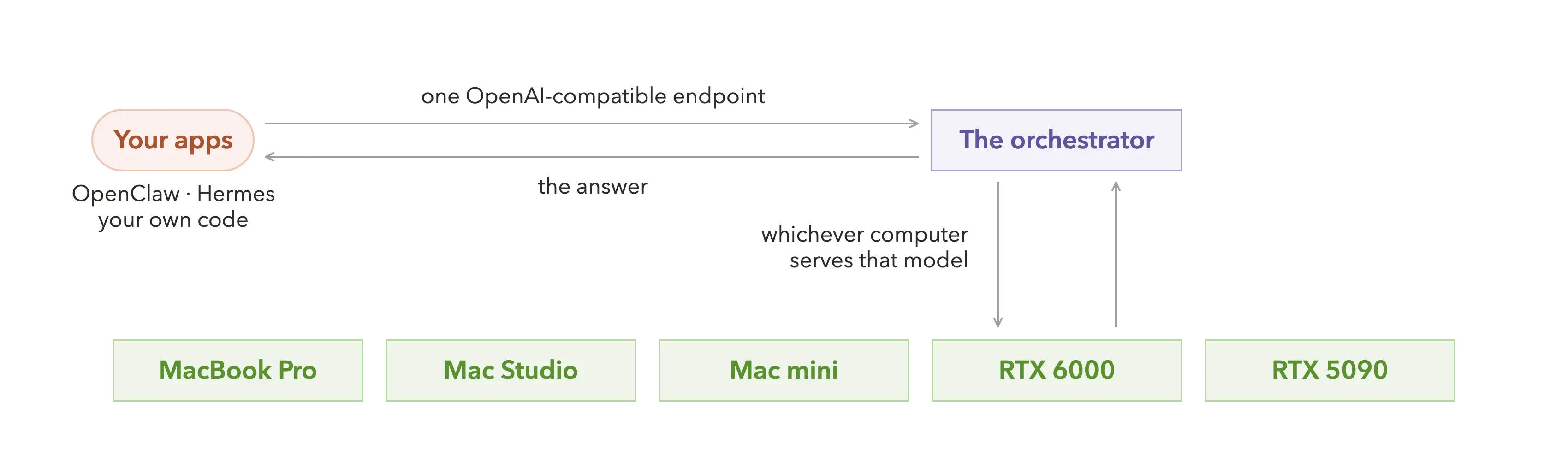
Image source: autonomous-grid. Published by the project; the interface may vary by version.
Documented capabilities
The README describes a command-line workflow for macOS and Linux: start a grid, install or connect an engine, download a GGUF model, join a node, and use the shared endpoint for text chat. It also documents image prompts when the selected model supports image input. Existing Ollama, vLLM, and LM Studio deployments can remain in place; Grid can point to those OpenAI-compatible services and route requests instead of requiring a migration.
Clients can use an OpenAI-compatible API. The documentation also describes querying models and starting chats from another computer, as well as a remote mode for machines located in different places. Runtime settings such as context size and concurrency-related options are available, although deployment decisions should follow the project’s current documentation and command help.
The supplied repository metadata identifies the project as active rather than archived and lists the MIT License. The official v0.3.55 release reports a fix for unnecessary full reloads of running built-in engines after certain engine changes. This addresses a concrete operational issue, but the release note alone does not establish general reliability or performance.
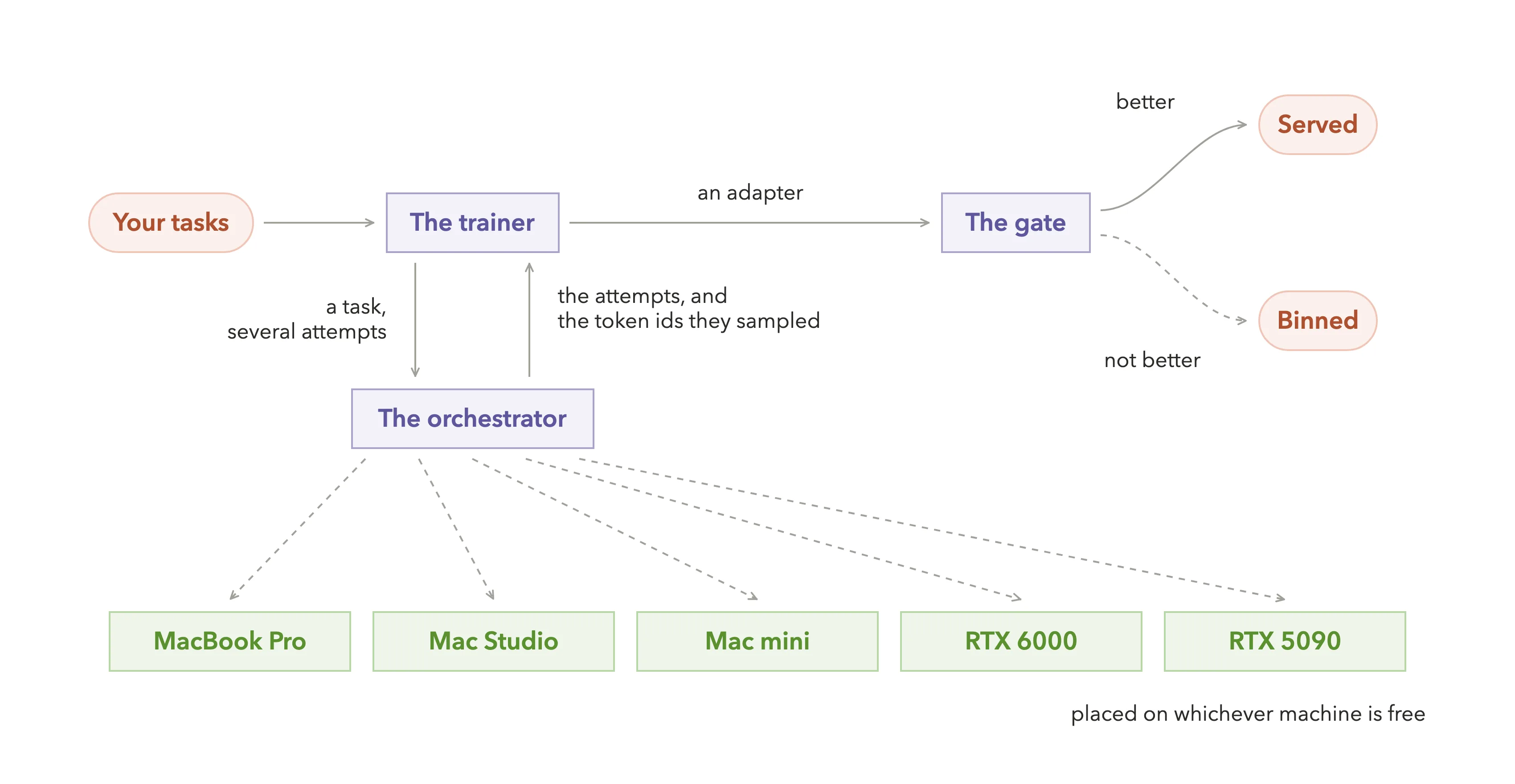
Image source: autonomous-grid. Published by the project; the interface may vary by version.
Limitations and deployment considerations
A shared endpoint does not create shared hardware. Each node still needs the model files, runtime, memory, and other resources required by its workload. The README’s examples involve model files measured in several gigabytes, while actual usage depends on the model, quantization, context, and concurrency. The supplied sources do not confirm a universal minimum hardware specification, so resources should be assessed per target model and per machine.
Network placement is another important constraint. Local mode assumes that participating computers can reach one another on the same network; machines in different locations require the documented remote mode and a suitable network design. The supplied sources do not establish authentication, encryption, access-control, or public-exposure guarantees. Do not expose the endpoint to an untrusted network based only on the project’s local-default description.
Operators must also choose between Grid-managed engines and existing Ollama, vLLM, or LM Studio services. Keeping an existing runtime can reduce migration work, but addresses, model names, and service lifecycles still need to be managed. A sensible rollout is to validate routing, model discovery, node removal, and client compatibility with a small number of machines first. Treat training and fine-tuning-related workflows as experimental until they have been tested for the intended workload.
Sources
Sources checked: 2026-10-08