

2026.10.19
ByteChef: Putting AI Agents Inside Durable Workflows
ByteChef targets teams that need self-hosted AI agents, workflow automation, or embedded integrations. Its visual orchestration, connectors, MCP support, and approvals are useful, but database choices, licensing boundaries, and enterprise features require verification before adoption.
What it is for
ByteChef is positioned as a platform for AI agents, workflow automation, and API integration. It can be self-hosted or embedded into a SaaS product, making it relevant to teams that want model calls, external services, and business processes managed through one orchestration layer. It is more than a chat interface: the README describes an AI Agent as a workflow step that can run the model loop, select tools, execute them, observe results, and continue with streaming and structured output.
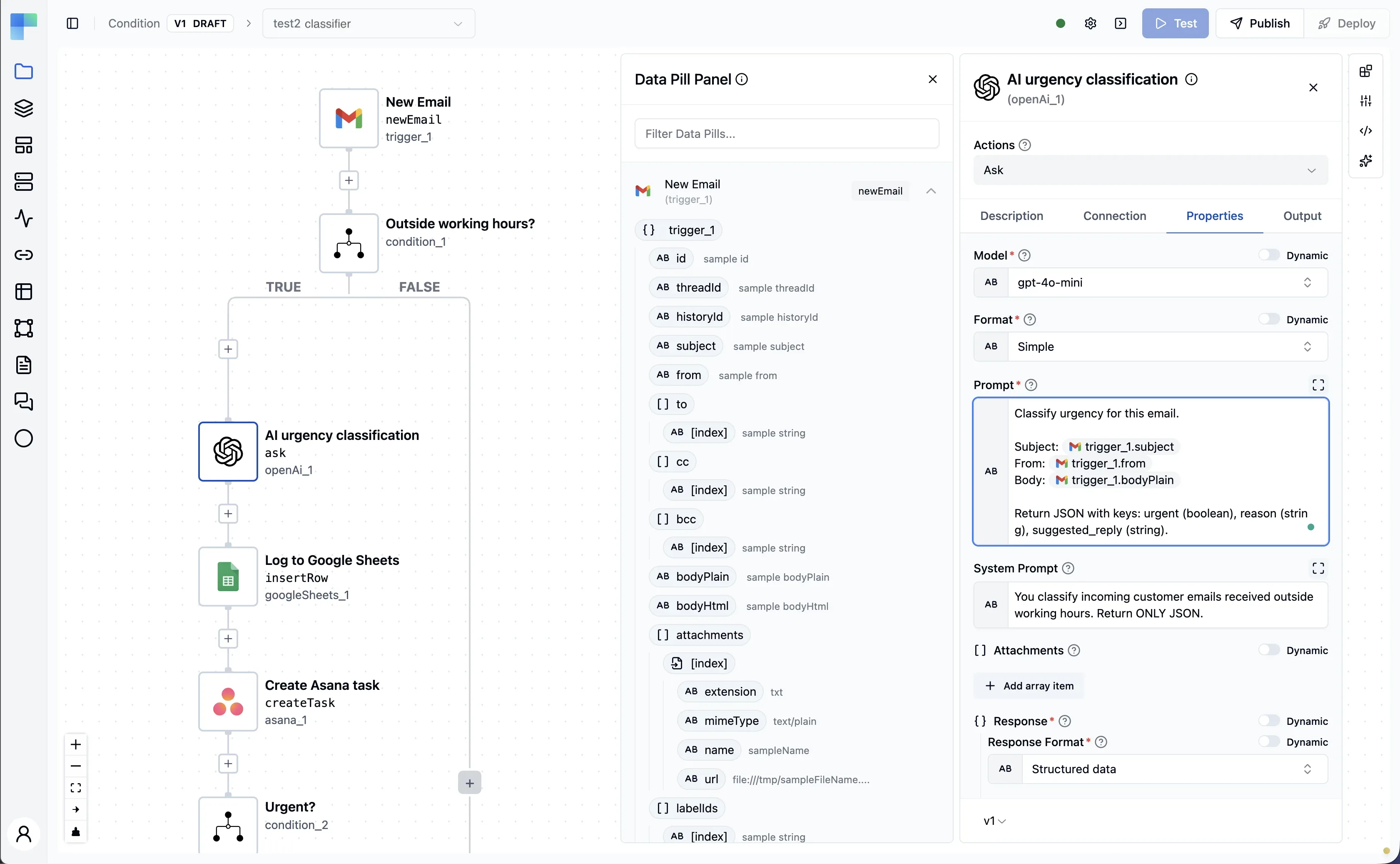
Image source: bytechef. Published by the project; the interface may vary by version.
Known capabilities
Workflows use a visual editor with JSON underneath. The README lists conditions, branches, loops, parallel execution, subflows, error handling, termination, and approval waits. It also describes durable execution: a stopped, failed, or approval-paused run can resume from the task it reached rather than restarting. The exact recovery behavior and operational limits should still be validated against the version you plan to deploy.
The AI feature set described by the project includes multiple model providers, memory backends, knowledge bases and RAG, guardrails, and inbound and outbound MCP support. ByteChef claims more than 250 connectors, with connectors also usable as agent tools and MCP tools. Its Copilot can generate workflows from natural-language instructions, explain failed runs, and suggest fixes. Teams should assess these features against their own access-control, data-handling, and audit requirements rather than treating the claims as production guarantees.
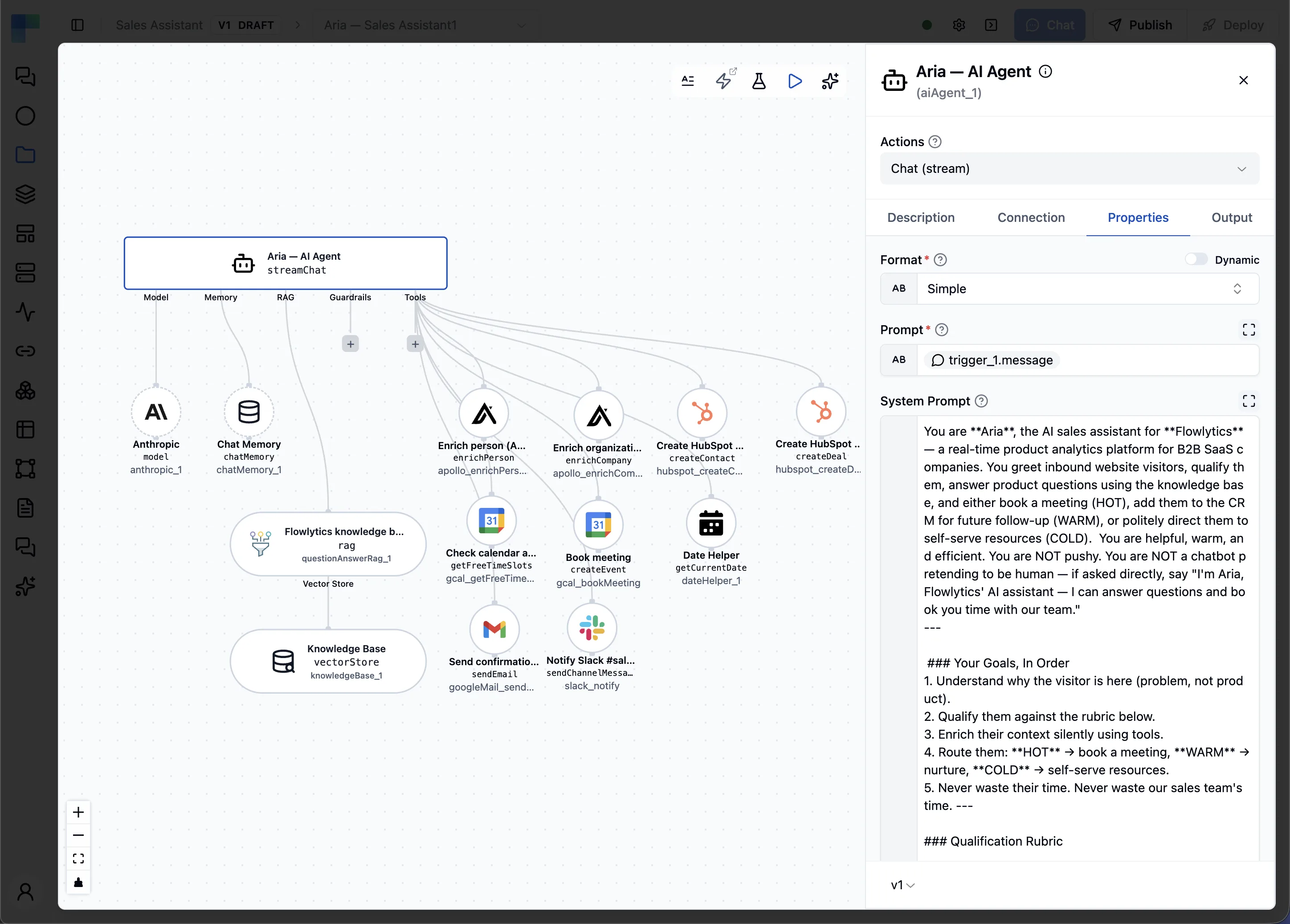
Image source: bytechef. Published by the project; the interface may vary by version.
Who it may suit
ByteChef may suit developers, automation engineers, and product teams connecting SaaS services, databases, communications systems, marketing tools, or internal APIs. Its stated self-hosting and embedding models are particularly relevant to organizations that want to operate automation in their own environment or expose workflow building inside a product. Conversely, a team needing only a small scheduled task may find the broader platform unnecessary, especially if it does not want to operate model credentials, databases, connection secrets, and execution state.
Limitations before adoption
The database choice is a major planning issue. The README offers an embedded H2 setup for evaluation, but explicitly says H2 is evaluation-only. The AI knowledge base and Copilot require PostgreSQL with pgvector, and the README says there is no migration path from H2 to PostgreSQL. Teams intending to retain data should therefore choose the PostgreSQL setup from the beginning instead of treating H2 as a temporary production foundation.
Licensing also needs direct review. Repository metadata reports “Other” with an SPDX value of NOASSERTION, while the README badge says “Apache 2.0 + EE.” That is not enough to confirm the licensing boundaries of all code, enterprise features, or redistribution rights. Legal and procurement teams should inspect the repository license and applicable terms. This article does not confirm hardware requirements, performance, compatibility, or a security level.
Deployment considerations
Self-hosting still requires operations work. Plan for PostgreSQL, pgvector, persistent storage, encryption keys, model and third-party credentials, backups, logs, and upgrades. The README says ByteChef generates an encryption key for stored connection credentials on first startup and recommends mounting the relevant host directory so the key survives container recreation. Production operators should also define access control, network isolation, secret rotation, approval permissions, and data-retention rules.
Before adoption, test the exact target version with the connectors, triggers, human approvals, failure recovery, and MCP boundaries that matter to your workflows. The v0.35.0 release notes continue to record connector, Anthropic-call, editor, and execution-interface fixes, so upgrades should include regression testing.
Sources
Sources checked: 2026-10-19