

2026.10.17
CommaFeed: Keep RSS Reading on Your Own Server
CommaFeed is a self-hosted RSS reader built with Quarkus and React/TypeScript, offering OPML, APIs, multiple databases, and a responsive interface.
What it is for
CommaFeed is aimed at people who want to collect and read RSS feeds while keeping the service under their own control. The project describes itself as a Google Reader-inspired, self-hosted personal RSS reader, with a Quarkus backend and a React/TypeScript client. It can fit individual reading workflows as well as internal family or team use. Its README mentions support for large numbers of users and feeds, but that statement is project-provided and should not be treated as a capacity guarantee for a particular deployment.
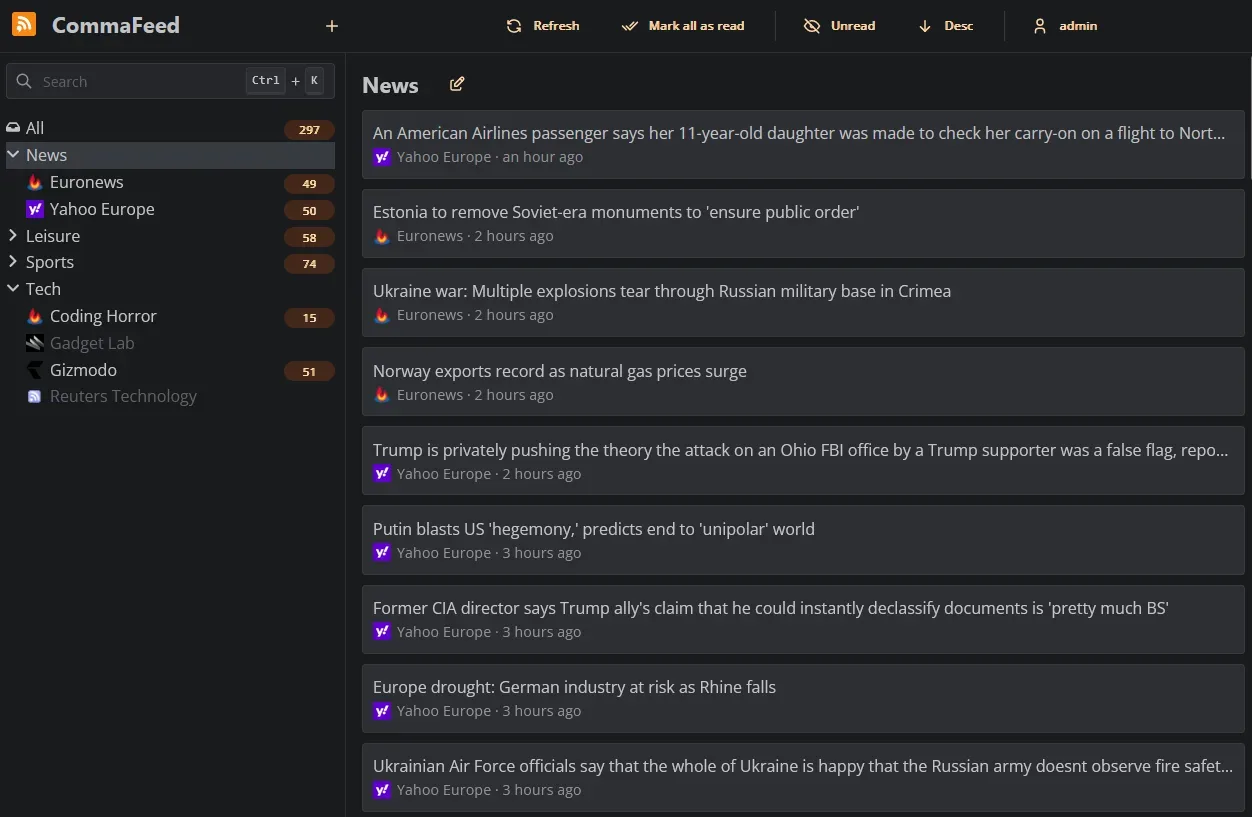
Image source: commafeed. Published by the project; the interface may vary by version.
Known features
The reader offers four layouts, light and dark themes, and a responsive interface for mobile and desktop screens. Keyboard shortcuts cover most actions, right-to-left feeds are supported, and the project says it is translated into more than 25 languages. OPML import and export can help with subscription migration. Integrations can use the REST API or the Fever and Google Reader APIs, including for native mobile applications.
Users can define rules that automatically mark articles as read. CommaFeed also supports push notifications for newly published articles, custom CSS and JavaScript, and a browser extension project. The README lists H2, PostgreSQL, MySQL, and MariaDB as supported databases. The repository metadata identifies the project as Apache License 2.0.
Who should consider it
CommaFeed is a reasonable fit for RSS-heavy users who are comfortable with Docker, Java applications, or basic server administration. It may also suit users who want to keep OPML and reading data under their own control, or connect the reader to mobile clients and automation through APIs. Users who only want an immediately available web reader may prefer the public instance, although the project notes that it has limitations compared with self-hosted setups.
Deployment considerations
The README calls Docker the easiest way to start a self-hosted installation. It also documents native packages for Linux x86_64, Linux aarch64, and Windows x86_64, plus a JVM package that works across platforms but requires a JRE. Source builds can select a database profile; native compilation requires GraalVM or an available container environment. The chosen route therefore affects build and operational complexity.
H2 requires no additional configuration, and its database file is stored in the current directory’s data directory. PostgreSQL, MySQL, and MariaDB require a JDBC URL, username, and password. Before production use, plan persistent storage, database backups, reverse-proxy behavior, and access control. The provided sources do not establish minimum hardware, production capacity, or performance figures, so concrete sizing should be validated for the intended workload.
Security-related configuration deserves attention. The README says local resources are blocked by default to reduce SSRF risk. Disabling that protection may be necessary for feeds available only on a private network, but the project recommends doing so only when all instance users are trusted. The 7.3.2 release also records a permission fix preventing users from starring or tagging entries belonging to others and then reading them. Before adoption, review formal releases, the project’s security information, and configuration documentation, and prepare an upgrade and rollback plan.
Sources
Sources checked: 2026-10-17