

2026.10.11
Databasement: Centralized Database Backups with a Self-Hosted Web UI
Databasement gives teams a self-hosted interface for scheduled backups, snapshot restores, remote connectivity, storage targets, notifications, and automation across several database engines. Verify restore coverage and deployment requirements before adoption.
What it does
Databasement is a self-hosted database backup management application with a web UI. It lets operators register database servers, test connections, schedule recurring backups, and restore snapshots to registered targets. For teams maintaining several database engines, it provides one place to review jobs and manage backup workflows instead of maintaining unrelated scripts for each system.
The README lists MySQL, PostgreSQL, MariaDB, Microsoft SQL Server, MongoDB, SQLite, Firebird, and Redis/Valkey. The project website describes the same general workflow: register servers, test connections, schedule backups, and restore snapshots. Support should not be read as universal restore coverage, however. The README’s support table marks Restore as “No” for Redis and Valkey, so operators should verify the exact engine and recovery objective before relying on the tool.
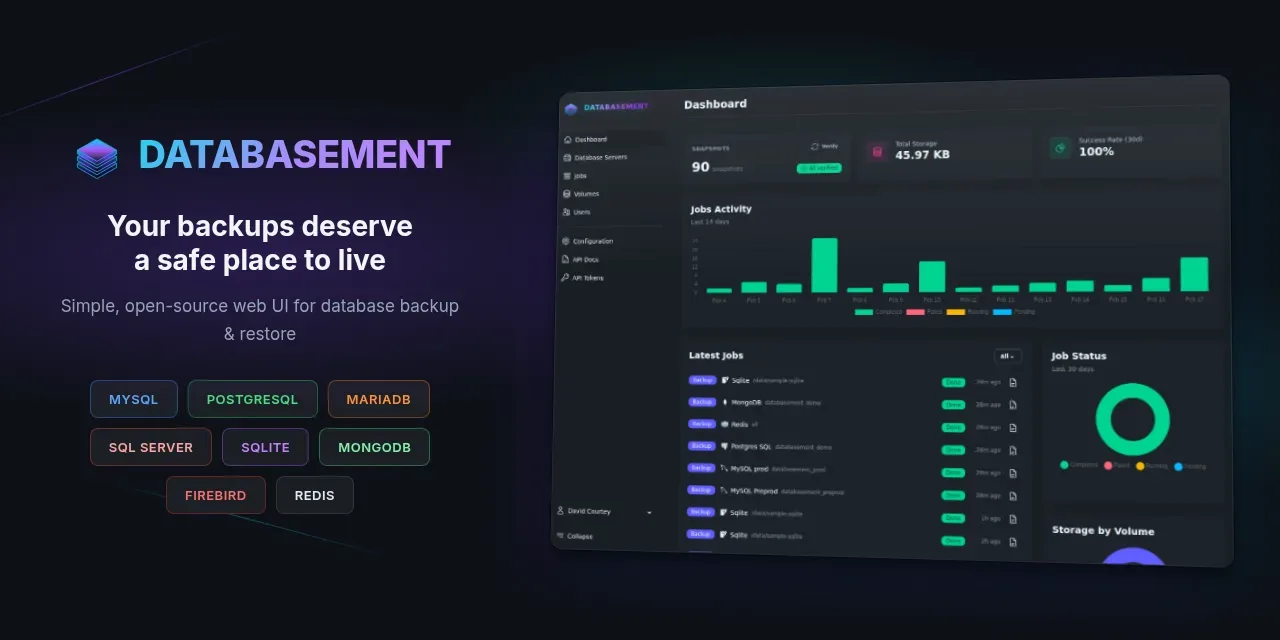
Image source: databasement. Published by the project; the interface may vary by version.
Features and suitable users
SSH tunnel support allows connections to databases in private networks through a bastion or jump server. Remote agents target firewalled or isolated networks with no inbound port: an agent connects outbound over HTTPS, creates a local dump, and uploads it to storage. These options may suit cloud-private databases, branch installations, or environments where inbound access is undesirable. Credentials, keys, and agent placement still need to fit the organization’s access-control model.
Backups can run on daily or weekly schedules, with time-based or GFS retention policies. The README lists gzip, zstd, and an encrypted option using AES-256 for sensitive data. Other listed functions include cross-server restore, scheduled restores for recurring target refreshes, real-time job logs, and failure notifications through Email, Slack, Discord, Telegram, Pushover, Gotify, or Webhook.
For teams, Databasement lists multi-tenant organizations, isolated workspaces, role-based access control, OAuth/SSO with Google, GitHub, GitLab, and OpenID Connect, plus optional two-factor authentication. A REST API and MCP server support scripts, CI/CD, and AI-assistant integrations. The project is therefore relevant to operations teams, database administrators who want a self-hosted control plane, and development teams integrating backup actions into automation.
Deployment considerations and limits
The official documentation lists single-container, Docker Compose, Kubernetes with Helm, and native Ubuntu deployment paths. The single-container approach includes the web server, queue worker, and scheduler, which can be useful for evaluating the workflow. Production deployment still requires deliberate configuration of persistent data, access controls, storage permissions, and external dependencies. The supplied sources do not establish minimum hardware, performance, or high-availability guarantees, so none should be assumed.
Before adoption, perform an actual restore exercise rather than checking only whether backup jobs finish. Confirm dump tools, database versions, extensions, character sets, permissions, and target environments. Also decide whether backup storage and application data should be separated across failure domains. Encryption, SSH, OAuth/SSO, two-factor authentication, and notifications are listed features, but their precise configuration, key handling, and compliance implications should be reviewed in the official documentation.
The supplied v1.9.3 release notes fixes for the organization switcher display, preserving a backup configuration during an API update, and reapplying retention to snapshots orphaned by API updates. The repository metadata identifies the project as MIT-licensed. Version compatibility, restore behavior, and deployment details can change; use the documentation and release notes for the version being deployed.
Sources
Sources checked: 2026-10-11