

2026.10.08
DOCSight Turns Cable Troubles into a Traceable Local Timeline
DOCSight is a self-hosted evidence system for DOCSIS users. It combines signal history, speed tests, latency, modem events, and notes, then produces local reports. It suits people documenting recurring cable problems, provided they check hardware support and review exports before sharing them.
What it is for
DOCSight is aimed at people who repeatedly experience cable outages, evening slowdowns, latency, or packet loss. It places DOCSIS signal history, speed tests, latency, modem events, and personal notes on a shared timeline. That makes it easier to ask whether an incident was isolated or appeared across several measurements. The project does not claim to repair the line; its role is to turn scattered screenshots and descriptions into reviewable evidence.
The project is MIT-licensed and self-hosted. Its official site says monitoring history and generated reports remain on the user’s own hardware, while optional integrations communicate with services the user configures. Local storage still requires care: the documentation warns that exports may contain connection details and incident notes, so users should inspect them before sending material to an ISP.
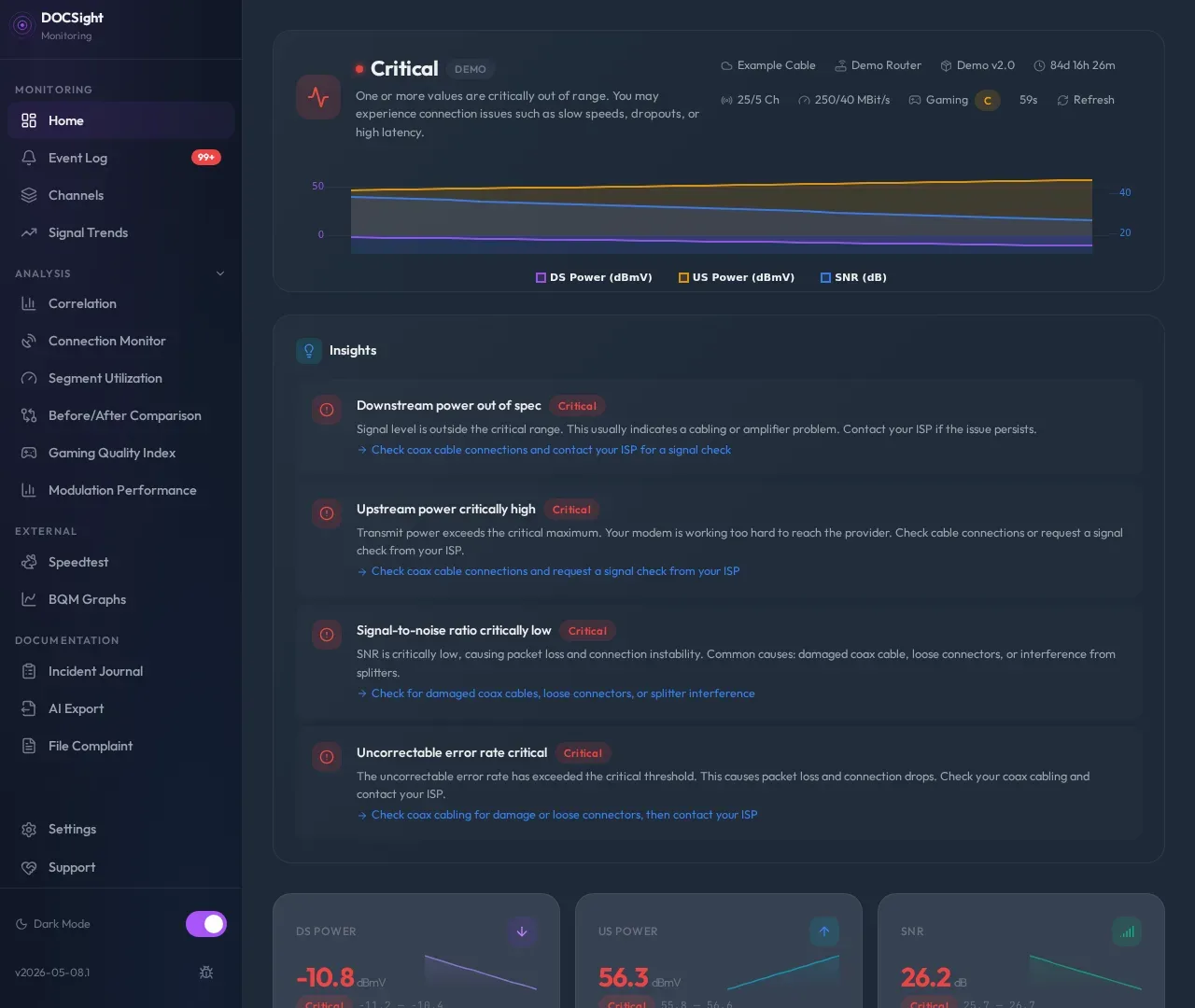
Image source: docsight. Published by the project; the interface may vary by version.
Known capabilities
The README lists a live dashboard, signal trends, connection monitoring, an event log, and an incident journal. Users can track latency, packet loss, outages, route checks, and raw ping logs, while also adding attachments, reviewed imports, and incident groupings. The evidence workflow can cover a selected incident or time window, indicate missing or stale evidence, and generate complaint material containing letter text, a checklist, and PDF output.
DOCSight also provides correlation views for signal, speed, and event history, plus before-and-after comparisons around a technician visit or ISP change. The README mentions guided integrations for Speedtest, BQM, SmokePing, and BNetzA measurements, along with Home Assistant, notifications, backup and restore, and API tokens. The interface supports multiple languages, light and dark themes, and PWA/offline use; each integration still depends on its own service and configuration.
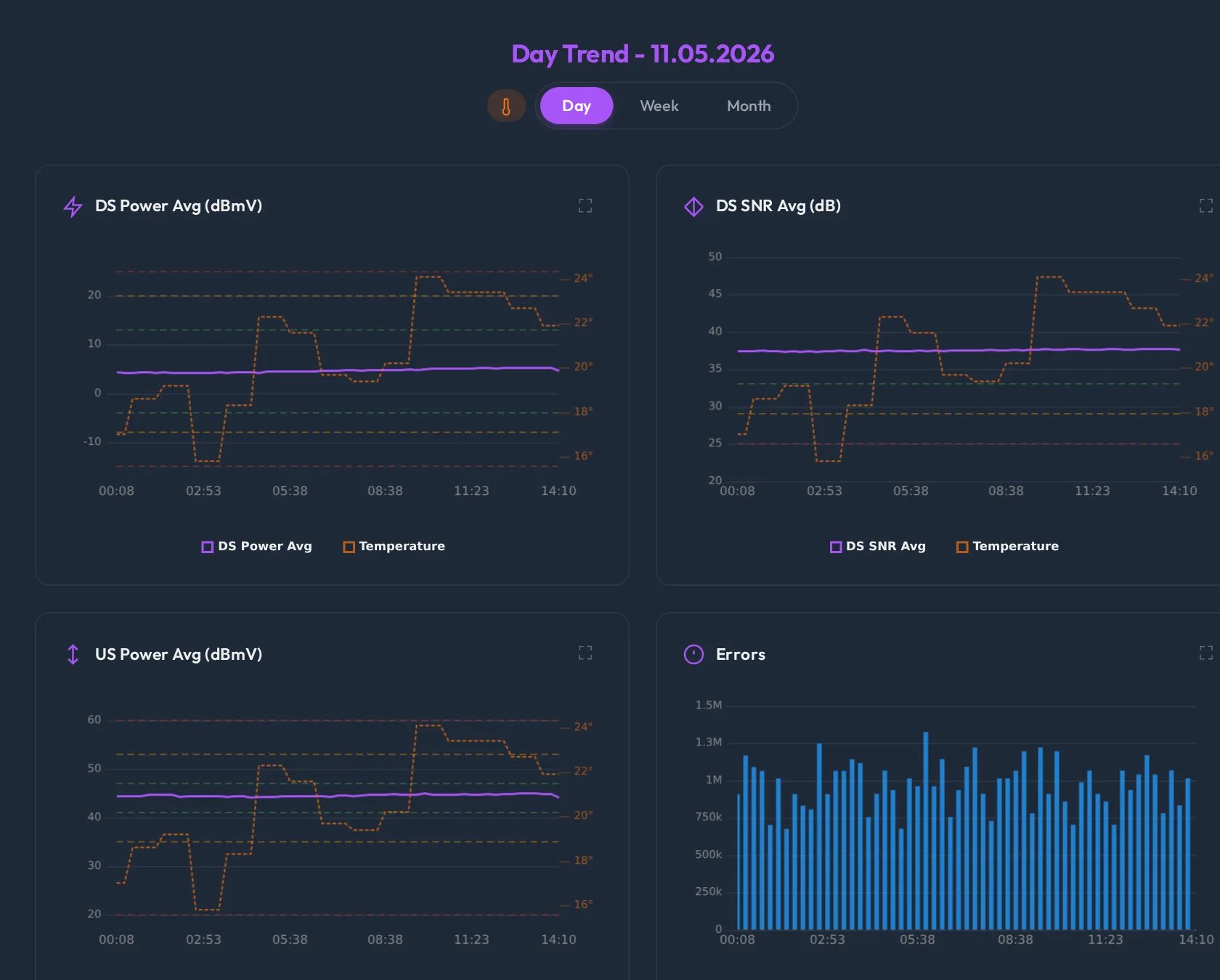
Image source: docsight. Published by the project; the interface may vary by version.
Who it suits
DOCSight is a strong fit for households, technical users, and homelab operators who have a supported cable modem, want to retain long-term measurements, and need clearer evidence for recurring ISP conversations. People already using speed or latency monitoring may use it as a local DOCSIS and complaint-evidence layer rather than as a basic uptime monitor.
It may be a poor fit if the only requirement is HTTP availability alerting, a public status page, or a managed cloud service. Generic Router mode supports speed tests, latency monitoring, notes, and reports for fiber, DSL, and satellite connections, but it does not provide DOCSIS signal data. The project’s distinctive purpose remains cable-line evidence.
Limits and deployment considerations
Hardware support should be checked first. The README lists 22 modem families, but devices expose different interfaces. The PYUR FAST3896-15 driver is on the main branch and is not yet part of a tagged release, so it should not be treated as equivalent to stable-release support. The README also says signal health and SC-QAM capacity estimates describe the physical or channel layer, not internet throughput or subscribed tariff speed.
Version selection matters as well. The README’s Docker examples use the stable image tag; latest follows main and may contain unreleased changes. The v2026-09-16.1 release records a fix for slow DOCSIS responses on affected CGA devices and documents several API changes. Anyone maintaining custom integrations should read the release notes rather than assume upgrades are interface-neutral.
Finally, plan for continuous operation and data handling. Docker requires a running Docker engine, while continuous monitoring needs an always-on host, reachable modem, and dependable volume backups. The supplied sources do not confirm minimum hardware requirements, complete compatibility boundaries, or any guaranteed ISP or legal outcome. Synthetic demo data is useful for evaluating the workflow before connecting real hardware, but it cannot establish how a real connection will behave.
Sources
Sources checked: 2026-10-08