

2026.09.29
Figranium: Visual orchestration for browser automation
Figranium is a self-hostable tool for building browser workflows from visual blocks. It adds API execution, scraping, captures, file cabinets, proxies, and scheduling, but deployment requires careful review of credentials, network boundaries, and site rules.
What the project does
Figranium is a self-hosted tool for assembling browser workflows from visual blocks. A task can combine navigation, clicks, typing, waits, scrolling, hovering, JavaScript, conditions, loops, variables, screenshots, uploads, and error handling. Completed tasks can be tested in the editor or triggered by another application through an HTTP API.
The project has two task modes. Agent Mode is intended for ordered browser automation with control flow, variables, and extraction. Scrape Mode provides lightweight HTTP-based scraping and extraction without launching a browser. This distinction may help teams choose between interactive pages and simpler HTTP sources, but the supplied sources do not provide performance or compatibility comparisons, so they do not establish which mode is faster or more reliable.
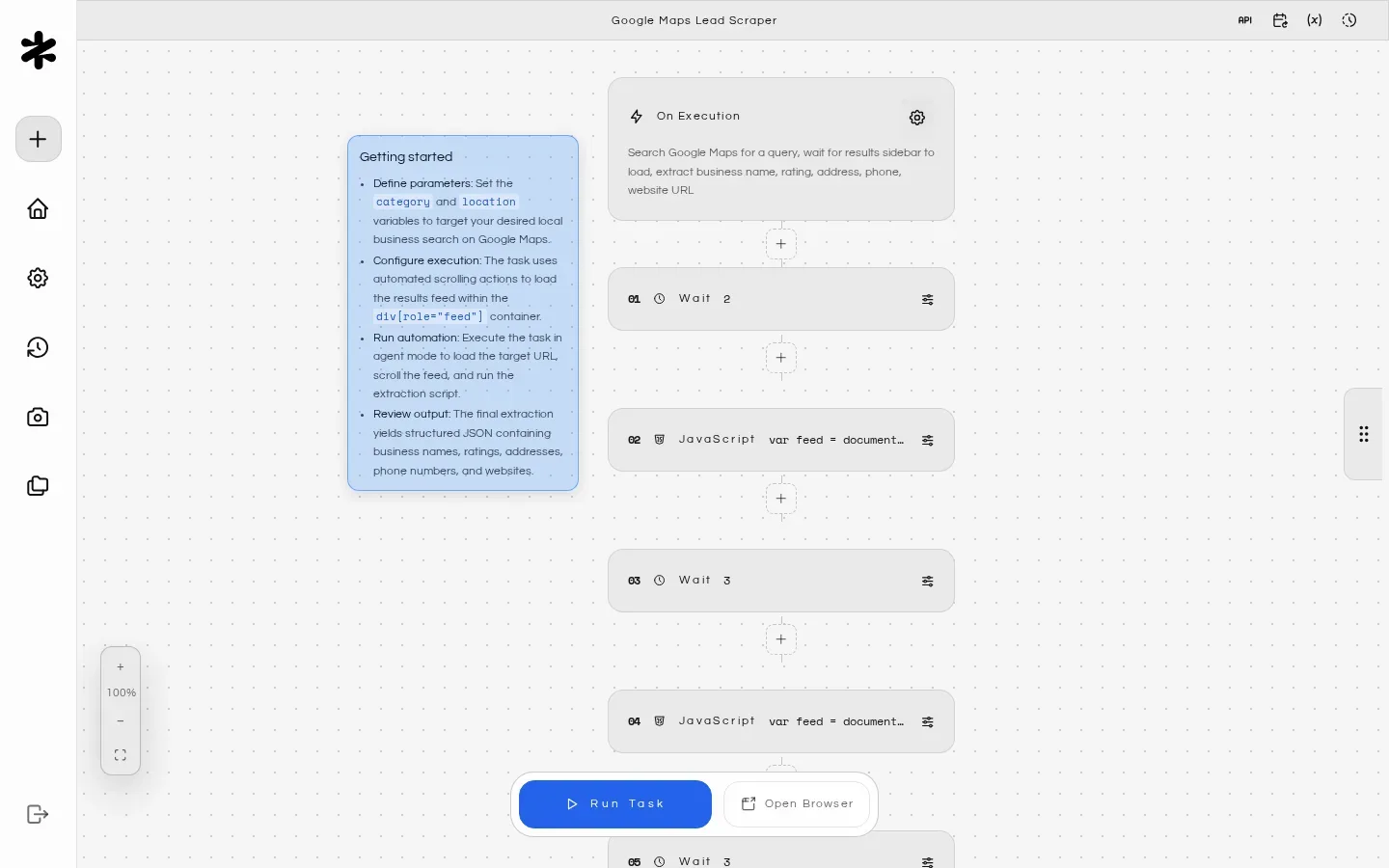
Image source: figranium. Published by the project; the interface may vary by version.
Who it may suit
Figranium may suit developers, internal automation teams, and operations staff who want to turn repeated web actions into reusable tasks. Runtime variables allow one workflow to accept different inputs, while extraction can return structured data. Screenshots, recordings, execution history, and returned results can help with review and troubleshooting. A visual editor may also make handoff easier for teams that need structured workflows rather than one-off scripts.
A one-time script or a workflow that does not require browser interaction may not benefit from the additional editor, session, and browser-runtime overhead. The supplied material also makes no broad guarantee about compatibility, throughput, or stability across target websites.
Image source: figranium. Published by the project; the interface may vary by version.
Features and deployment considerations
Saved tasks can be executed through POST /api/tasks/:id/api, with variables supplied at runtime. Figranium also includes execution history, scheduling, Captures, and Cabinets for download queues and upload state. Scheduling supports visual recurring settings and advanced cron expressions. Proxy settings can be managed, imported, and rotated for HTTP or SOCKS proxies.
The README describes a Docker Compose deployment and identifies port 11345 as the main application port. For reverse-proxy deployments, it recommends proxying only that application port; the embedded browser viewer connects through an authenticated /websockify endpoint. Before production use, verify WebSocket forwarding, domain configuration, session behavior, and logging in your own proxy setup.
SESSION_SECRET is required before running the application. The documented configuration also includes IP allowlisting, TRUST_PROXY, private-network access, database selection, and PostgreSQL connection settings. ALLOW_PRIVATE_NETWORKS deserves particular care because the README identifies an SSRF risk. API keys, session credentials, proxy credentials, and collected data should be treated as sensitive operational material. The sources describe security-related controls but do not provide an independent audit or sufficient evidence for a broad security claim.
Limitations before adoption
The repository metadata identifies GPL-3.0 as the license. Teams should review the license obligations before integrating, modifying, or distributing the software. Proxy and CAPTCHA-related capabilities do not establish that automation or verification bypass is permitted by a target website. Operators remain responsible for applicable law, terms of service, privacy requirements, and access limits. If an optional engine such as CloakBrowser is used, its licensing terms should be checked separately; the supplied sources do not establish its price or complete compatibility profile.
The official v0.18.5 release focuses on editor canvas effects, Markdown sticky notes, and note-recovery reliability rather than representing a complete change to browser automation capability. Production evaluation should therefore cover your own login flows, downloads, proxy strategy, task recovery, and target sites instead of relying on the version number alone.
Sources
Sources checked: 2026-09-29