

2026.10.12
Homepage: A Customizable Dashboard for Self-Hosted Services
Homepage brings self-hosted services, containers, bookmarks, and information widgets into one configurable dashboard. Its flexibility comes with configuration and network-security responsibilities.
What it is for
Homepage is a self-hosted homepage, startpage, and application dashboard. It can bring links, container information, and data from supported service APIs into one interface, reducing the need to move between separate service pages. It is best understood as a configurable access and information layer, not as a complete operations platform.

Image source: homepage. Published by the project; the interface may vary by version.
Who may benefit
Homepage is a practical fit for individual self-hosters, homelab operators, and small teams running Docker-based services who want one entry point for media, downloads, monitoring, networking, or personal applications. The official site lists integrations for services such as Plex, Jellyfin, Sonarr, Radarr, Immich, Nextcloud, and Uptime Kuma. The actual information shown still depends on each service’s API, permissions, and network reachability.
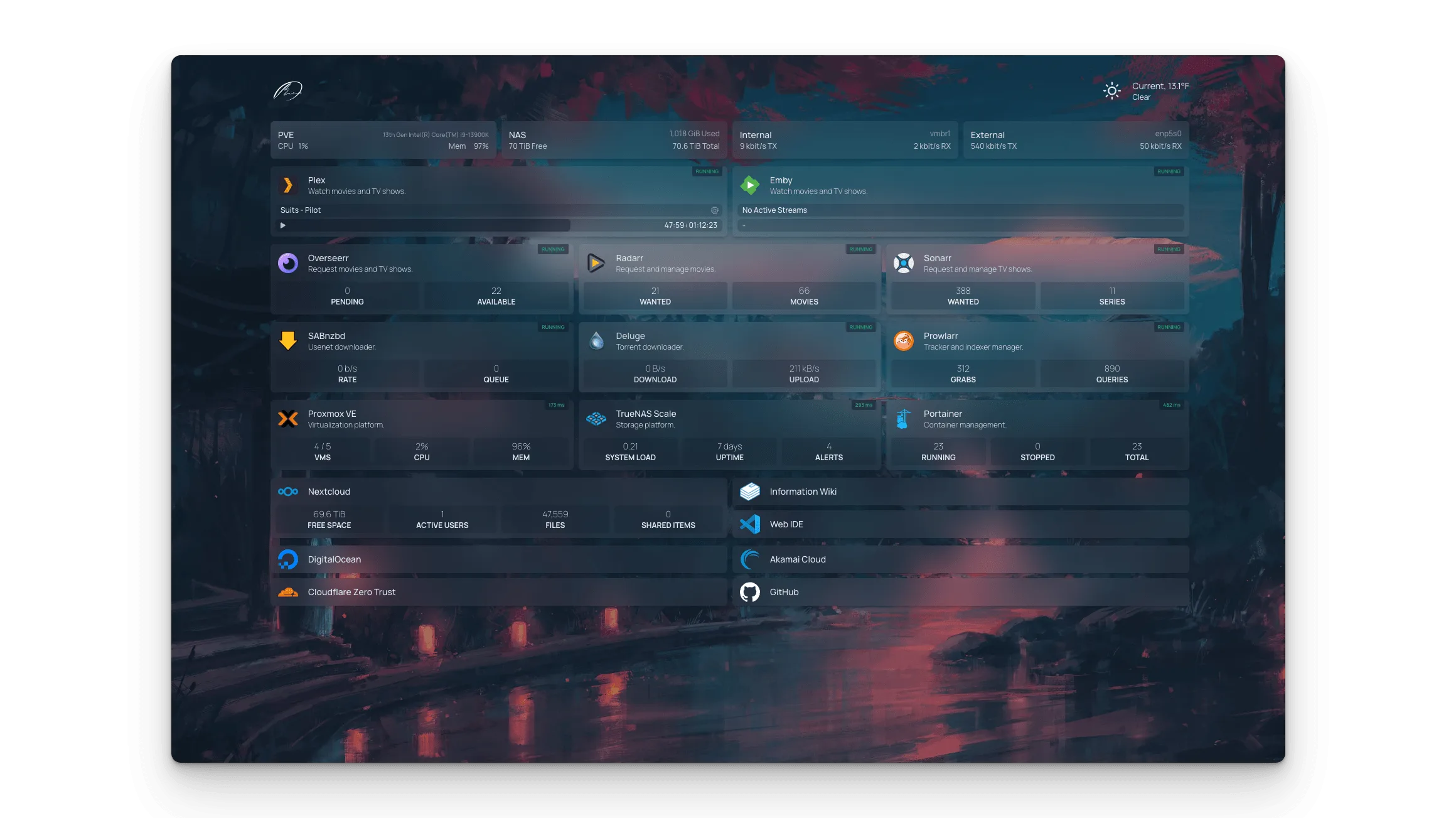
Image source: homepage. Published by the project; the interface may vary by version.
Known capabilities
Configuration can be written in YAML, and Docker label discovery can automatically add services. The README describes container status and statistics, bookmarks, quick search, weather, time, date, system information, and many third-party integrations. The official documentation also lists Kubernetes, Proxmox, information providers, custom APIs, themes, custom CSS and JavaScript, custom layouts, and localization.
The README describes static generation, proxied API requests, and multilingual support. Its security wording should not be read as a substitute for deployment controls. The project states that images are available for AMD64 and ARM64 and that more than 40 languages are supported. The v2.5.0 release records new feeds, customapi, BookOrbit, and qui widgets, along with log-size limiting and rotation changes. These sources do not establish any particular performance level on your hardware.
Limits and deployment considerations
Homepage’s usefulness depends heavily on configuration quality. YAML formatting, service URLs, API permissions, and Docker labels can all affect the result, so the official documentation and troubleshooting material should be part of the deployment process. The project documents Docker, Kubernetes, Unraid, and source installation, but the supplied sources do not confirm minimum hardware requirements, resource consumption, or a universal compatibility range.
Privacy and network boundaries deserve particular attention. The README warns that widgets may access personal information, including data from a home automation system. If Homepage is reachable from an untrusted network, the project requires a reverse proxy or VPN that enforces authentication, TLS, and strict Host-header validation. Optional OIDC or password login can add an authentication gate, but it should not replace network segmentation, least privilege, or careful credential handling.
Docker integration may require access to the Docker socket. The README example uses a read-only mount, but that does not by itself resolve every host-exposure concern. Before enabling discovery, assess whether it is necessary and restrict Homepage to the services and networks it actually needs. Homepage is licensed under GPL-3.0; anyone modifying, distributing, or embedding it should review the license and project documentation.
Sources
Sources checked: 2026-10-12