

2026.09.12
Lap Turns Local Photo Folders into a Searchable Family Library
Lap is a GPL-3.0-or-later, local-first photo manager for macOS, Windows, and Linux. It offers offline browsing, on-device AI search, duplicate review, and a folder-first workflow, but its organizational data requires separate backup.
What it does
Lap is an open-source desktop photo manager for macOS, Windows, and Linux. It is designed for offline-first browsing of family albums and large local media libraries, without requiring cloud uploads or migration into a closed catalog. For people who already organize photos by year, event, or device, Lap adds indexing, filtering, and review tools on top of existing folders.
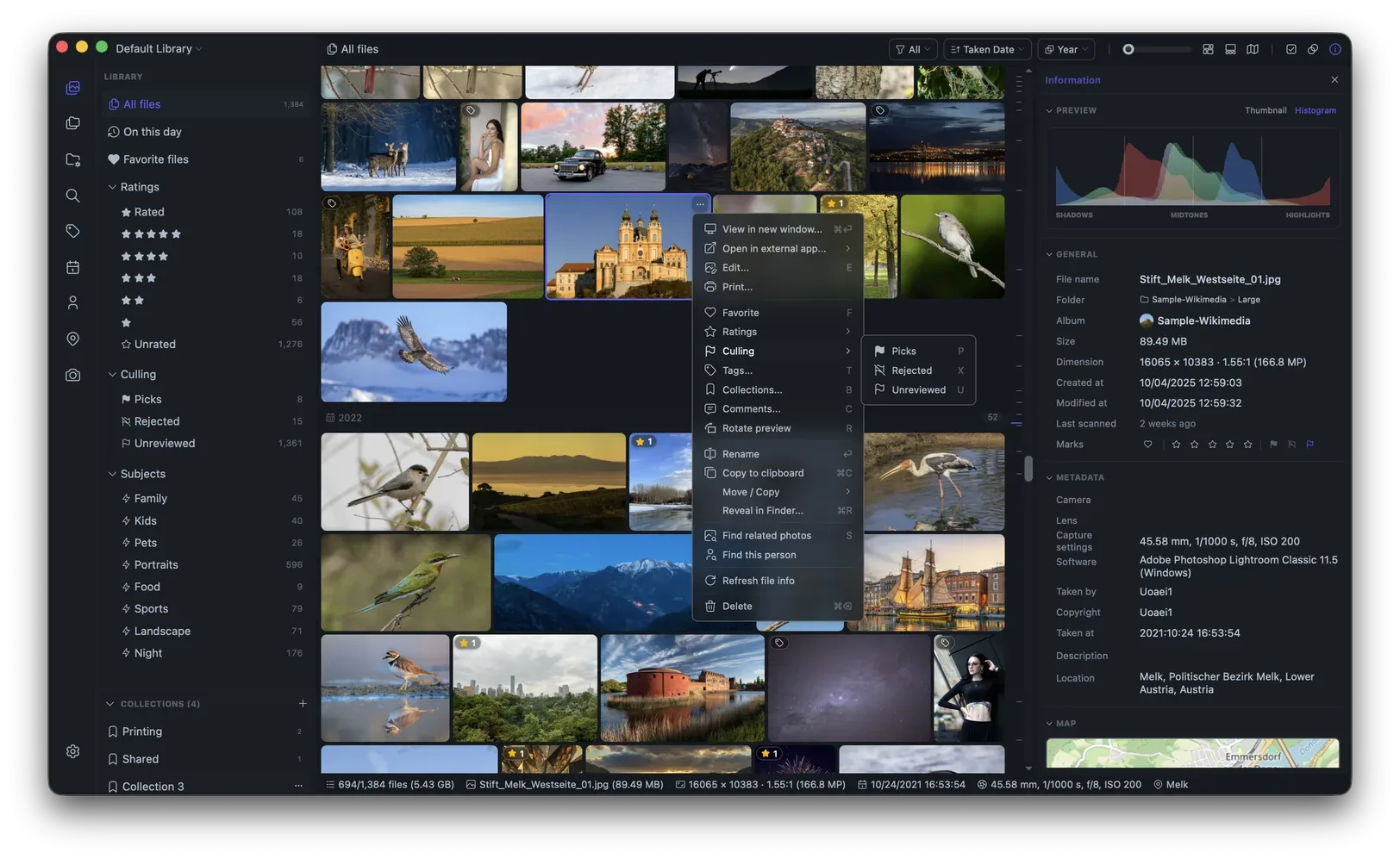
Image source: lap. Published by the project; the interface may vary by version.
Who it suits
Lap is aimed at families who want to keep photos on their own disks, photographers managing substantial RAW and video collections, and anyone who needs to find older local photos quickly. The project website also names family albums, photographers, and large local libraries as target audiences. However, the supplied materials do not specify a universal minimum hardware configuration, so users should assess CPU, memory, storage, and library size before deployment.
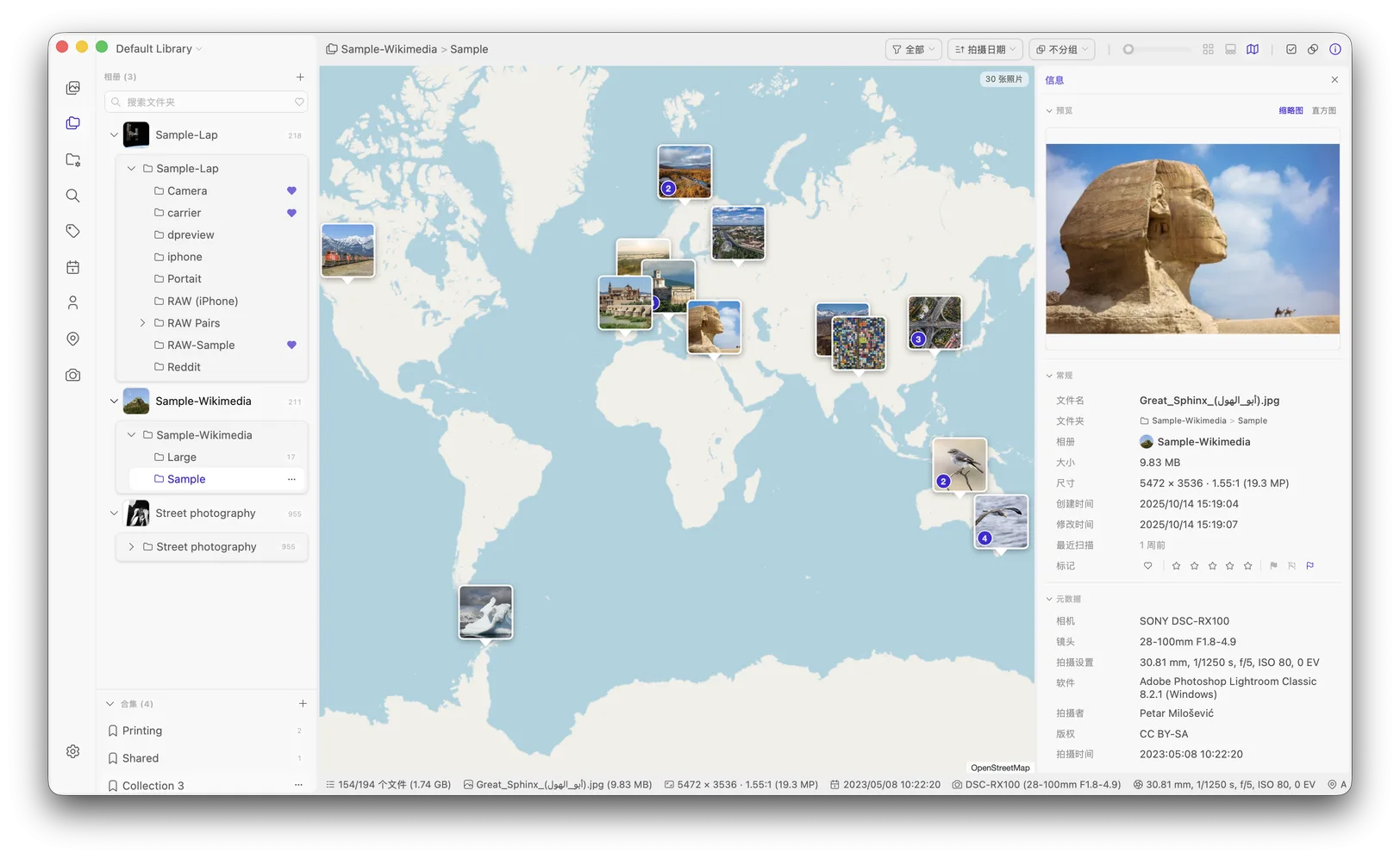
Image source: lap. Published by the project; the interface may vary by version.
Known features
The app supports filtering by timeline, folder, location, camera, lens, tag, favorite, rating, subject, and face. It includes Smart Albums and Collections; Collections organize files without moving or duplicating the originals. Local AI features cover text prompts, visual similarity, subjects, face clustering, and smart tags. The README also mentions optional multilingual search in more than 50 languages, although model download requirements and runtime costs should be verified on the target machine.
Its folder-first workflow includes multiple libraries, drag-and-drop or copy-paste import, filesystem synchronization, and file move, copy, and delete operations. Lap recognizes Apple Live Photos and keeps related HEIC, MOV, and AAE components together during supported operations. RAW files can also be grouped with same-named JPEG or HEIC companions. Other tools include a four-pane comparison viewer, duplicate finding, batch trash operations, and basic editing such as crop, rotate, flip, resize, and image adjustments. The README states support for more than 60 photo, RAW, and video formats.
Version 0.3.1 added folder search, inline subfolder creation, folder favorites, and folder counts. Duplicate and similar-photo review gained keep, unkeep, delete, refresh, and reanalyze actions. Album scanning also reports clearer progress for discovery, thumbnail generation, and search-data preparation.
Limitations and deployment considerations
“Local” does not mean every piece of information is written back to the media. Lap reads embedded metadata such as EXIF, but Collections, tags, comments, favorites, ratings, culling states, Smart Album rules, face data, thumbnails, and AI indexes belong to Lap’s local database or cache. They are not automatically carried to another application when files are copied. Renaming, moving, replacing, or copying files in Finder, Explorer, or another application can therefore disrupt organization stored only in Lap.
If Collections or tags matter, prefer moving and renaming files inside Lap and back up the photos together with Lap’s database and configuration. Deleting the database removes local organization and index data, while the README says it does not delete original media. Linux users should also note that Ubuntu, Debian, and Linux Mint may need additional GStreamer packages for better video playback. The README labels Windows packages unsigned and notes that SmartScreen may block them; this is not a security assessment, so users should independently verify downloads.
Lap is released under GPL-3.0-or-later. The supplied sources do not provide a universal hardware baseline, performance guarantee, or automatic cross-application metadata synchronization. Test the workflow on copies of your folders before indexing a production library, especially when RAW, video, and AI features are involved.
Sources
Sources checked: 2026-09-12