

2026.09.26
Memos: A Self-Hosted Timeline for Short Notes
Memos is an open-source, self-hosted note-taking tool for quick Markdown capture. It suits journals, developer logs, and lightweight sharing, but deployment, upgrades, backups, and access control remain your responsibility.
What it is for
Memos is designed for capturing thoughts, links, work logs, and code snippets without first choosing a folder, title, or template. Notes appear in a chronological Markdown timeline, with search, tags, pins, and selective sharing. Its focus is a personal stream of short notes rather than an all-in-one workspace.
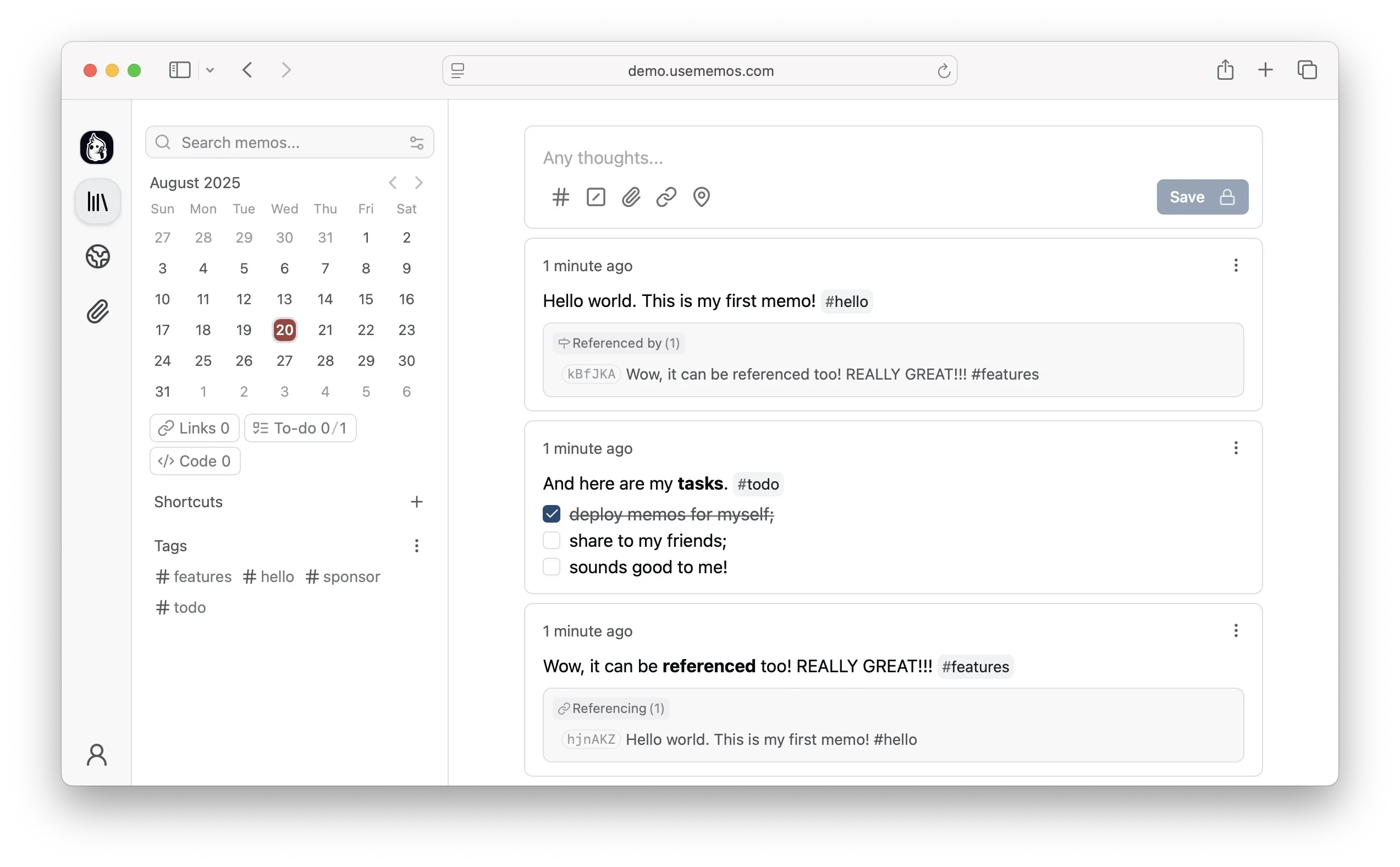
Image source: memos. Published by the project; the interface may vary by version.
Who may find it useful
Individuals can use it for daily notes, reading highlights, ideas, and tasks. Developers can keep snippets, technical notes, and infrastructure logs; writers can collect drafts and source material. It is also aimed at people who want to run their own service on infrastructure they control, such as a server or NAS. The official site lists self-hosters, students, families, and privacy-conscious teams among its use cases, but team suitability still depends on the required permissions and operational capacity.
Confirmed capabilities
The editor is Markdown-based. The official site also lists LaTeX math, REST and gRPC APIs, and support for SQLite, MySQL, and PostgreSQL. The Web Clipper can save pages, selections, and images as source-linked Markdown, with extensions for Chrome and Firefox.
Release 0.31.0 added Spaces for shared organization and member invitations, plus Calendar and Map views for browsing notes by date or location. It also introduced personal export and import between instances. The release notes say exports include archived memos, comments written by the exporting user, and attachments, but exclude instance settings and other users’ data. Attachment improvements include multiple named storage backends and chunked uploads.
Limits before adoption
Self-hosting does not remove operational work. You must plan the database, attachment storage, backups, upgrades, domain, and access controls. The supplied material confirms a Docker deployment path, but does not establish minimum hardware requirements or performance figures for a particular scale. “No telemetry” and self-hosting should not be treated as complete privacy or security guarantees; public deployments still require your own HTTPS, account protection, update process, and recovery testing.
Upgrade paths also deserve attention. The README specifically says that users upgrading from a release before v0.31.0 should run v0.31.0 successfully and review earlier migration requirements. Release tags use a YY.MM scheme with optional point releases and release candidates. The stable Docker tag follows stable releases, while canary follows development builds. For production, use a tested version rather than automatically tracking a development tag.
Deployment considerations
A small personal deployment can begin with the project’s Docker instructions, then expand to the documented database and storage options as needed. Before going live, decide where notes and attachments persist, how often backups run, what recovery target is acceptable, and whether the service should be exposed publicly. If using Spaces for collaboration, clarify invitations, visibility, and administrator boundaries. API and export features can support automation and migration planning, but they do not replace a complete backup strategy.
Memos is a good fit for users who value fast capture, portable Markdown, and control over their infrastructure. Its strength is a focused, self-managed timeline for short notes—not a claim to replace every collaboration product.
Sources
Sources checked: 2026-09-26