

2026.09.14
n8n: Visual Workflow Automation with Code Extensions
n8n is a fair-code platform for workflows and AI agents that can be self-hosted or used in the cloud. It suits technical teams connecting external systems, but licensing, connector scope, and production operations require review.
What it is for
n8n is a workflow automation platform that organizes triggers, data processing, external services, and business logic into visual flows. The project presents itself as a fair-code platform for building and deploying AI agents and workflows. Users can combine models, tools, data, and multi-step logic on a canvas, then add custom code where it is needed.
It is most relevant to technical teams responsible for internal integrations and process orchestration, including IT operations, security operations, sales operations, and development teams. The visual editor can help map a process, while the README states that workflows can use JavaScript, Python, and npm packages. That gives developers an option when a prebuilt node is not sufficient for a particular transformation or integration.
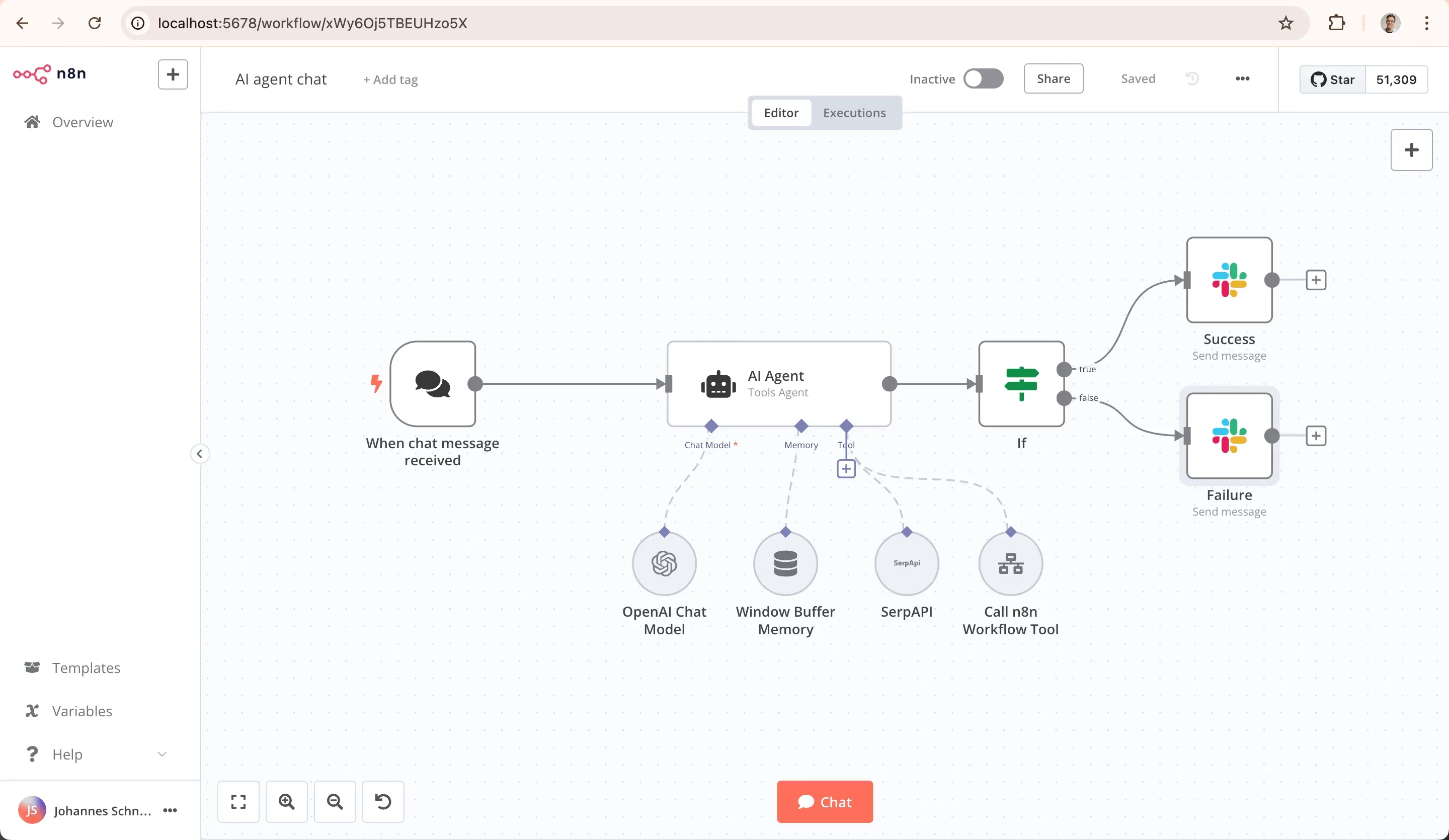
Image source: n8n. Published by the project; the interface may vary by version.
Documented capabilities
The README lists more than 1,500 integrations and more than 9,000 workflow templates. Project materials say n8n can connect to OpenAI, Anthropic, Google, and open-source models, and can switch between model providers. The official website also describes structured inputs and outputs, human approvals, execution inspection, and the ability to write JavaScript or Python in workflows.
n8n is presented as available for self-hosting and through a cloud service. The README provides Docker as an installation route, and the website says the product can be deployed on a user’s own infrastructure. The supplied release record is [email protected], published on September 11, 2026; one fix concerns executing MCP toolkit members on workers. Available nodes, authentication approaches, and feature scope should still be verified in the documentation for the version under consideration.
Image source: n8n. Published by the project; the interface may vary by version.
Limits to review before adoption
Licensing should not be reduced to an “open source” label. The README calls n8n fair-code and names the Sustainable Use License and n8n Enterprise License. Repository metadata reports the SPDX identifier as NOASSERTION. Teams should review the official license texts and documentation for their intended internal use, externally offered services, and any enterprise capabilities they need.
The integration count is not a substitute for deployment testing. Review the target service’s authentication method, rate limits, callbacks, failure handling, data formats, and third-party terms. AI use also calls for decisions about model costs, sensitive-data flows, prompt design, and output validation. Human-in-the-loop and control features listed by the project do not replace an organization’s own compliance design or permission model.
Deployment considerations
The supplied sources do not state minimum hardware requirements, uniform performance figures, or a complete production topology. They cannot support throughput expectations for a particular scale. A self-hosting team must plan persistence, backup and restoration, secret management, logs, access control, upgrades, and incident handling.
An evaluation can begin with a low-risk flow to validate triggers, credentials, error handling, and the target integration before adding AI, MCP, or multi-step agents. Docker is an installation path explicitly provided in the README, but environment-specific details such as images, networking, storage, and reverse proxies should be confirmed against official documentation and the intended deployment environment.
Sources
Sources checked: 2026-09-14