

2026.10.07
Nextflux: A Desktop-Oriented Web Reader for Miniflux
Nextflux is an open-source web client that gives Miniflux a reading-focused interface. It supports multiple accounts, background sync, PWA, feed management, and reading customization, but requires an accessible Miniflux service.
What it is for
Nextflux is not a standalone RSS fetching service. It is a web client for Miniflux, built with React and Vite, presenting Miniflux subscriptions, articles, and reading state through a desktop-oriented interface. Its clearest audience is people who already run Miniflux and want a more focused browser reading experience.
The project website describes Nextflux as open source, self-hosted, and made for Miniflux. That makes it relevant to users who want to manage their own subscription data or separate the reading frontend from the backend service. If you do not already have Miniflux, Nextflux does not remove that prerequisite.
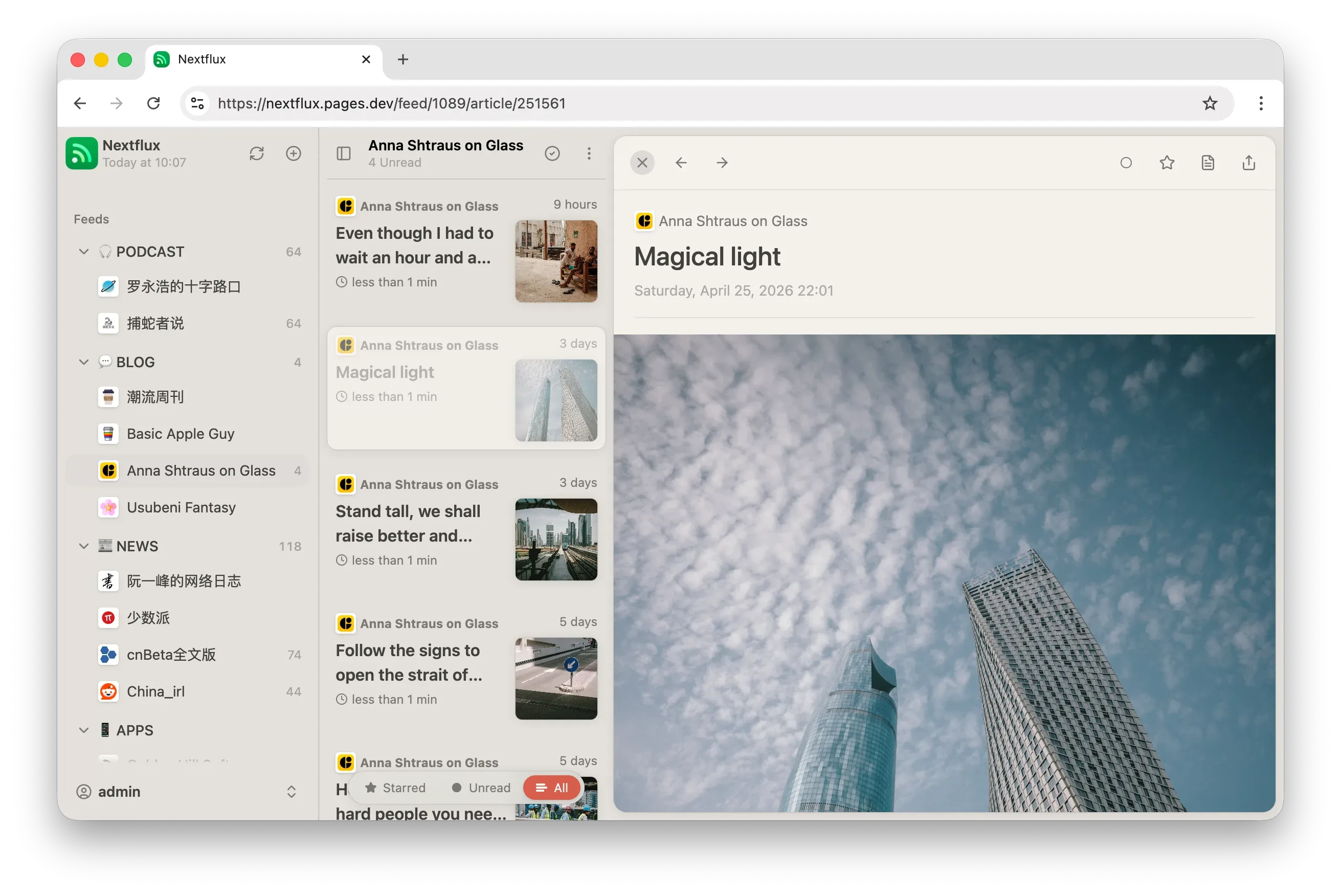
Image source: nextflux. Published by the project; the interface may vary by version.
Known features
The README lists Miniflux connectivity, multiple saved accounts, separate caches, account switching, background synchronization with configurable intervals, mobile-friendly behavior, and PWA support. It also includes light and dark themes, multiple theme options, English, Chinese, Turkish, and French localization, mark-as-read-on-scroll, keyboard shortcuts, category management, feed hiding, feed discovery, and search.
For data management, Nextflux supports OPML import and export, plus settings backup and restore. The project website also presents controls for Miniflux’s advanced subscription options, including full-content fetching, Scraper rules, Keep rules, Block rules, Rewrite rules, and global feed hiding. These rules are executed by Miniflux; Nextflux provides the management interface.
Reading customization includes font, font size, line height, and article width. The website also describes an image gallery with touch gestures, starring articles, saving them to third-party services configured in Miniflux, and optional AI summaries. AI summaries require a user-provided OpenAI-compatible API, so cost, privacy, and availability should be assessed independently.
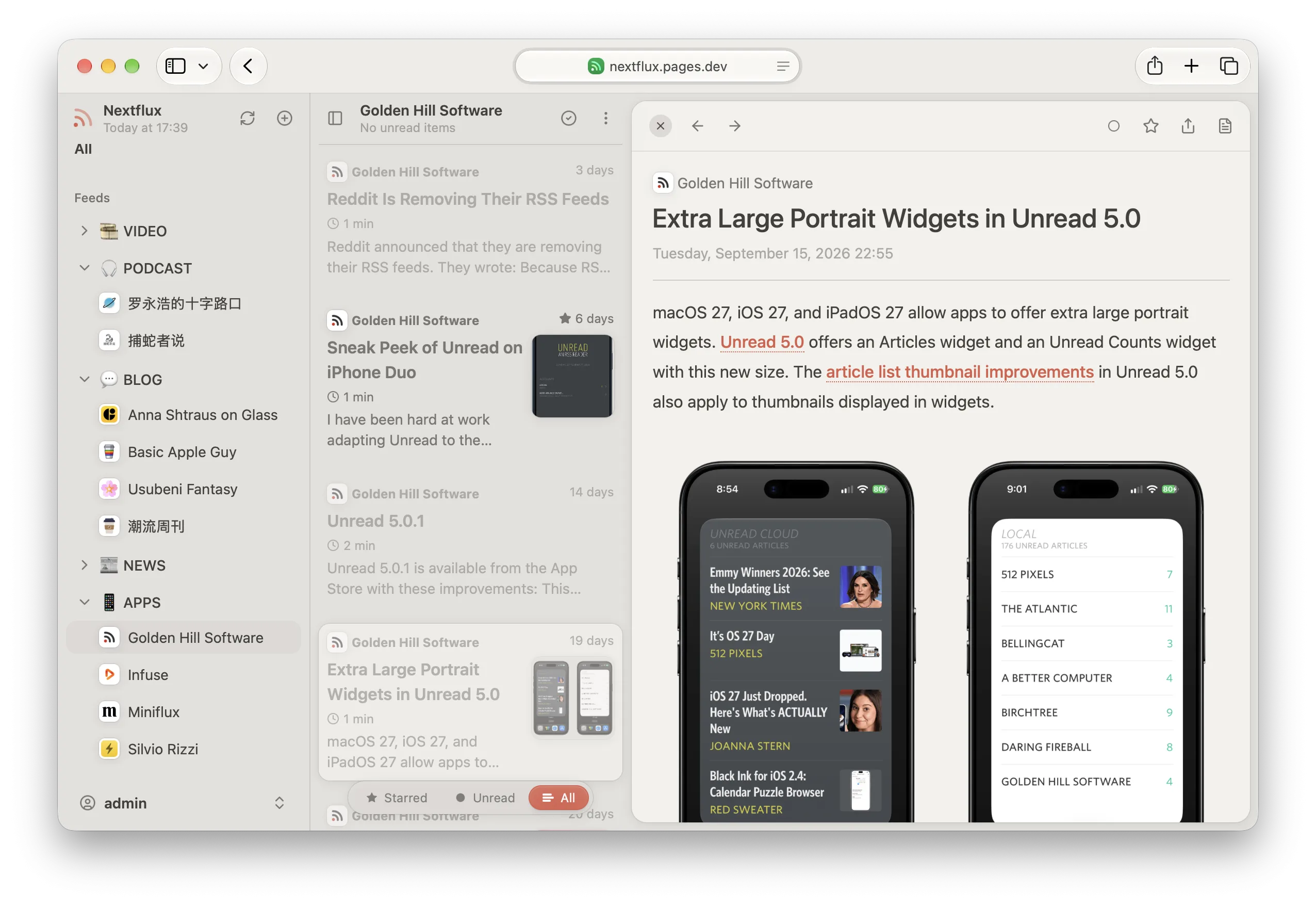
Image source: nextflux. Published by the project; the interface may vary by version.
Who may want it
Nextflux fits users who already operate Miniflux, read mainly in a desktop browser, and value layout, keyboard operation, and feed organization. Its account switching and separate caches may also matter to people using multiple Miniflux accounts. Users comfortable with Docker or Cloudflare Pages have deployment paths documented by the project.
Limitations before adoption
The main prerequisite is an accessible Miniflux service, together with a server URL and either an API token or username and password. Cross-origin access also requires the Miniflux server to permit the relevant requests. Nextflux does not provide the subscription-fetching backend itself, so deploying it alone does not create a complete RSS service.
The project is designed primarily for desktop use. The README says it works on mobile devices but notes that a native RSS reader may provide a better experience there. Its browser support lists Chrome, Firefox, Safari, and Edge, but the supplied materials do not confirm specific browser versions, minimum hardware, or real-world performance.
The repository metadata does not name a standard license. Its informal README wording should not substitute for verifying the applicable licensing terms. The available materials also provide no security audit, performance benchmark, or security conclusion. Before deployment, review the code, image provenance, credential handling, reverse-proxy configuration, and backup plan.
Deployment considerations
Official materials list standalone Docker deployment, Docker Compose with Miniflux, and Cloudflare Pages deployment. Whichever route you choose, verify Miniflux reachability, cross-origin configuration, and credential handling first. OPML can help migrate subscriptions; migrating article content and reading state requires a Miniflux database backup.
Sources
Sources checked: 2026-10-07