

2026.10.16
Nowen Note: A Self-Hosted Workspace for Notes and Tasks
Nowen Note combines notes, knowledge management, daily logs, tasks, collaboration, and AI features in a GPL-3.0 project for people who want to run and manage their own data.
Project focus
Nowen Note is an open-source, self-hosted workspace for notes and personal or team knowledge management. It brings notes, daily logs, task management, collaboration permissions, and AI features into one system. It is aimed at individuals and small teams that want to control their data, keep the service running on a server or NAS, and access it from the web, desktop, or mobile clients.
The project is licensed under GPL-3.0. Its README documents Docker and NAS deployment, including support for Ugreen UGOS/UGOS Pro and fnOS. It may fit people already maintaining a home server, NAS, or internal service. Users who only need a lightweight local editor should account for the additional complexity of collaboration, backups, object storage, and AI configuration.
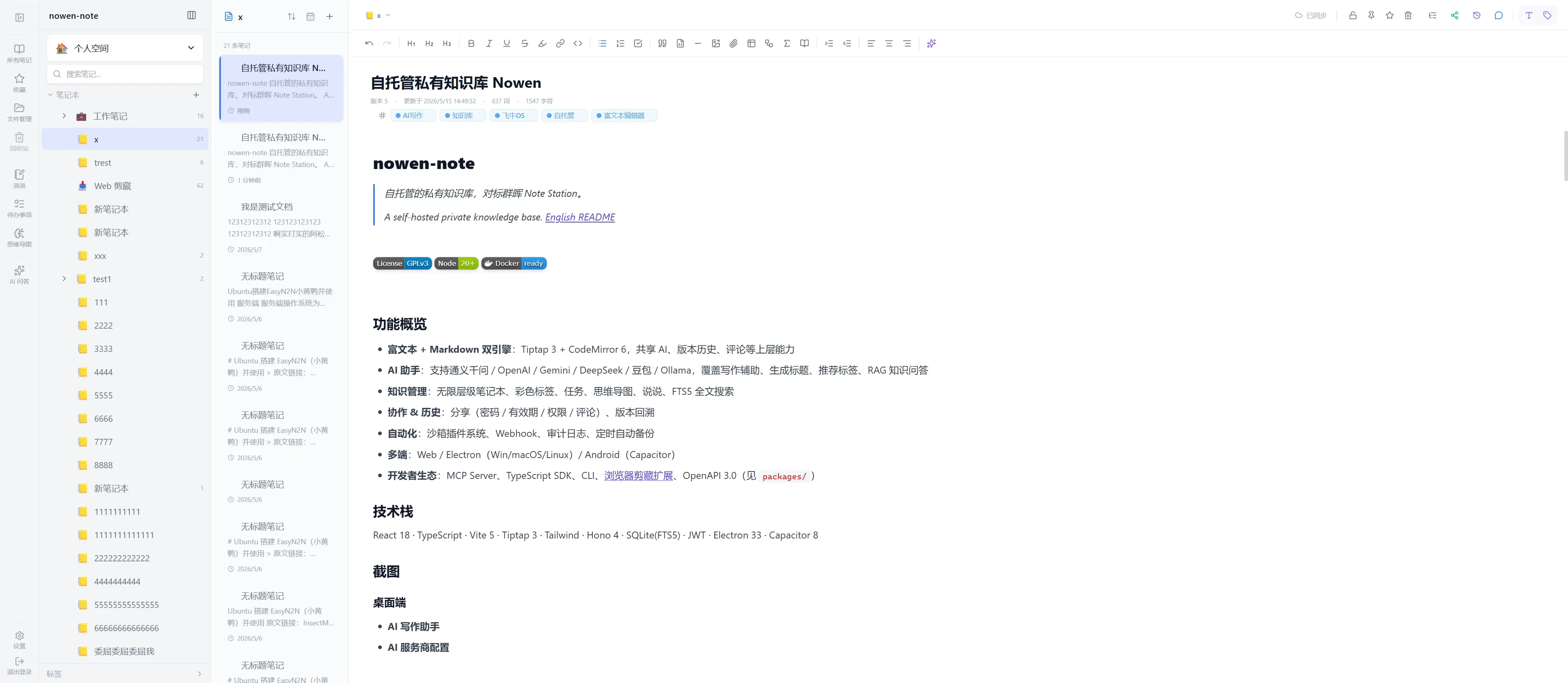
Image source: nowen-note. Published by the project; the interface may vary by version.
Known capabilities
Content is organized in a unified knowledge tree. Folders, rich-text documents, and Markdown documents can be managed together, with drag-and-drop ordering, tags, favorites, a recycle bin, shared directories, and full-text search. The editor supports Markdown and rich-text conversion, split preview, code blocks, tables, KaTeX, Mermaid, footnotes, callouts, media embeds, comments, and version history. These features are relevant to technical notes, project documentation, and long-term reference material.
The project also provides offline workspaces that can cache document content and attachments, allowing editing while disconnected and incremental synchronization after reconnecting. Daily records include calendar and diary views. The task module includes hierarchical tasks, lists, boards, calendars, Gantt or timeline views, recurring rules, reminders, and templates. Version 1.5.1 added due-date sorting, due-date reminders, morning and evening summary Webhooks, and confirmed AI actions for creating or completing personal tasks.
AI support includes OpenAI-compatible endpoints, Qwen, Gemini, DeepSeek, Doubao, and Ollama. The documented functions include continuation, rewriting, translation, summaries, embedding indexes, and RAG question answering. The README says that online model or embedding services receive relevant retrieved text; with a local service such as Ollama, question-answering content can remain on the user’s own device or server. This still requires users to decide what may be sent to external providers, and the project advises against storing passwords, API keys, or similar sensitive information in plain text.
Other documented capabilities include directory-level permissions, real-time collaboration, password-protected and expiring shares, import and export, S3/R2/MinIO attachment storage, WebDAV or email backups, and OpenAPI, a TypeScript SDK, CLI, Webhooks, plugins, and an MCP Server.
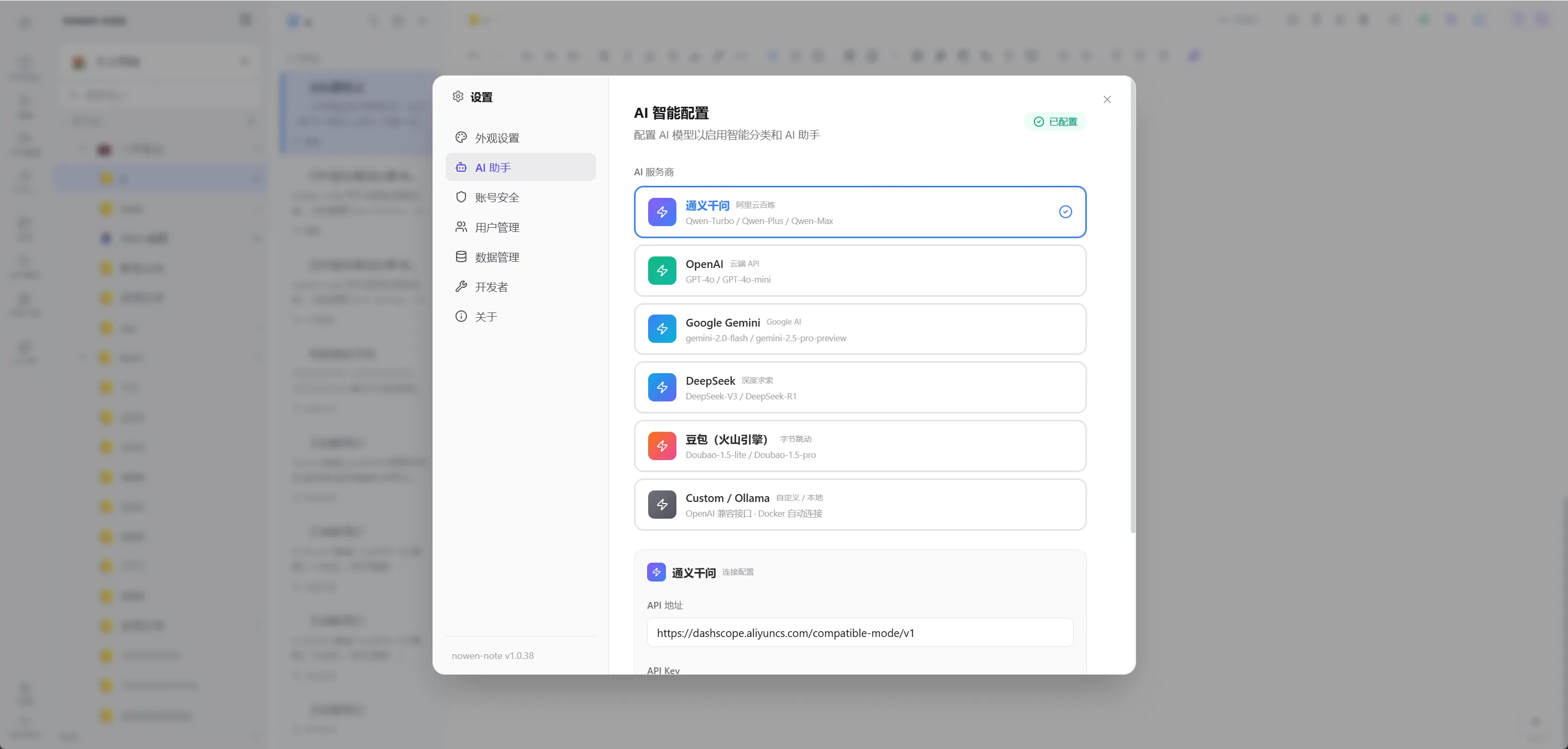
Image source: nowen-note. Published by the project; the interface may vary by version.
Deployment limits and considerations
The README lists Docker Engine and Docker Compose v2 for the recommended deployment path. It also identifies SQLite as the default production database and /app/data as the persistent root. Operators therefore need to verify that the database, attachments, and backup locations are actually persisted. Reverting an image does not revert data. The project explicitly recommends a full backup before upgrades, with separate backups for Docker or NAS deployments.
Public access requires appropriate configuration for the public origin, HTTPS, backups, and CORS. AI deployments also require decisions about third-party data transfer, credential handling, and the operational cost of local models. Platform maturity is not uniform: the README says some native HarmonyOS capabilities are still being completed, while the iOS project requires Apple signing and a developer account. NAS packages and supported architectures should be checked in the official Releases.
The supplied official release identifies v1.5.1, published on October 8, 2026. Before adoption, review that release, confirm the installation method for the target platform, and validate import, backup restoration, offline synchronization, and AI configuration with non-critical data.
Sources
Sources checked: 2026-10-16