

2026.10.09
Open Flow: Inspectable Workflows for AI-Assisted Automation
Open Flow is an Apache-2.0 open-source visual workflow platform combining JavaScript, AI tasks, app connections, branching, and human approval. It supports hosted or self-managed deployment, while its beta status and operational dependencies require careful evaluation before adoption.
What it is for
Open Flow is designed for people who want to build, inspect, run, and maintain automation as a visible workflow. Its Workbench brings together JavaScript Code Tasks, AI tasks, connected applications, branching, reusable subflows, and human approval. The result is not just an agent-generated script: users can review the graph, inspect input sources, edit code, follow an execution, and decide which version should run live.
The project is licensed under Apache-2.0. Its repository includes workflow contracts and runtime components, the Workbench, a CLI command package, and a self-hosted Server. It also exposes a versioned Control API and MCP authoring and run tools for compatible clients. This makes it relevant to developers and technical teams that want agent-assisted workflow creation without giving up review, versioning, or operational control.
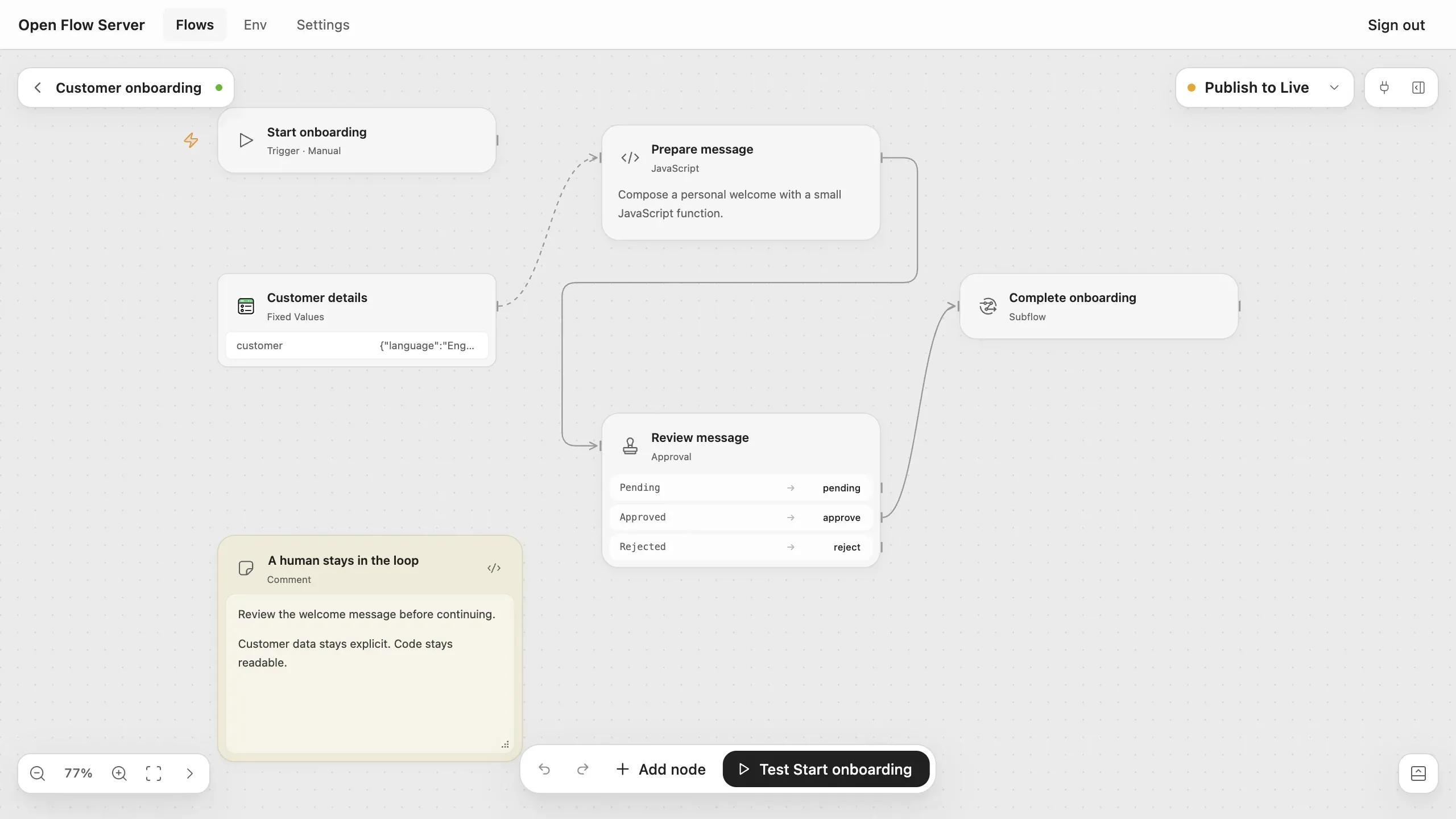
Image source: open-flow. Published by the project; the interface may vary by version.
Known capabilities
JavaScript Code Tasks can transform data, format messages, or implement custom logic with named, typed inputs and outputs. Open Flow distinguishes control connections from input mappings: the former determine what executes next, while the latter determine what data a step receives. Conditions can route work, subflows can isolate repeated logic behind an interface, and canvas notes can document decisions.
For AI workloads, the README describes LLM Tasks for classification, extraction, and summarization, plus Agent Tasks for jobs requiring several tool calls. Agent Tasks can define a model, tools, execution limits, available accounts, actions, and an approval policy. Approval and Wait nodes persist their waiting state, allowing a run to continue after a decision without replaying completed steps.
The Workbench can show node results, logs, errors, and pending approvals during testing. Publishing creates a versioned snapshot for live automation. Teams can continue editing a draft, inspect earlier publications, and roll back when necessary. Flows may start manually, on a schedule, through a webhook, or from supported provider events and polling sources.
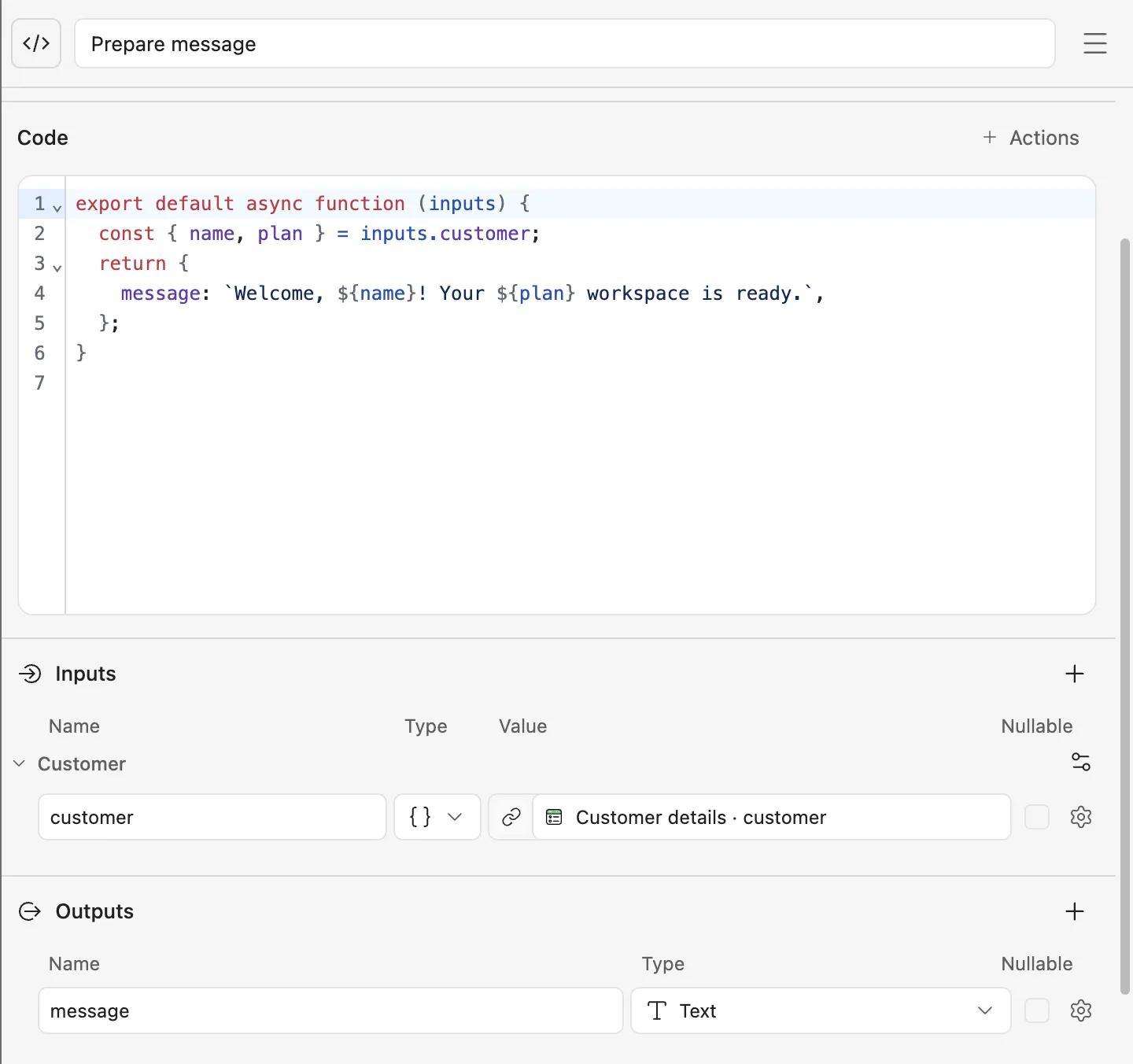
Image source: open-flow. Published by the project; the interface may vary by version.
Who may benefit
Open Flow is a reasonable fit for teams that want an AI or terminal agent to handle repetitive workflow wiring while keeping important decisions visible to people. It may also suit JavaScript or TypeScript developers who want custom code inside a visual automation model. Workflows that require approval before consequential actions, together with run history tied to revisions, are directly addressed by the documented features.
Limitations and deployment considerations
The most important qualification is that Open Flow is explicitly in beta. Its product behavior and versioned contracts are still evolving. Before adopting it for important workloads, teams should validate the current API, deployment instructions, upgrade process, and any integrations they depend on. The supplied sources do not confirm a minimum hardware profile, performance figures, or broad compatibility guarantees.
Self-hosting also creates operational responsibilities. With Docker, the operator manages the deployment, storage, backups, upgrades, and integrations. A Fly.io deployment similarly requires management of the application, persistent volume, secrets, backups, and upgrades. The project recommends consulting its deployment and hardening documentation before exposing an instance publicly.
Integrations require planning. A Connector runtime discovers and executes actions for services such as Gmail, Slack, GitHub, and Notion; credentials stay with the Connector while workflows reference Connection identities. Self-hosted users must choose and configure the Connector deployment and handle provider configuration and account authorization. Connector actions and LLM Tasks also require their corresponding services, and the Server does not silently fall back to another provider.
Open Flow’s main proposition is a combination of AI-assisted construction and inspectable execution. It is worth evaluating for teams prepared to accept beta software and operate its deployment and external services. Teams requiring mature contracts, a fully managed integration layer, or a confirmed resource baseline should complete focused validation first.
Sources
Sources checked: 2026-10-09