

2026.10.19
Orca: A Shared Workspace for Multiple Coding Agents
Orca is an MIT-licensed open-source orchestrator for coding agents, combining isolated worktrees, terminals, mobile monitoring, and SSH workflows. Check agent subscriptions, remote hosts, telemetry, and experimental features before adoption.
What it does
Orca is designed for developers who need to coordinate several coding agents. It places agents such as Codex, Claude Code, OpenCode, and Pi in a shared workspace, organizing work around worktrees, terminals, and agent state. It is not presented as a model-hosting service: the README describes using agents with the user’s own subscription across desktop, mobile, and remote runtimes.
The repository is marked MIT licensed, and the README describes Orca as free and open source. That does not establish the licensing or pricing of every connected agent, model, or third-party service. Those external terms are not confirmed by the supplied sources.
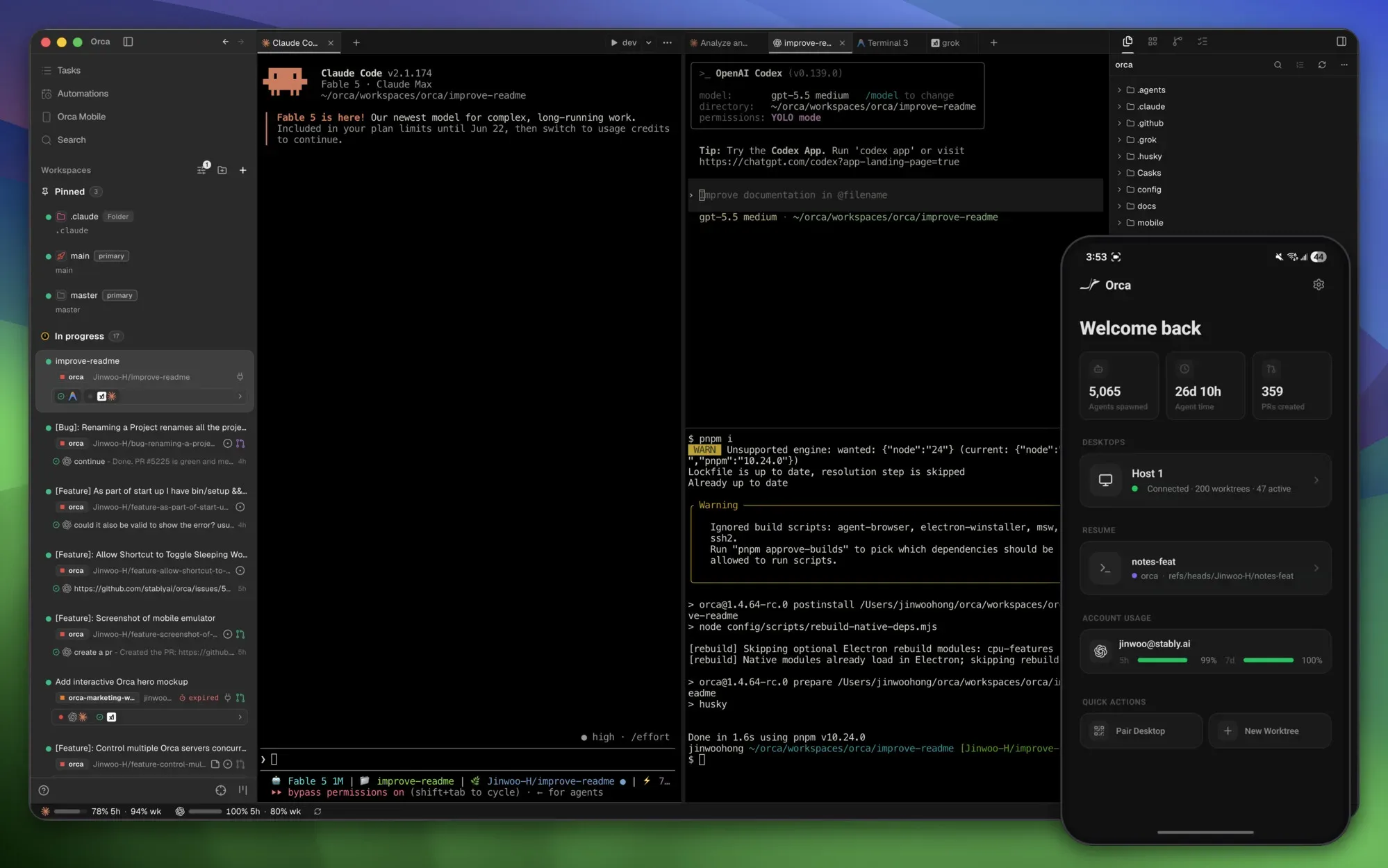
Image source: orca. Published by the project; the interface may vary by version.
Known capabilities
The main use case is parallel development. The README describes isolated Git worktrees that let users fan out a prompt to multiple agents, compare results, and merge a selected outcome. Its terminal interface includes splits, WebGL rendering, and scrollback that survives restarts. A mobile companion can monitor agents, notify users when work finishes, and accept follow-up instructions.
For remote work, SSH worktrees run agents on another machine and include file editing, Git, terminals, automatic reconnection, and port forwarding. Design Mode can capture an element from a Chromium window and send its HTML, CSS, and a cropped screenshot to an agent. Native GitHub and Linear views, AI-diff annotations, drag-and-drop files, repository previews, and unread notifications address review and daily coordination.
Orca also exposes a CLI for scripting workflows such as creating worktrees, taking snapshots, clicking, and filling fields. Release v1.4.229 marks Native chat as experimental and lists updates involving shared skills, phone workspace filters, SSH reconnection, and Jira planning. The same release notes that some Native chat features depend on capabilities provided by the remote host.
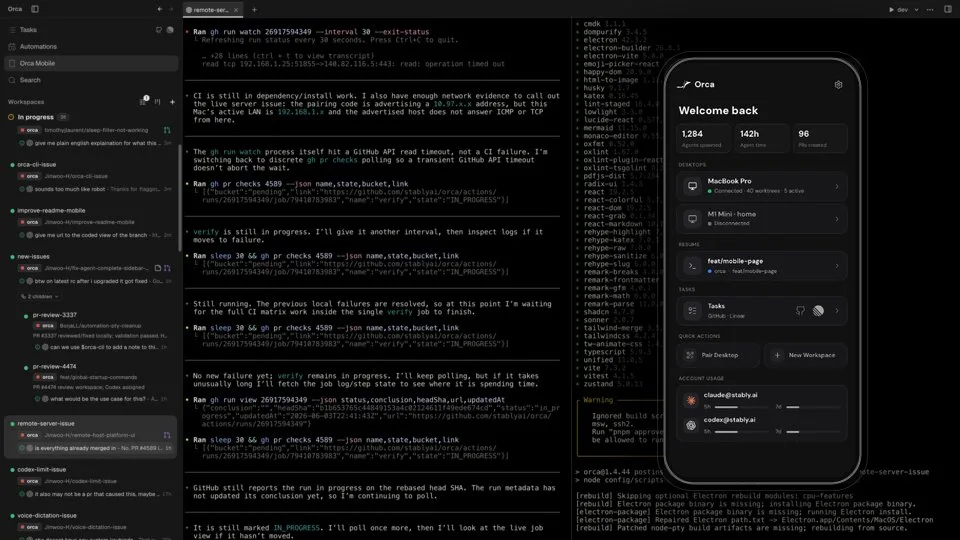
Image source: orca. Published by the project; the interface may vary by version.
Who it may suit
Orca is a plausible fit for developers already using multiple CLI coding agents, experimenting with parallel implementations, or moving between a local computer and a remote development machine. The mobile companion may help people who need progress updates away from their desk, while worktrees and diff annotations suit workflows that emphasize isolation and review.
If you only run one agent and edit a small number of files, Orca’s orchestration layer may add unnecessary complexity. The supplied sources do not provide benchmarks, minimum hardware requirements, or detailed platform compatibility, so resource usage on a specific machine is unconfirmed.
Limits and deployment considerations
Agents still need their own working CLI environments and accounts or subscriptions; Orca does not provide those services. SSH workflows require remote-host configuration, and teams should review permissions around source code, credentials, port forwarding, and agent actions. Orca links to privacy and telemetry documentation describing anonymous usage data and an opt-out path; that documentation should be reviewed against organizational policy.
The release notes also indicate a fast-moving project whose feature surface can change. Native chat is explicitly experimental, and remote hosts may need to be updated alongside Orca. Before adopting it for critical work, validate worktrees, mobile pairing, SSH reconnection, CLI control, and third-party integrations on a non-critical repository.
Sources
Sources checked: 2026-10-19