

2026.10.02
Paperless-ngx: A Searchable, Self-Hosted Document Archive
Paperless-ngx helps individuals and small teams organize scanned documents, invoices, and records. Its clear-text storage warning makes host trust, access control, and backups essential deployment considerations.
What the project is for
Paperless-ngx is a community-supported document management system designed to turn physical documents into a searchable online archive. It is a potential fit for people who want to centralize scans, invoices, tax records, contracts, and other household or small-organization paperwork. The repository describes it as a system to “scan, index and archive” documents and publishes it under GPL-3.0.
Users of Paperless-ng have an official migration path described in the README and its migration documentation. For new users, Paperless-ngx is best understood as a self-hosted archiving application rather than merely a file share: its purpose is to place documents into a searchable and maintainable archive.
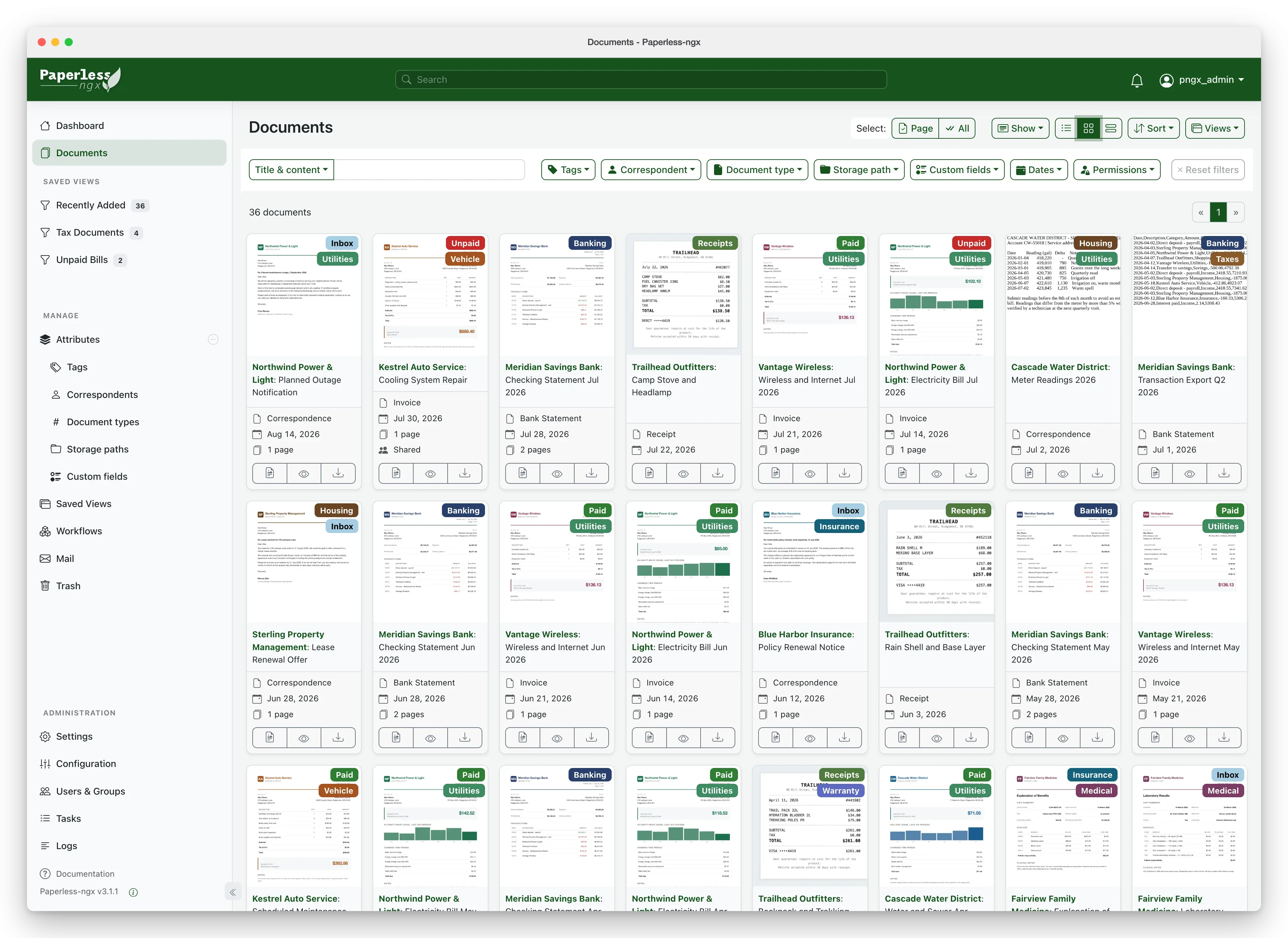
Image source: paperless-ngx. Published by the project; the interface may vary by version.
Known capabilities and release notes
The README identifies document management, scanning, indexing, and online search as the project’s core direction. Repository topics also mention OCR, PDF, machine learning, and LLM-related areas. However, the supplied sources do not provide a complete feature list, so they do not establish a particular recognition accuracy, automatic classification scope, or AI deployment requirement.
The official v3.2.1 release lists several maintenance fixes. Mail-fetch overlap detection was replaced with a self-expiring lock; the application can automatically rebuild the search index when Tantivy files are missing; OCRmyPDF was updated to 17.12 for a ligature text-layer fix; and handling of the Flower configuration argument was corrected. These notes describe changes in that release, but they are not evidence that every workflow has been independently validated.
Who should use it, and what to consider
Paperless-ngx may suit individuals, households, and small teams that are comfortable maintaining a self-hosted service and want more control over where their documents live. The README presents Docker Compose as the easiest deployment route and points to documentation for alternative installation methods. Before deployment, plan the host, storage, database, and supporting services. The supplied sources do not confirm minimum hardware, performance figures, or a complete compatibility matrix, so those areas require evaluation against the documentation and your expected volume.
The most important limitation concerns data protection. The official README warns that information is stored in clear text without encryption and says the application should not run on an untrusted host. Scanned documents can contain identity, tax, and financial information, so a deployment should prioritize a trusted or controlled environment, access control, limited network exposure, and tested backups. The project describes a local home server with backups as the safest operating approach, but this is not a security guarantee.
Adoption advice
Paperless-ngx is worth considering if your main goal is to turn a growing collection of paper records into a searchable archive and you can take responsibility for updates, backups, and permissions. Start with non-sensitive samples to validate scanning, search quality, import workflows, and restoration procedures before moving real records. Do not treat the public demo as private storage: the README says demo content is reset frequently and confidential information should not be uploaded.
Sources
Sources checked: 2026-10-02