

2026.09.26
Paperling: A Lightweight Editor for Local Markdown Files
Paperling targets users who want to open and edit Markdown files with live preview without adopting a full knowledge-base workflow. It adds math, chemistry, diagrams, folder-aware links, and optional AI, while unsigned installers, AI configuration, and Android distribution deserve attention before deployment.
Project focus
Paperling is a local Markdown reader and editor for desktop systems and Android. Its stated goal is to let users open, read, and edit Markdown without a vault, plugin ecosystem, or heavy workspace. Documents can be viewed as raw Markdown, rendered reading content, or a split editor with preview. The project is built with Tauri, React, TypeScript, and Rust, and is licensed under Apache License 2.0.
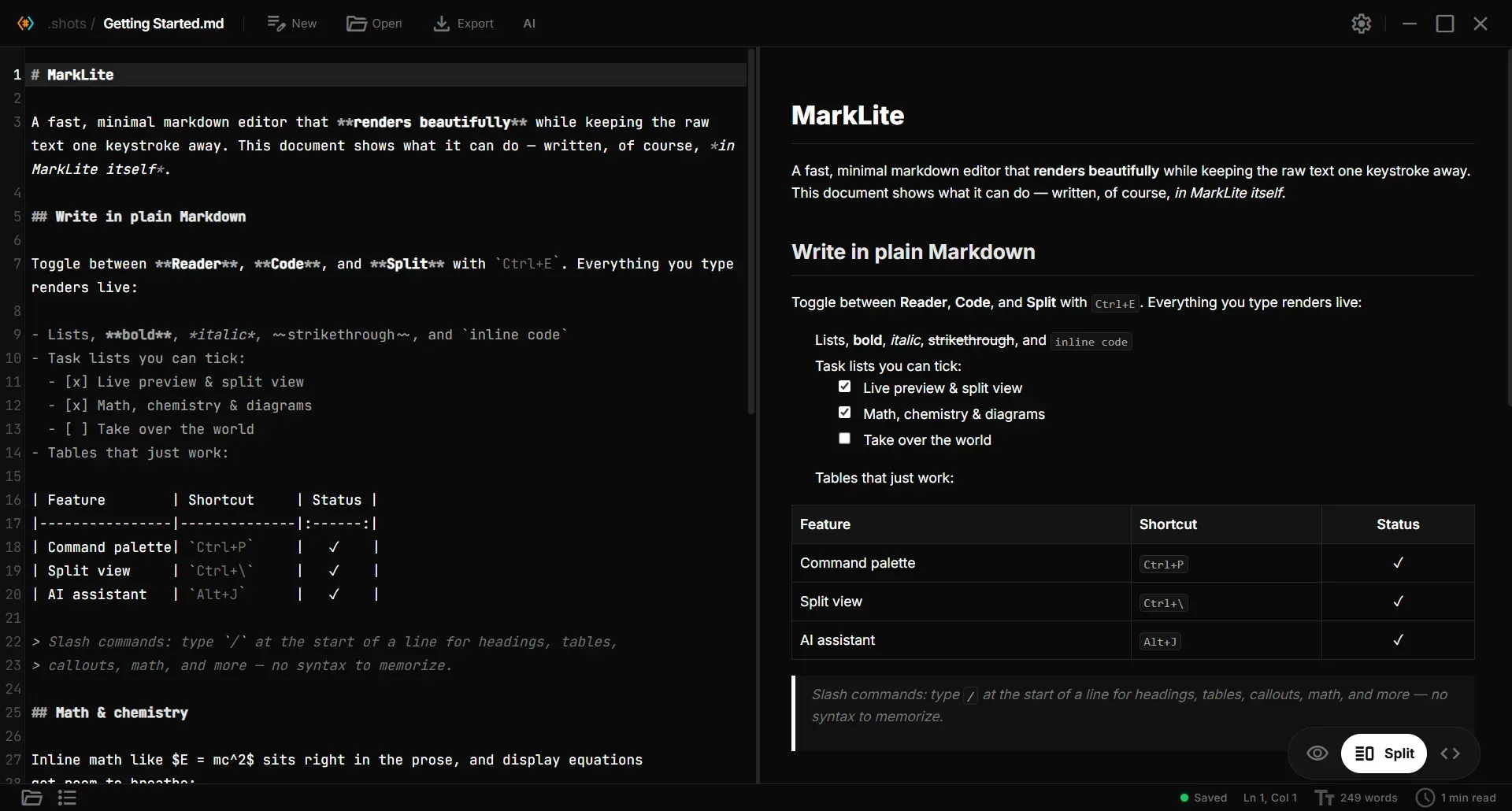
Image source: Paperling. Published by the project; the interface may vary by version.
Who it suits
The project is aimed at developers and writers who work with documentation, project READMEs, technical notes, or personal Markdown files but do not need a full knowledge-base application. Live rendering for equations, chemical expressions, diagrams, and highlighted code may appeal to technical writers. Keyboard-oriented users get a command palette, shortcuts, optional Vim mode, focus mode, and typewriter mode.
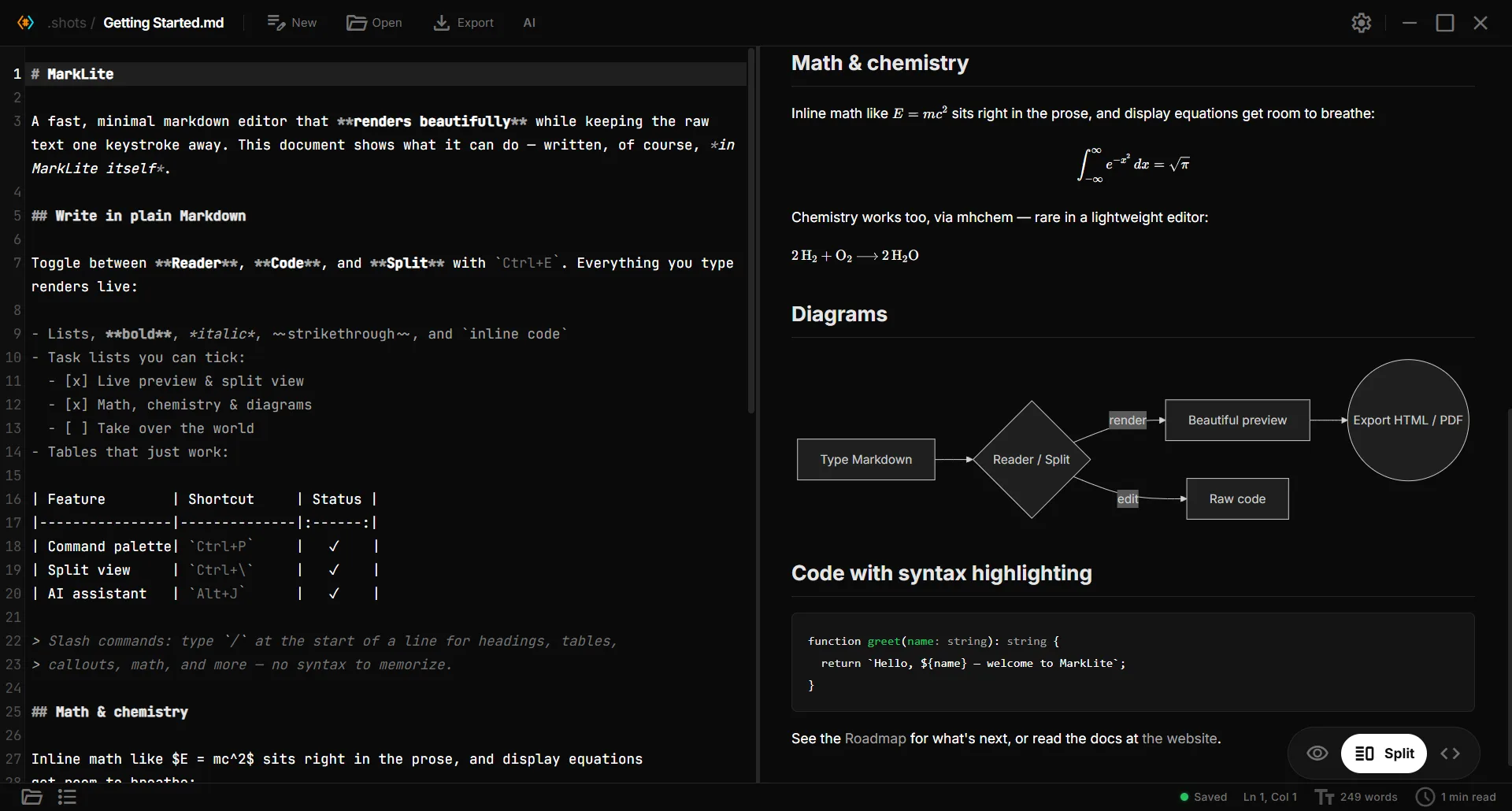
Image source: Paperling. Published by the project; the interface may vary by version.
Known capabilities
Writing features include Reader, Code, and Split views, bidirectional scroll sync, find and replace with regex, smart paste, visual table editing, bracket pairing, and list or quote continuation. Preview supports GitHub Flavored Markdown, KaTeX math, mhchem expressions, Mermaid diagrams, code blocks, task checkboxes, heading anchors, and an image lightbox. File workflows include a file explorer, recent files, optional autosave, external-change detection, an outline, folder-local Wikilinks, and backlinks.
AI is optional rather than required. Ask mode works with the current document; Agent mode proposes inline diffs that users can accept or reject; selection assist can rewrite, shorten, expand, continue, or translate selected text. The README describes support for OpenAI-compatible endpoints, including OpenAI, Gemini, Ollama, and llama.cpp. Release v1.0.50 also adds an LM Studio preset. The project says API keys are stored in the operating system keychain, but exact behavior should be checked for the target platform.
Adoption limits and deployment considerations
The project website and README list Windows, macOS, Linux, and Android arm64 support. Release v1.0.50 describes an Android 10+ arm64-v8a APK, so Android deployment involves installing an APK outside a conventional app store. The desktop installation notes state that builds are not yet code-signed, meaning Windows SmartScreen or macOS Gatekeeper may warn. Before deployment, verify assets from the official release and assess whether this installation path fits local policy.
Paperling edits local files; it should not be treated as a built-in synchronization, version-control, or collaboration system. External-change detection and conflict prompts can reduce accidental overwrites, but they do not replace Git, backups, or a sync service. AI introduces additional questions about endpoints, API keys, and document handling. Sensitive content should be evaluated against the selected provider’s policies. The project claims no account, no telemetry, and offline operation, while AI use involves network calls chosen by the user.
Sources
Sources checked: 2026-09-26