

2026.09.18
Rackula: Plan and Document Rack Layouts with Drag and Drop
Rackula is a rack layout designer for homelabs, AV work, networking, and data-centre teams, with device images, exports, sharing, and optional self-hosted persistence.
What it does
Rackula is a rack layout designer for planning equipment before installation and documenting existing cabinets. Its drag-and-drop workflow is backed by real device images from the NetBox devicetype-library, rather than relying only on generic placeholders.
The project targets homelab users, AV technicians, network engineers, data-centre teams, and educators or students who need a visual way to explain infrastructure. A homelab user can test a proposed arrangement before moving physical equipment. AV teams can use the project’s bayed rack grouping for multi-cabinet installations, while network and data-centre teams can export layouts for runbooks or change requests.
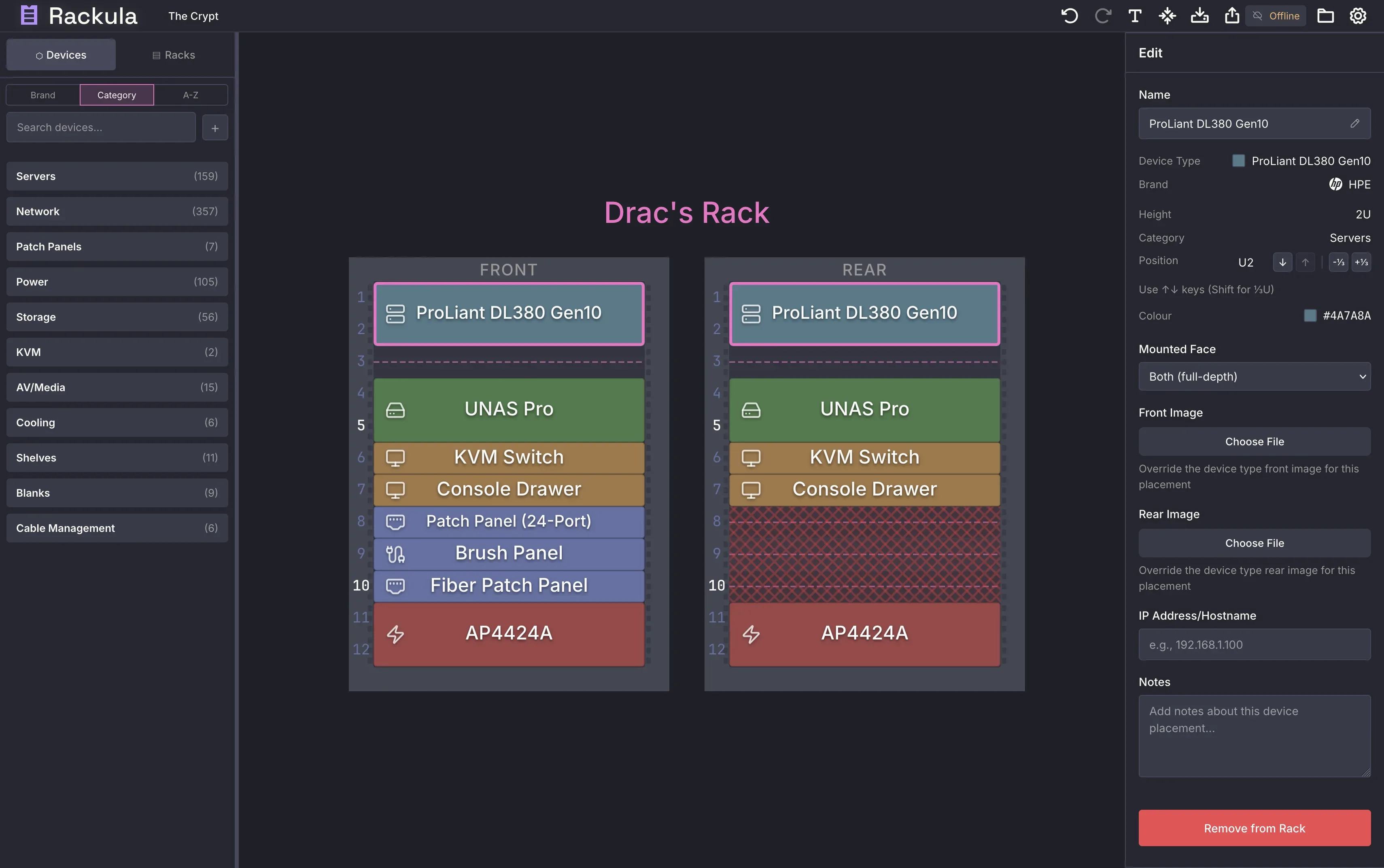
Image source: Rackula. Published by the project; the interface may vary by version.
Known features
Rackula lets users place devices in racks and adjust their layout. Layouts can be exported as PNG, PDF, or SVG, and shared through a URL or QR code. The interface is described as mobile-friendly for field use. Bayed rack grouping supports AV installations and multi-cabinet deployments.
For shared deployments, the project offers optional API-backed layout persistence and synchronization. Authentication is optional; the README lists local accounts and OIDC. Official release v26.9.0 is a maintenance release that fixed server-mode layouts missing from the Layouts panel and removed connections left behind when a rack was cleared or deleted. It also updated dependencies and container contents. This description reflects the release supplied in the sources and is not a claim of continuous version tracking.
Limitations before adoption
Rackula models racks in whole rack units: devices occupy an integer number of U and mount at whole-U boundaries. Equipment smaller than 1U is represented as being held by a carrier such as a tray, bracket, or shelf. This makes the tool suitable for standard rack-layout planning, but it should not automatically be treated as a complete mechanical, electrical, thermal, or cabling validation system. The supplied sources do not confirm checks for power, weight, airflow, capacity, or port connectivity, so those details require separate review.
The README’s quick Docker option is a client-side frontend and explicitly does not preserve data across browser sessions. Teams needing persistence should evaluate the API-backed deployment instead of treating the temporary frontend as a database. Proxmox LXC is marked as pre-release, so operators should review the official self-hosting documentation before using it in production. Authentication, CORS, write tokens, and TLS also require deliberate configuration; the project materials do not make a deployment inherently secure.
Deployment and licensing
Rackula can be self-hosted with Docker, Proxmox LXC, or on bare metal. It can also be built into static files and served by an operator’s chosen web server. Repository metadata identifies the license as MIT and the repository as active rather than archived. Before adoption, decide whether persistence, team sharing, OIDC, backups, and access control are required, then choose the deployment model and test exports, deletion behaviour, and recovery procedures.
Sources
Sources checked: 2026-09-18