

2026.09.19
Sim: A Collaborative Workspace for AI Agents and Workflows
Sim brings agents, workflows, knowledge, files, and run monitoring into one workspace, with cloud, self-hosted, and macOS options. This overview covers its capabilities, intended users, and deployment boundaries.
What it is
Sim is a collaborative workspace for building, deploying, and managing AI agents and workflows. Its README presents visual, conversational, and code-based ways to build agents, while putting tables, files, knowledge, and run monitoring in the same workspace. For teams that need to coordinate model calls, external services, and business steps, it offers a unified work surface rather than only a chat tool.
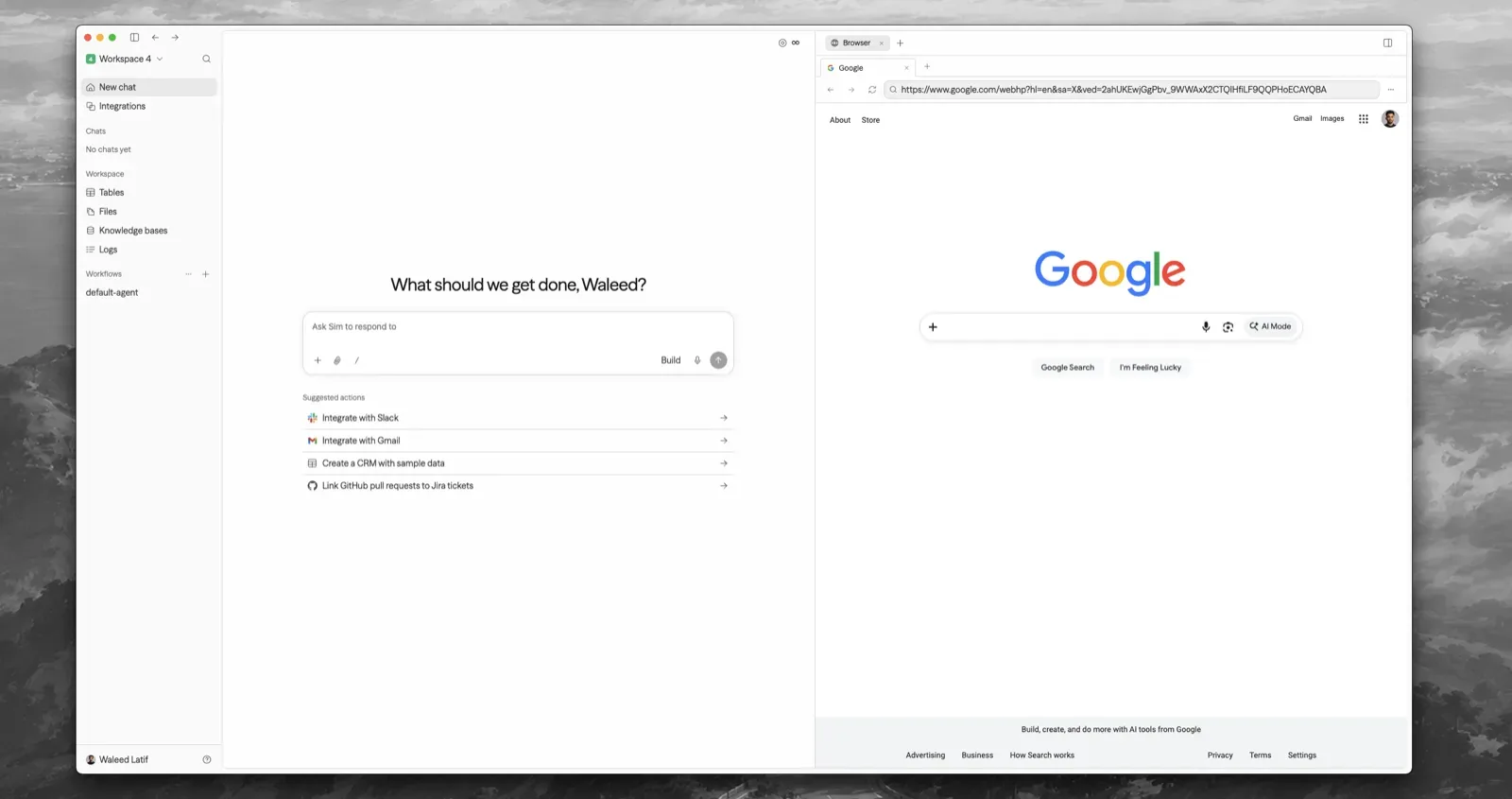
Image source: sim. Published by the project; the interface may vary by version.
Known capabilities
The README says Sim can connect to 1,000+ integrations and major LLMs, listing Slack, Notion, HubSpot, Salesforce, and databases as examples. Users can ingest files, knowledge bases, and structured table data, and review runs, logs, schedules, and workflow activity. The desktop option targets macOS; the project states support for macOS 12+, Apple Silicon, and Intel.
The official v0.8.47 release notes model fallbacks for Agents, Evaluators, and Routers, as well as a Sim MCP server. That release also lists improvements related to knowledge retrieval and file search. This indicates continuing work on agent orchestration, tool access, and knowledge processing, but the release notes do not define every feature boundary or guarantee a particular business outcome.
Who may benefit
Sim may suit product, operations, and engineering teams that collaboratively design agents or automation flows. It may also fit organizations seeking one browser or desktop workspace for knowledge, files, and execution records. People able to prepare Node.js, Docker, and credentials for external models or integrations are better placed to assess self-hosting. For a need limited to simple chat, without workflow orchestration or run management, this workspace model may be unnecessary.
Limits before adoption
Self-hosting requires Node.js 20+ and Docker. The README says its setup wizard uses published images with Docker Compose and does not clone the repository. Source-only local development and Kubernetes modes are available through the corresponding setup flow inside a cloned repository. Teams planning source changes, cluster deployment, or maintained custom builds should distinguish published-image deployment from source development from the outset.
The README also states that Chat is a Sim-managed service. The setup wizard connects and stores a Chat API key after browser sign-in, so organizations should determine whether that dependency meets their requirements. The supplied materials do not provide resource requirements, a complete compatibility matrix, service-level commitments, or pricing for optional capabilities. Sim supports local models through Ollama and vLLM, but model quality, memory or GPU-memory needs, concurrency, and operational effort depend on the chosen model and environment. The sources likewise do not support an independent security conclusion.
Deployment considerations
Before deployment, define data location, database backups, secret storage, permissions for external integrations, and network exposure. The wizard generates secrets and writes an environment file, but administrators still need access-control, backup, update, and recovery procedures suitable for their environment. The README describes status, logs, diagnostics, updates, and options to retain or wipe managed data; those functions do not replace an operational recovery plan.
The project uses the Apache License 2.0. Before production adoption, pin the intended release and validate required models, integrations, knowledge workflows, desktop needs, upgrades, and recovery in a non-production environment.
Sources
Sources checked: 2026-09-19