

2026.10.09
Skyvern: Browser Workflows with Vision and LLMs
Skyvern combines Playwright-compatible browser automation with large language models and computer vision. This overview covers suitable users, documented capabilities, and the dependency, data, and licensing questions to resolve before self-hosting.
What it does
Skyvern-AI/skyvern is aimed at teams and individuals that need to handle browser-based processes. It combines browser automation, computer vision, and large language models, allowing users to describe page actions in natural language, extract information, or run multi-step tasks. The project provides a Playwright-compatible SDK as well as a no-code workflow builder. Developers can combine established selectors with AI-assisted interactions, while non-technical users can organize automations through workflows.
The README documents page-level commands named act, extract, validate, and prompt. They cover performing actions, extracting data, checking page state, and sending prompts. It also lists higher-level task execution, login, file downloads, and running pre-built workflows. Data extraction can optionally take a JSON schema, which can be useful when page information needs to feed a downstream system.
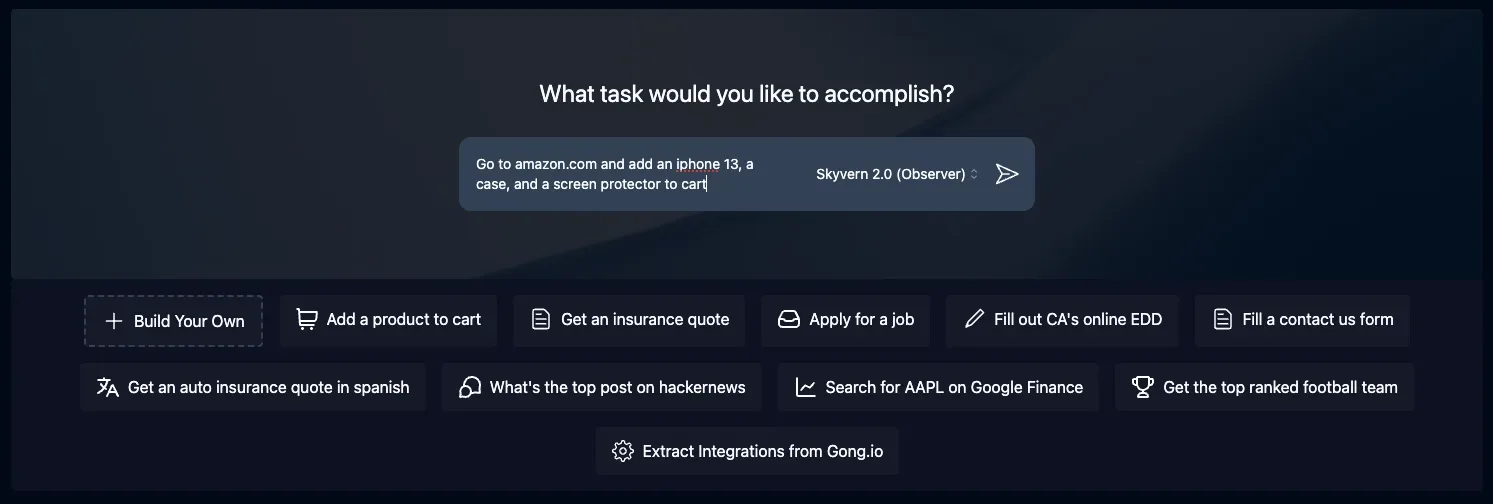
Image source: skyvern. Published by the project; the interface may vary by version.
Who it suits
For development teams with existing Playwright automation, Skyvern can be used as an AI extension: retain CSS or XPath actions where appropriate, then add natural-language element location or fallback behavior where needed. Operations, QA, and business-automation users can focus on workflow definitions and outcomes instead of maintaining selectors from scratch for every website.
The project says it can plan and execute actions from visual elements and apply a workflow across multiple websites. Those statements are useful evaluation hypotheses, not substitutes for validation. A trial and regression plan should cover the target sites’ page structures, authentication methods, error states, and human-review steps.
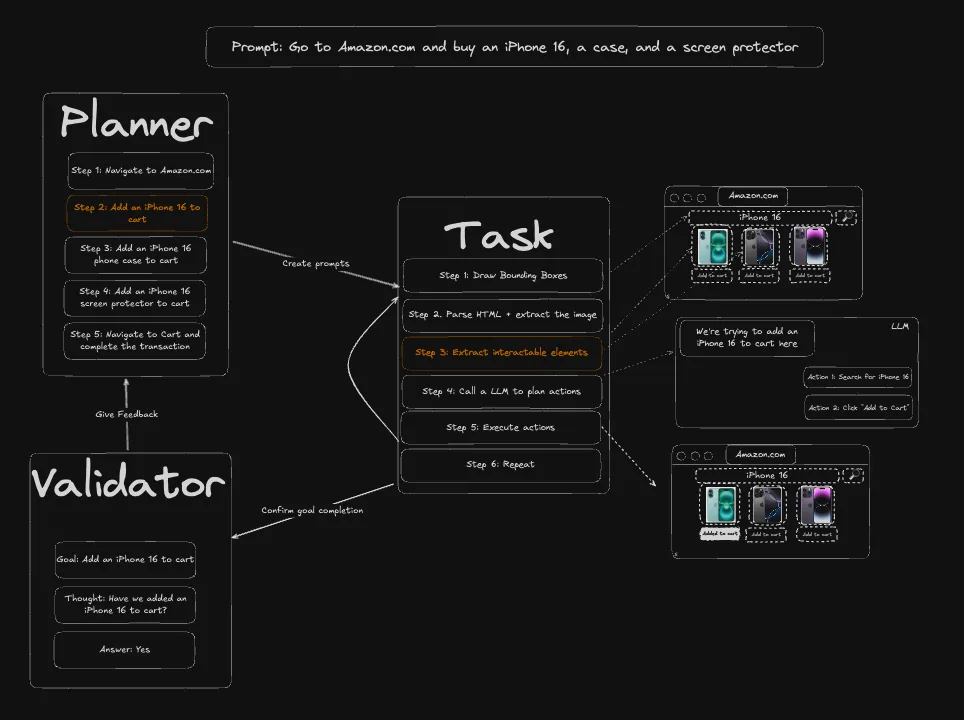
Image source: skyvern. Published by the project; the interface may vary by version.
Deployment considerations
The local Python installation path requires Python 3.11, 3.12, or 3.13. According to the README, quickstart uses SQLite in the user directory by default. The Docker Compose route includes Postgres, the API, and the UI, and the documentation also describes connecting to an existing Postgres database. Before selecting an approach, establish ownership for backups, migrations, logs, monitoring, and concurrent-task operations. Starting locally does not by itself demonstrate production suitability.
An LLM provider is an important prerequisite. The Docker instructions require an LLM API key in an environment file. Teams should therefore assess secret management, outbound network access, model-call costs, and whether page content may be sent to a model provider. Browser automation may handle credentials, orders, or personal data, so credential storage, access controls, audit records, and human-approval boundaries should be defined before rollout. The supplied sources do not provide minimum hardware requirements, performance figures, or security guarantees; resource needs, reliability, and security cannot be inferred from them.
Skyvern Cloud is also offered as an official managed option. With self-hosting, however, the browser, database, model integrations, and network environment remain operational responsibilities of the deployer. The repository uses AGPL-3.0. If you plan to modify the software and provide it to users over a network, have the responsible team and legal counsel review the license obligations against the actual architecture.
Sources
Sources checked: 2026-10-09