

2026.10.21
Telegram Archive: Keep Your Telegram History on Your Own Server
Telegram Archive is built for people who want long-term, self-hosted copies of Telegram messages and media. It offers incremental backups and a local web viewer, but does not support secret chats and has no offline viewer mode.
What it is for
Telegram Archive is a self-hosted archiving tool for Telegram. It can back up one or more Telegram accounts to a machine you control, using Docker or the Python package. Messages and media remain on your own storage, with SQLite or PostgreSQL available for the archive database. The project is licensed under GPL-3.0-or-later and provides amd64 and arm64 images.
Its purpose goes beyond making a one-time export. The system performs incremental backups and scheduled full passes, retaining messages, media, edits, and deletions. The viewer can show earlier versions and a feed describing what changed. The web viewer reads the saved archive rather than connecting to Telegram, which allows the backup and reading components to be considered separately.
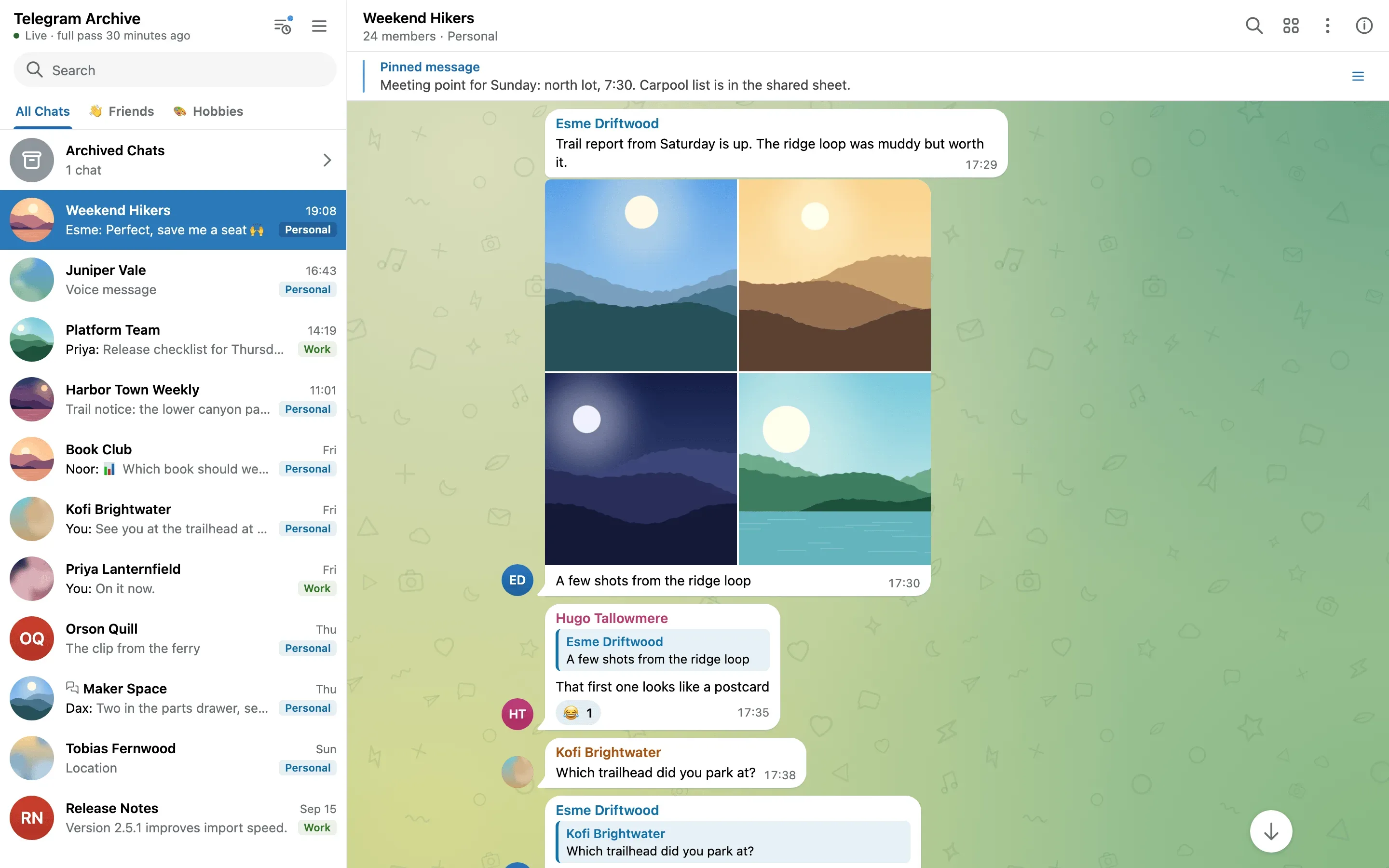
Image source: Telegram-Archive. Published by the project; the interface may vary by version.
Who may find it useful
The project is a reasonable fit for individuals who want control over where their data is stored, homelab operators, research or record-keeping workflows, and users managing several Telegram accounts. Its viewer is useful when you need to search older conversations, browse shared media, or inspect edits and deletions from a browser or phone.
Sharing should be planned carefully. The project supports additional logins for selected chats and share links for individual chats, but those features increase the archive’s exposure. They do not replace authentication, network isolation, or a properly configured reverse proxy.
Documented features
The archive can retain formatted messages, replies, forwards, reactions, pinned messages, polls, service messages, forum topics, folders, archived chats, and avatar history. It supports photos, videos, voice notes, stickers, documents, and link previews, while reusing duplicate files and skipping files above a configured size. Voice messages can be sent to a transcription server that you configure, producing searchable text.
The viewer provides cross-chat search, shared-media browsing, themes, live updates, and browser notifications. Telegram Desktop exports can be imported, and multiple accounts can be kept in one archive. The official documentation says that the viewer is English-only and has no offline mode.
Limitations and deployment considerations
The most important limitation is scope: the project does not save secret chats and cannot recover messages deleted before the first backup. It is therefore a continuously operated archive, not a retroactive recovery tool. The backup side also requires Telegram API credentials and an account login flow; credentials, session files, databases, and media directories should be covered by host access controls and a separate backup plan.
Media can dominate storage usage. The website states that files over 100 MB are skipped by default, with configurable download behavior. Before deployment, estimate the number of chats, media retention, database growth, and space for additional backups. PostgreSQL adds a database service to operate, while SQLite requires attention to consistent file backups.
Privacy settings deserve a separate review. The archive normally stays on your disk, but optional voice transcription, event webhooks, and full Web Push notifications can send audio, message text, or notification details to services you configure. If the viewer is exposed beyond the local machine, use the project’s security guidance rather than publishing its port without access controls.
The supplied official v9.3.6 release describes a certificate-trust security update and says Docker deployments need the updated images. Read the changelog and make an archive backup before upgrading.
Sources
Sources checked: 2026-10-21