

2026.10.26
Textus: A Cross-Platform Markdown Editor with Optional AI Assistance
Textus is an MIT-licensed open-source Markdown editor for macOS, Windows, and Linux. It adds optional AI writing, review, export, and extensions, but adoption still requires checking provider, privacy, and version constraints.
What it is for
Textus is aimed at writers, students, researchers, developers, and knowledge-management users who work with Markdown documents. It provides a desktop editor while keeping ordinary .md files as the document foundation. The project describes itself as free and open source under the MIT License. Its listed release targets include macOS on Apple Silicon and Intel, Windows x64, and Linux x64.
The editor is designed for users who want to move between rendered Markdown and source text. Split View shows Markdown beside the finished page, while Source Code Mode presents the complete document as plain Markdown. Zen Mode and Typewriter Mode focus on distraction-free writing. The README also describes math rendering, aligned tables, Mermaid diagrams, and export to PDF, Word, HTML, and other formats.
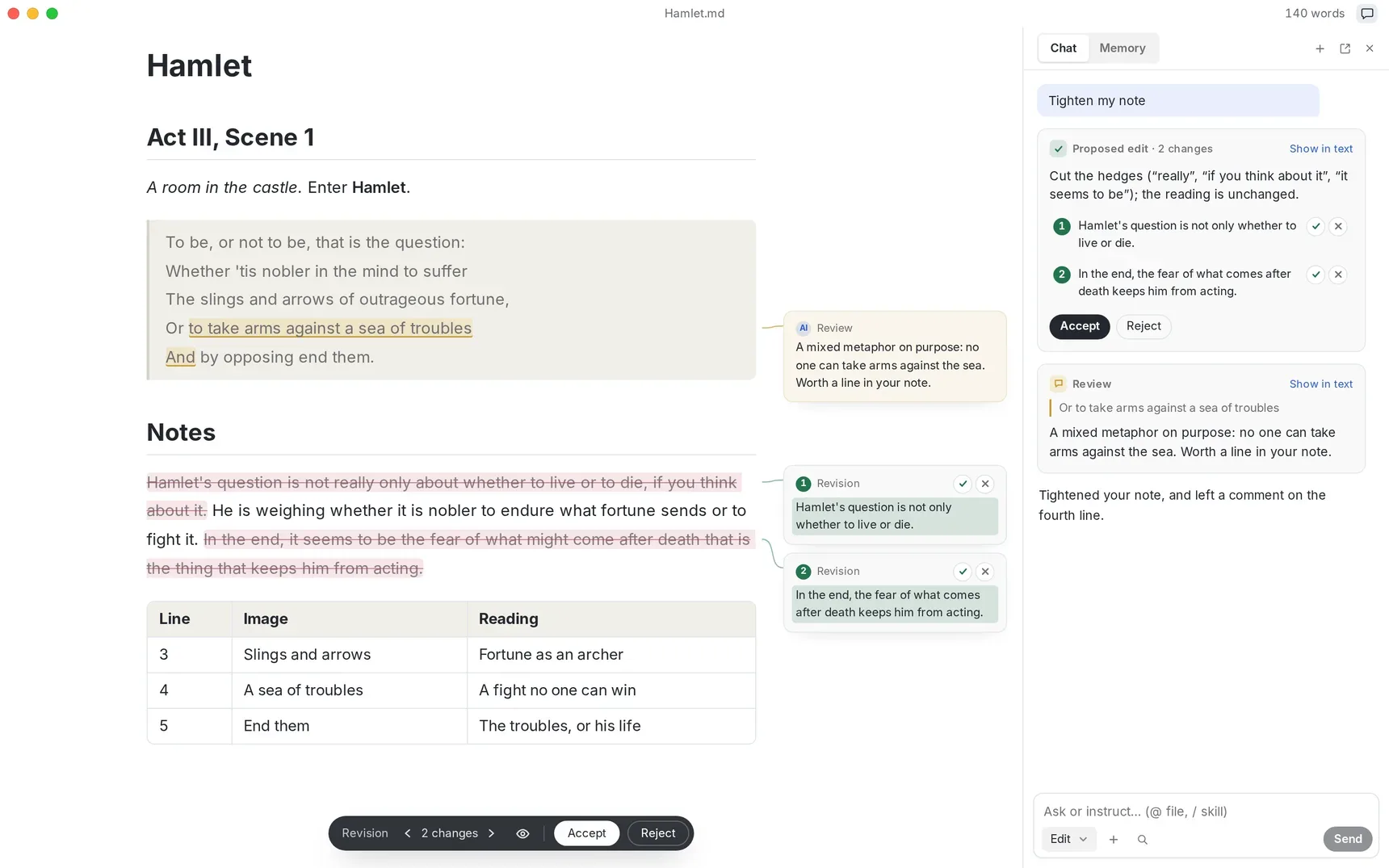
Image source: Textus. Published by the project; the interface may vary by version.
Known features
Textus AI is optional; the editor does not require it to function. The README describes grey continuation suggestions, spelling and grammar flags, and proposed edits that can be accepted as a whole or sentence by sentence. It also lists tightening, proofreading, translation, shortening, and tone changes. Connections can use several named providers, an OpenAI-compatible API, or Ollama for a local model.
The project also has an extension mechanism. Its README lists extensions for note graphs, link previews, side-by-side documents, kanban boards, version history, PDF and Word tabs, and Zotero citations. Extensions ask before using related capabilities.
According to the supplied v1.2.1 release notes, the file tree gained or improved rename, move-to-trash, and open-in-new-window actions. Documents can restore their last reading position, diagrams can be enlarged, and pending AI proposals are retained with the document. These statements come from the release notes; no independent hands-on test was performed.
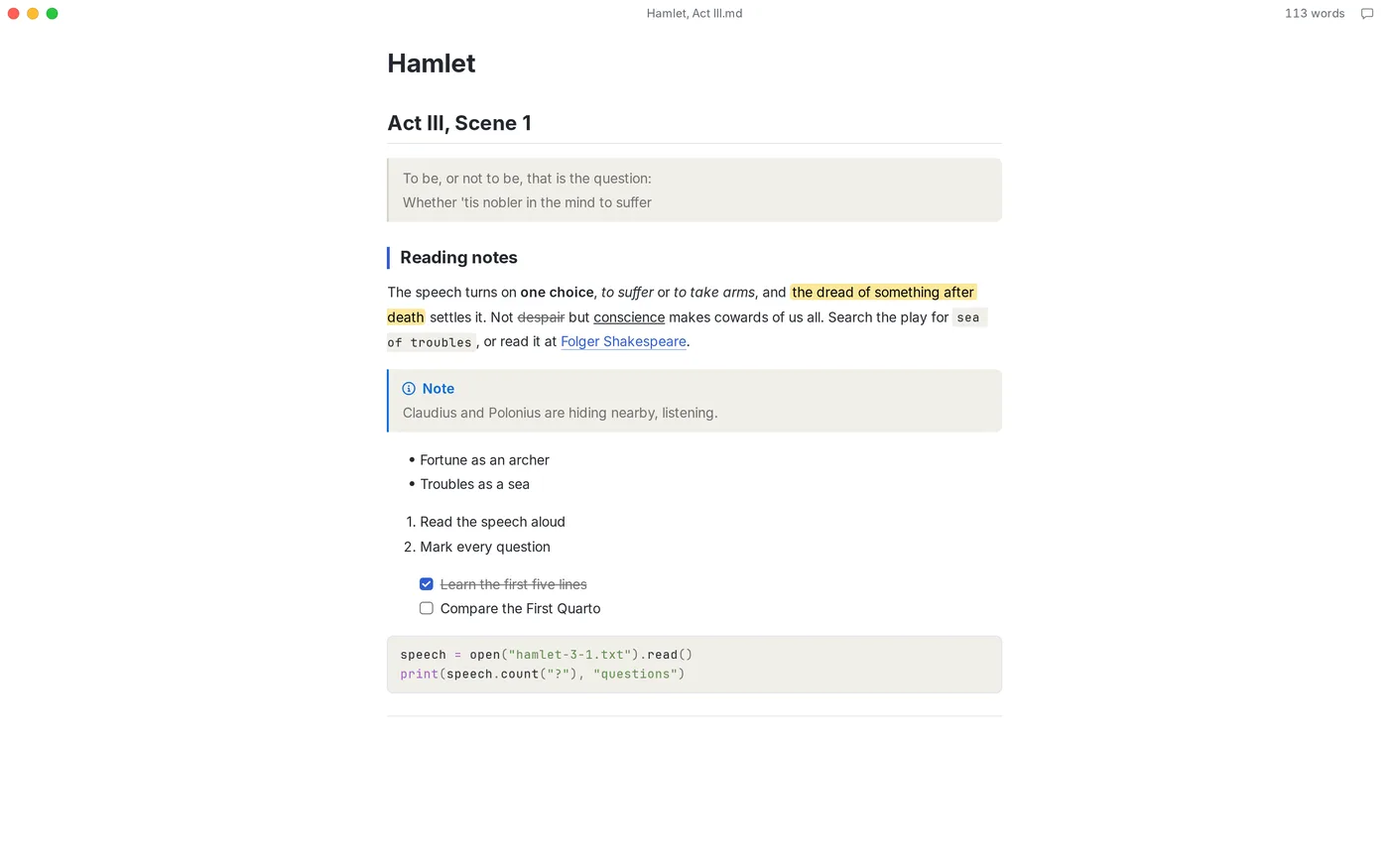
Image source: Textus. Published by the project; the interface may vary by version.
Limitations and deployment considerations
AI features depend on a model provider, account, or API key. Before connecting a cloud service, review the provider’s data practices, pricing, and regional availability. The README says that AI requests go directly from the device to the selected provider and that API keys and sign-in details are stored locally. That is the project’s stated design, not an independent security audit of every environment.
The editor itself can work offline, but the README says Textus AI requires a provider unless a local model is connected. Users handling sensitive or offline-first material should therefore evaluate the Ollama route and its model requirements. The supplied sources do not confirm specific models, minimum hardware, or performance, so those points should not be inferred.
Finally, iPhone and iPad are marked as coming soon in the README and should not be treated as confirmed current platforms. Before adoption, check formal releases for the relevant architecture and package, and verify that extensions, exports, and the rest of the workflow meet your needs.
Sources
Sources checked: 2026-10-26