

2026.09.26
Whisp Turns the GNOME Desktop into a Swipeable Scratchpad
Whisp is a GNOME-focused scratchpad with a spatial note canvas, Markdown, OCR, system search, and keyboard workflows. Review its boundaries before adopting it.
What it is for
Whisp is a quick note-taking application designed for the GNOME desktop. Instead of asking users to create titles, name files, and manage folders first, it places notes on a horizontally swipeable spatial canvas. The model is closer to a desktop scratchpad than to a traditional knowledge base: capture a thought, paste a temporary link, keep a fragment of text, and decide later whether it deserves longer-term organization.
The project is released under GPL-3.0 and its repository is not archived. The official README describes a GTK4 and Libadwaita application for GNOME and documents Flatpak distribution. Its target audience is therefore fairly clear: GNOME users who prefer a native Linux desktop experience and want less structure around short-lived notes.
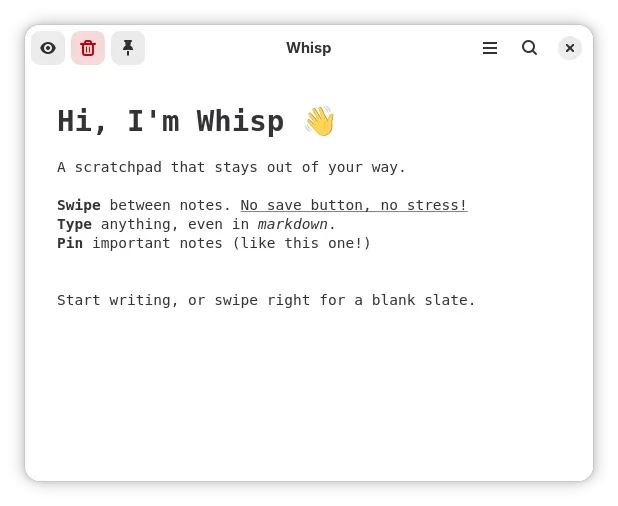
Image source: Whisp. Published by the project; the interface may vary by version.
Known features
Whisp supports real-time Markdown rendering and a WYSIWYG mode that hides markup symbols for a cleaner rich-text view. Notes are navigated through an Adwaita Carousel, with touchpad gestures and keyboard shortcuts forming the main interaction model. Paper themes include dotted, grid, and blank backgrounds; the project also documents controls for fonts, line spacing, and carousel size.
The README describes Smart Paste as well. When a user pastes an image or screenshot containing text, offline OCR can extract the text and attempt to preserve code indentation. The project also says that pasted URLs can be shortened through TinyURL in the background, while a separate shortcut can remove Markdown formatting from rich text. The official website lists additional functions including text expansion, Slate Mode, checklist conversion, pinned notes, and automatic archiving. Availability should be checked against the installed release.
Release v1.5.0 added GNOME Shell system-search integration, allowing Whisp notes to appear in the GNOME overview search. It also added in-app keyboard-shortcut customization and a shortcut for exporting the current note. This makes Whisp more integrated with the desktop than a standalone scratchpad that can only be opened directly.
Who it suits
Whisp may suit GNOME users, developers, students, and writers who frequently need to capture snippets, meeting points, code fragments, or temporary URLs. It is particularly well aligned with a “capture first, organize later” workflow rather than treating every note as a permanent knowledge-base entry.
Users who require deep folder hierarchies, extensive tagging, cross-platform synchronization, collaboration, or a mature migration path may find the anti-folder model limiting. The supplied sources do not confirm synchronization, collaboration, mobile clients, or comprehensive import and export support, so those capabilities should not be assumed.
Adoption and deployment considerations
The supplied official material confirms Flathub distribution and provides Nix/Home Manager examples, but it does not establish minimum hardware requirements, a supported-distribution matrix, encryption behavior, synchronization, or long-term compatibility guarantees. The development notes mention Tesseract, Pillow, and pytesseract for running OCR-related functionality outside Flatpak, so source-based development may require additional dependency verification.
“Offline OCR” describes the project’s stated behavior for that feature; it is not a complete security or permissions audit of the application. Before deployment, check where notes are stored, how export works, what deletion does, and how automatic archiving is configured. Keep independent backups for important material. For Flatpak users, the current Flathub entry should also be checked for permissions, version information, and update status.
Sources
Sources checked: 2026-09-26