

2026.09.26
xnotes: an open Android app for handwriting and PDF annotation
xnotes targets handwriting and sketching on Android, with paged notes, an infinite canvas, pressure-sensitive ink, and PDF annotation. Check device support and file workflows before adopting it.
What the project is for
xnotes is an Android application focused on handwritten notes, sketching, and PDF annotation. Its scope is deliberately pen-oriented: users can write or draw with a stylus, organize work as paged notes, or use an infinite canvas when a fixed page is too restrictive. The repository metadata identifies the project as MIT-licensed.
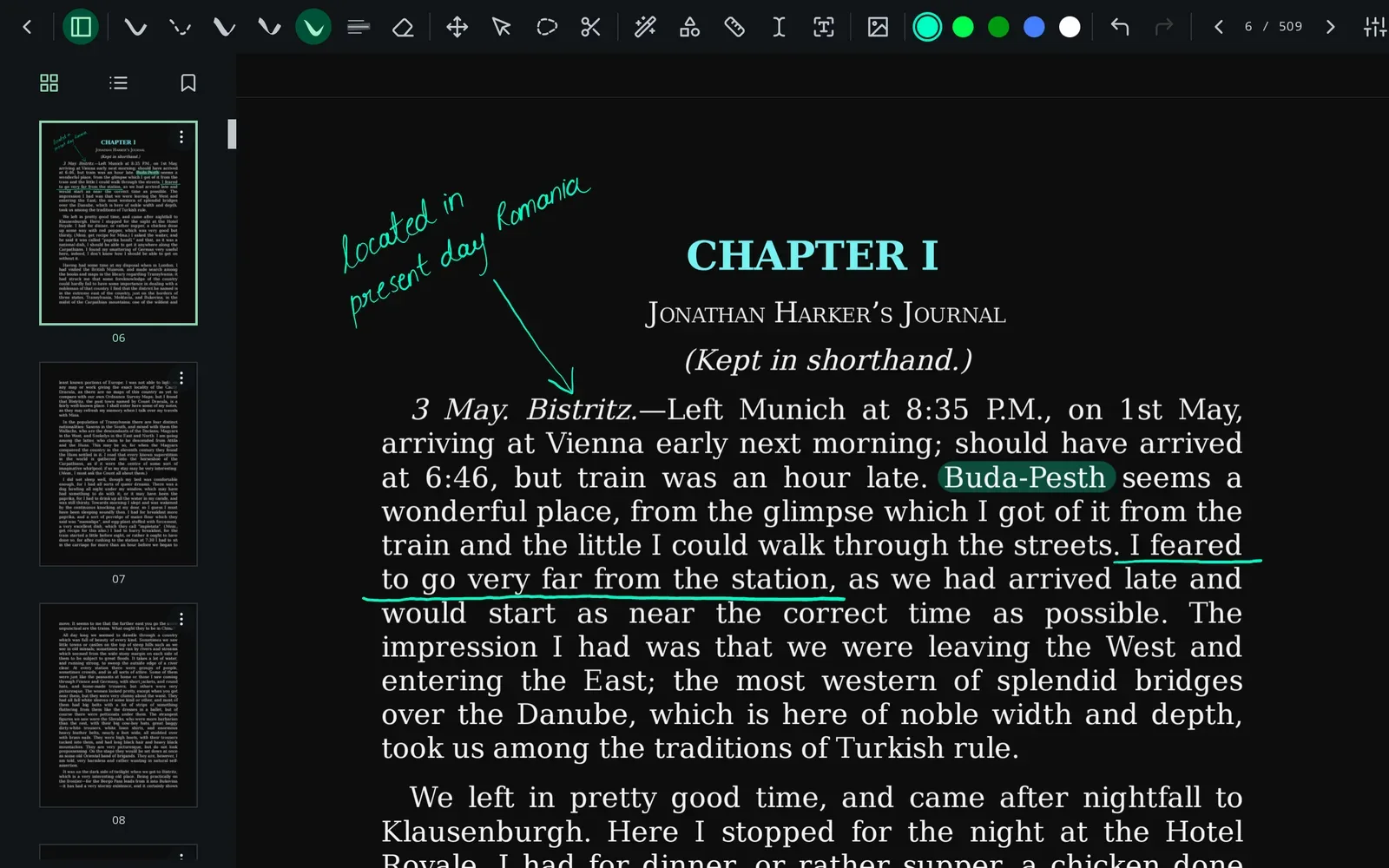
Image source: xnotes-android. Published by the project; the interface may vary by version.
Documented features
The README describes pressure-sensitive ink that varies in width with pen input. It also separates stylus and finger interactions, allowing a user to draw with a pen while panning with a finger. On devices without a stylus, the README says finger drawing is enabled automatically; the actual experience will still depend on the device’s input implementation.
PDF workflows are a central part of the project. A PDF can be imported as a page background for annotation, then exported as a vector PDF. The project also documents a dark mode that inverts PDF pages while leaving embedded photos and images untouched. Strokes are stored as editable vector data in the open .xnote format rather than being flattened. That should support selecting, moving, restyling, and erasing marks, although the supplied sources do not document the format’s compatibility guarantees or long-term stability.
Other documented features include deep zoom, multiply-blended highlighters, and a neon pen. The README also states that the application has no accounts, telemetry, or network access, and uses Android’s Storage Access Framework for files instead of broad storage permission. These are project statements, not an independent security audit or a claim of personal testing.
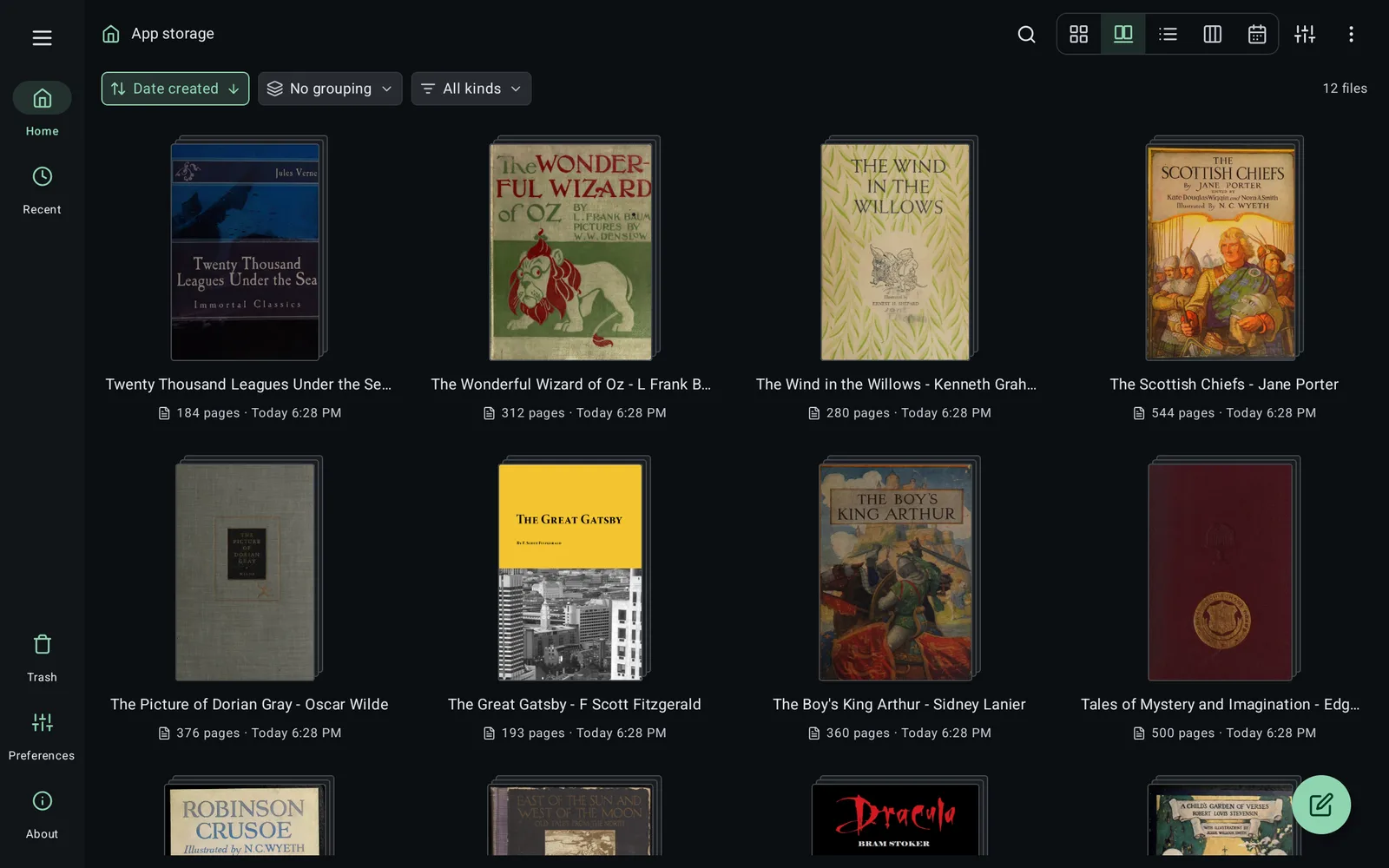
Image source: xnotes-android. Published by the project; the interface may vary by version.
Who may find it useful
xnotes may suit Android tablet and stylus users who want handwriting and PDF reading in one local-first application. Paged notes can support structured class or meeting records, while the infinite canvas can suit diagrams, sketches, and free-form visual notes. Users who primarily need typed notes, cloud synchronization, or mature collaborative workflows should verify their requirements first; the supplied sources do not establish that xnotes provides those capabilities.
Adoption and deployment considerations
The repository is not marked archived, but the sources do not provide a stability promise, minimum Android version, hardware requirements, synchronization model, or comprehensive compatibility matrix. Pen pressure, handwriting latency, and large-canvas behavior may vary by device and stylus. Release 0.8.23 specifically lists fixes for large-canvas crashes and disappearing ink, malformed or empty PDF pages, a rare writing crash on some devices, and PDF pages being rerendered while scrolling. Those areas deserve validation on target hardware.
The README lists GitHub Releases, F-Droid, and Google Play as installation channels. It says GitHub Releases and F-Droid use the same signed APK, while F-Droid rebuilds from source. For source builds, the project specifies JDK 17. Before organizational deployment, confirm backup procedures, .xnote migration, PDF export results, and any device-management or compliance requirements. The supplied sources contain no independent security audit or performance measurements, so stronger claims about security, reliability, or speed are not warranted.
Sources
Sources checked: 2026-09-26