

2026.10.20
Zotero-AI-Butler: Bringing AI-Assisted Paper Workflows into Zotero
Zotero-AI-Butler adds model-assisted paper analysis to Zotero, with automatic notes, batch processing, multimodal PDF options, and literature reviews—while users must provide their own model access.
What it is for
Zotero-AI-Butler is an open-source Zotero plugin that uses a language model configured by the user to analyze papers in a Zotero library and save the results as Markdown notes under the related items. It is best understood as a reading-assistance layer inside an existing Zotero workflow, not as a paper database or a hosted model proxy.
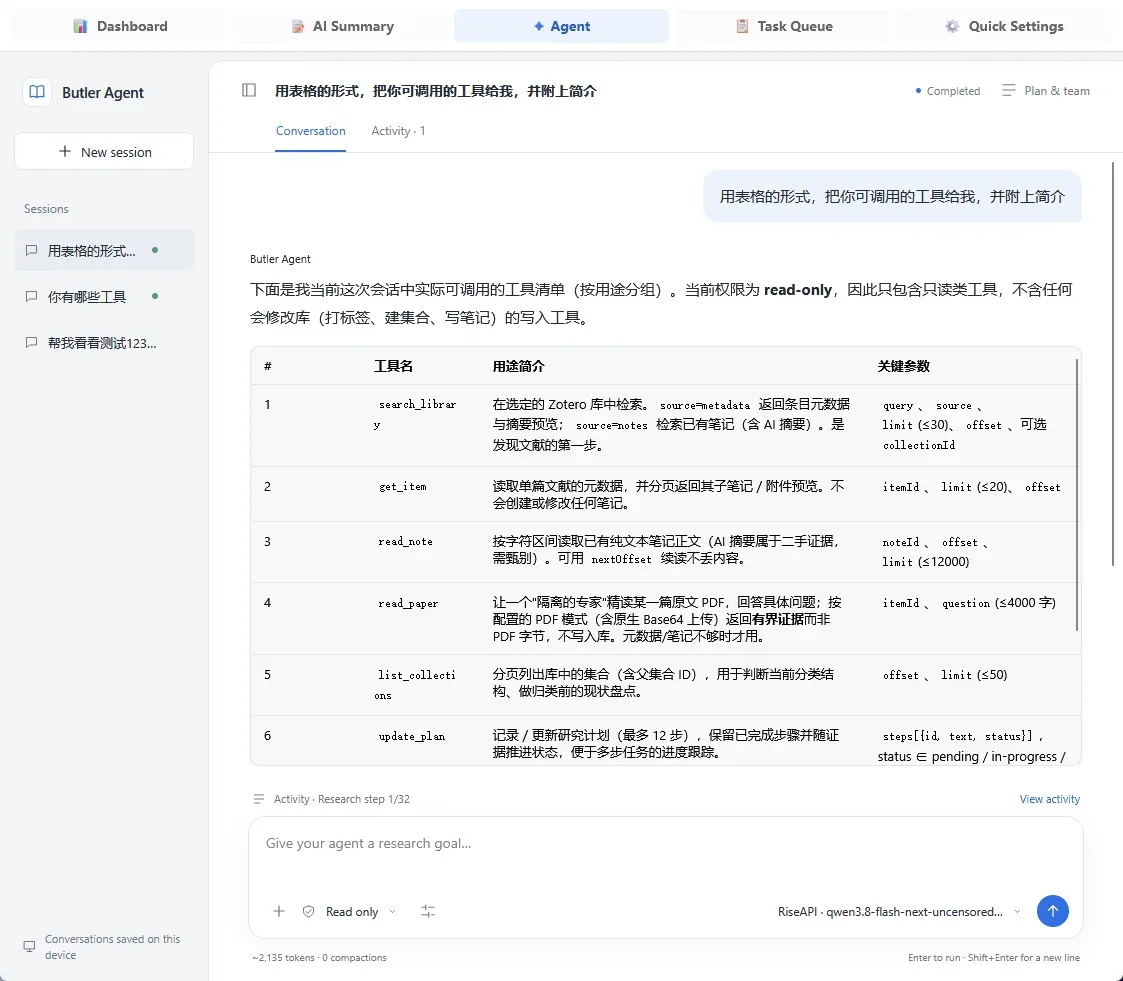
Image source: zotero-AI-Butler. Published by the project; the interface may vary by version.
Who it suits
The plugin is aimed at students, researchers, and knowledge-management users who regularly process PDFs and maintain reading records. It offers three task entry points: immediate analysis from a context menu, automatic scanning of newly added papers, and batch processing for older items. Automatic scanning is disabled by default, which gives users an opportunity to review request volume and note quality before enabling a more automated workflow.
For cross-paper work, the README describes a literature-review feature that creates a separate report item and links selected source PDFs. Users who prefer to read and ask questions in place can use the sidebar for AI notes, follow-up questions, and LaTeX rendering. The project also lists mind-map generation with PNG and OPML export. Its AI Butler agent is described as a way to investigate research questions, read papers, and organize answers; the practical result will depend on the selected model, prompts, and tool configuration.
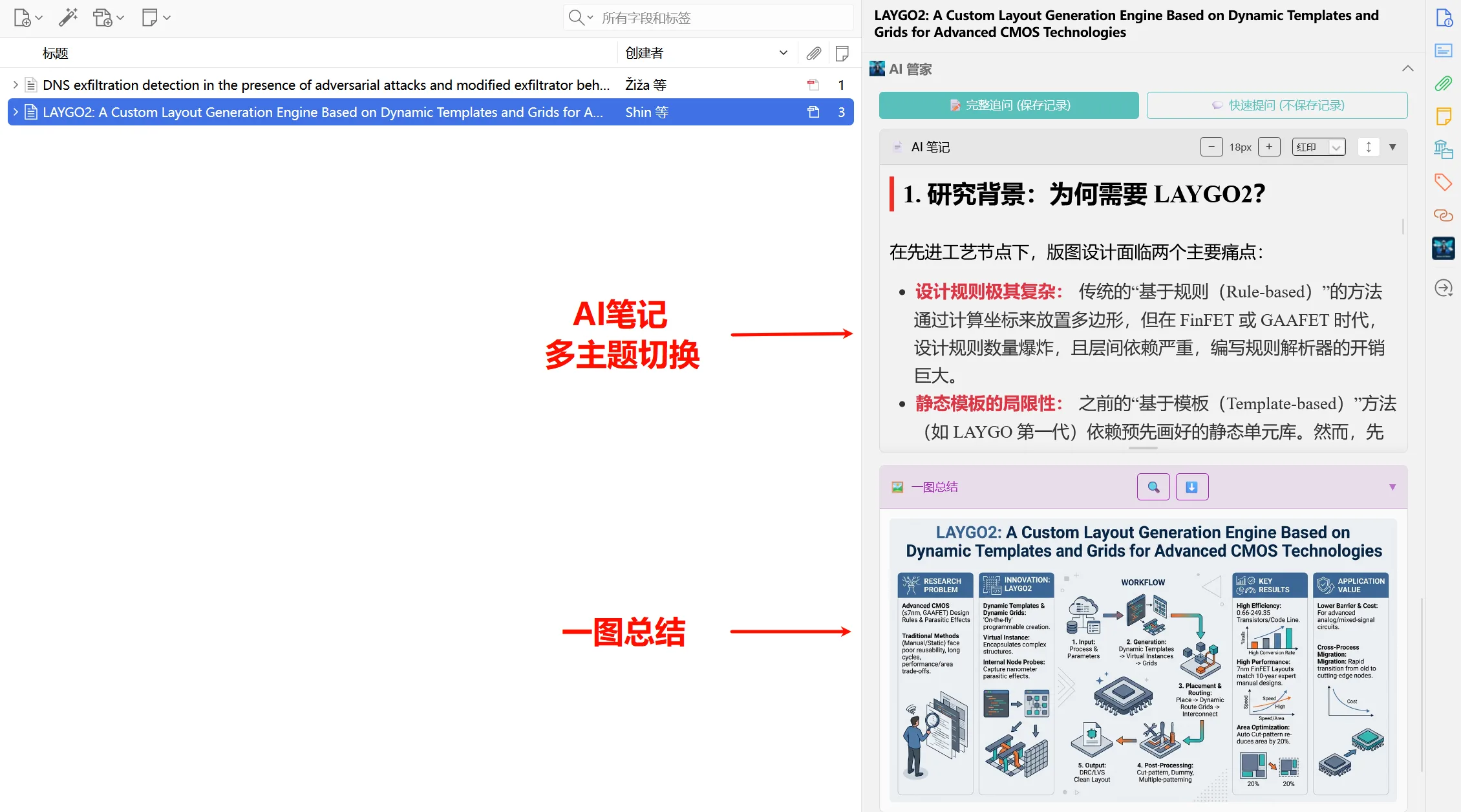
Image source: zotero-AI-Butler. Published by the project; the interface may vary by version.
Features and deployment considerations
The README lists OpenAI, Gemini, Anthropic, and OpenAI-compatible endpoints, and also includes configuration options such as Ollama. PDF processing can use multimodal Base64 input or text extraction. Whether either mode is suitable depends on the selected provider’s interface, limits, and supported inputs. Prompt presets can be edited or replaced, and multi-round summarization can be configured. The v3.8.0 release notes additionally mention a table feature toggle, a DeepSeek setup wizard, a library AI-reading status column, and preset model selection.
Installation is documented through an XPI file from GitHub Releases, followed by installation in the Zotero desktop application and model API configuration. The repository identifies AGPL-3.0 as its license. Anyone modifying, redistributing, or incorporating the plugin into a larger software offering should review the license text and assess the applicable obligations.
Limitations before adoption
The plugin does not supply model access, API keys, or a unified hosted proxy. Its README states that requests are sent directly from the local device to the provider configured by the user. That does not mean the provider will not receive uploaded paper content: retention and training practices must be checked in the provider’s own terms. The supplied sources do not confirm supported Zotero versions, operating-system coverage, minimum hardware, a complete model compatibility matrix, or real-world processing performance.
Generated notes should be checked by a human, particularly for methods, tables, formulas, figures, and citation relationships. A cautious rollout is to test a small set of non-sensitive papers first, verify PDF handling, API costs and rate limits, note-overwrite behavior, and failed-task recovery, then enable automatic scanning or batch queues. The plugin is better treated as an aid for discovery, pre-reading, and review than as a substitute for reading or peer-reviewed conclusions.
Sources
Sources checked: 2026-10-20