

2026.10.11
DBackup: Self-Hosted Backup Jobs for Databases and Files
DBackup targets people who want to control their own backup workflow, combining scheduled database and file backups, encryption, storage targets, and web restores. Check compatibility, credentials, recovery, and deployment boundaries before adoption.
What it is for
DBackup is a GPL-3.0 self-hosted backup tool that brings databases and application files into the same jobs. It can schedule backups, send database dumps and directory archives to selected storage, apply retention rules, and provide a web interface for restores. This makes it relevant to teams that want a deployable backup control plane rather than handing the entire workflow to a hosted service.
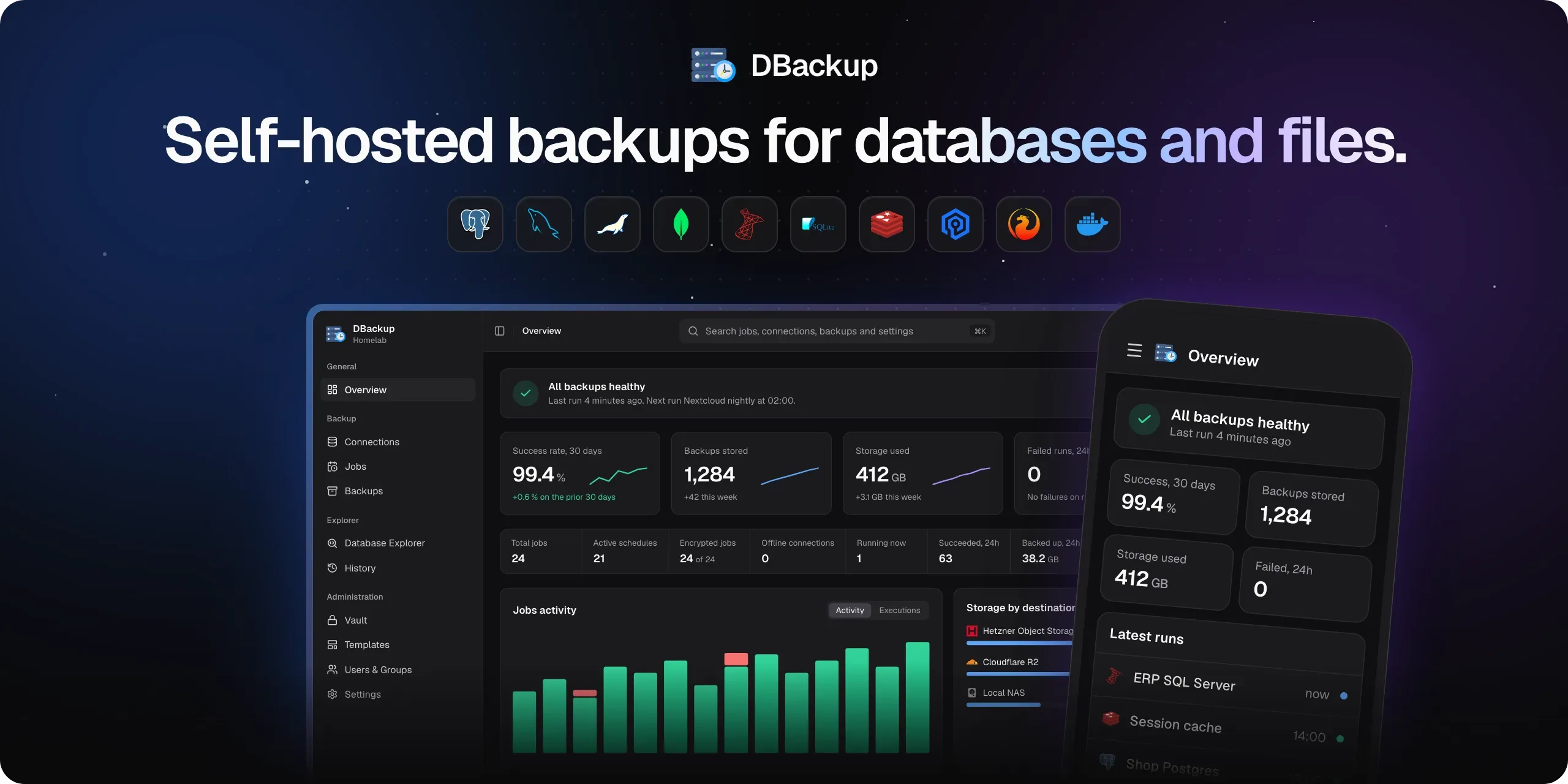
Image source: DBackup. Published by the project; the interface may vary by version.
Who it may suit
The project may suit developers, small organizations, and operators of personal servers who need to manage several database types in one place, especially in Docker-oriented environments. Its ability to put database and application-file backups in one job is useful when both must belong to the same recovery point. DBackup can connect to a database directly or run backup tools over SSH. That can help with private database networks, but it also makes SSH permissions, connectivity, host verification, and remote tool availability part of the deployment work.
Documented capabilities
The README lists PostgreSQL, MySQL, MariaDB, MongoDB, Redis, Valkey, SQLite, Microsoft SQL Server, Azure SQL Database in beta, and Firebird in beta. Capabilities vary by adapter: Redis and Valkey are marked for guided restores, Azure SQL Database restoration drops the target first, and Firebird restoration uses configured aliases. These details should be checked against the exact versions and operational procedures you intend to use.
Storage options include the local filesystem, Amazon S3 and compatible services, Google Drive, Dropbox, OneDrive, SFTP, FTP/FTPS, WebDAV, SMB, and rsync over SSH. The project also describes incremental backups, daily/weekly/monthly/yearly retention, multiple destinations, notifications, OIDC SSO, fine-grained groups, two-factor authentication, passkeys, audit logging, and scoped REST API keys. Its README describes AES-256-GCM encryption, a documented archive format, and a Recovery Kit intended to restore data without running DBackup.
Limitations before adoption
A database appearing in the support list does not guarantee identical behavior across versions or restore paths. Connection methods, beta labels, and restore semantics differ, so a realistic test dataset should be used before production adoption. A completed backup is also not proof of recoverability: operators should verify credentials, retention, notifications, storage access, integrity, whole-database restores, renamed-target restores, and single-file recovery where applicable.
The README explicitly states that no formal external security audit has been completed. That should temper any security claims. Encryption keys, authentication secrets, SSH credentials, and storage permissions remain deployment responsibilities. The Recovery Kit should be tested offline rather than treated as a substitute for a recovery exercise.
Deployment considerations
DBackup runs as a Docker container. Persistent application data must be stored on dependable media, while local backup destinations require their own capacity and protection plan. SSH-based jobs need least-privilege accounts, key management, host-key handling, and suitable network paths. Docker socket access deserves particular scrutiny because its permissions can materially affect the container boundary.
The v4.0.1 release notes say a new container can start without internet access and mention fixes for Docker socket, rsync, and related documentation. Those changes do not remove the need for pre-upgrade validation. Before relying on DBackup for important workloads, build a separate recovery environment and test scheduling, encryption, storage, credentials, and restoration with non-production data.
Sources
Sources checked: 2026-10-11