

2026.10.23
DockDash: A Self-Hosted Dashboard for Service Health and Version-Aware Updates
DockDash combines service discovery, health and resource history, container operations, topology mapping, notifications, and semantic-version-aware image updates. Its powerful Docker controls and default lack of enforced authentication make isolation and access control essential.
What it does
DockDash is a self-hosted service monitoring dashboard that brings Docker containers, Kubernetes workloads, network services, and manually added endpoints into one inventory. It shows live state, keeps health and resource history, and provides an interactive canvas for organizing relationships between services.
Its most distinctive feature is version-aware image monitoring. For tags shaped like 1.25 or v1.25.3, DockDash compares compatible registry tags and can report a transition such as “1.25 → 1.26,” then show matching GitHub release notes. For floating tags such as latest, stable, and dev, it falls back to comparing the locally running image digest with the registry digest. This makes it relevant to operators who want pinned deployments without losing visibility into upgrades.

Image source: DockDash. Published by the project; the interface may vary by version.
Known capabilities
The project can scan local or remote Docker daemons, selected Kubernetes clusters and namespaces, configurable CIDR ranges, and manually added services. Health monitoring includes current status and history for the last 1, 7, or 30 days. For Docker containers, it tracks current and historical CPU, memory, network, and disk activity.
Its operational controls go beyond read-only monitoring. Users can start, stop, and restart containers, stream logs, browse container filesystems, view or edit text files, and open an interactive shell inside a container. Apprise can deliver update, failure, recovery, CPU-threshold, and memory-threshold notifications. The topology canvas supports dragging, grouping, resizing, labeled connections, zooming, panning, and fitting the view. Optional OIDC authentication is supported, and the interface includes English and Brazilian Portuguese.
The supplied official release data identifies v1.8.1, published on October 16, 2026. That release includes fixes for retrying transient notification delivery failures and grouping certificate-mismatch notifications. Repository metadata identifies the license as AGPL-3.0.
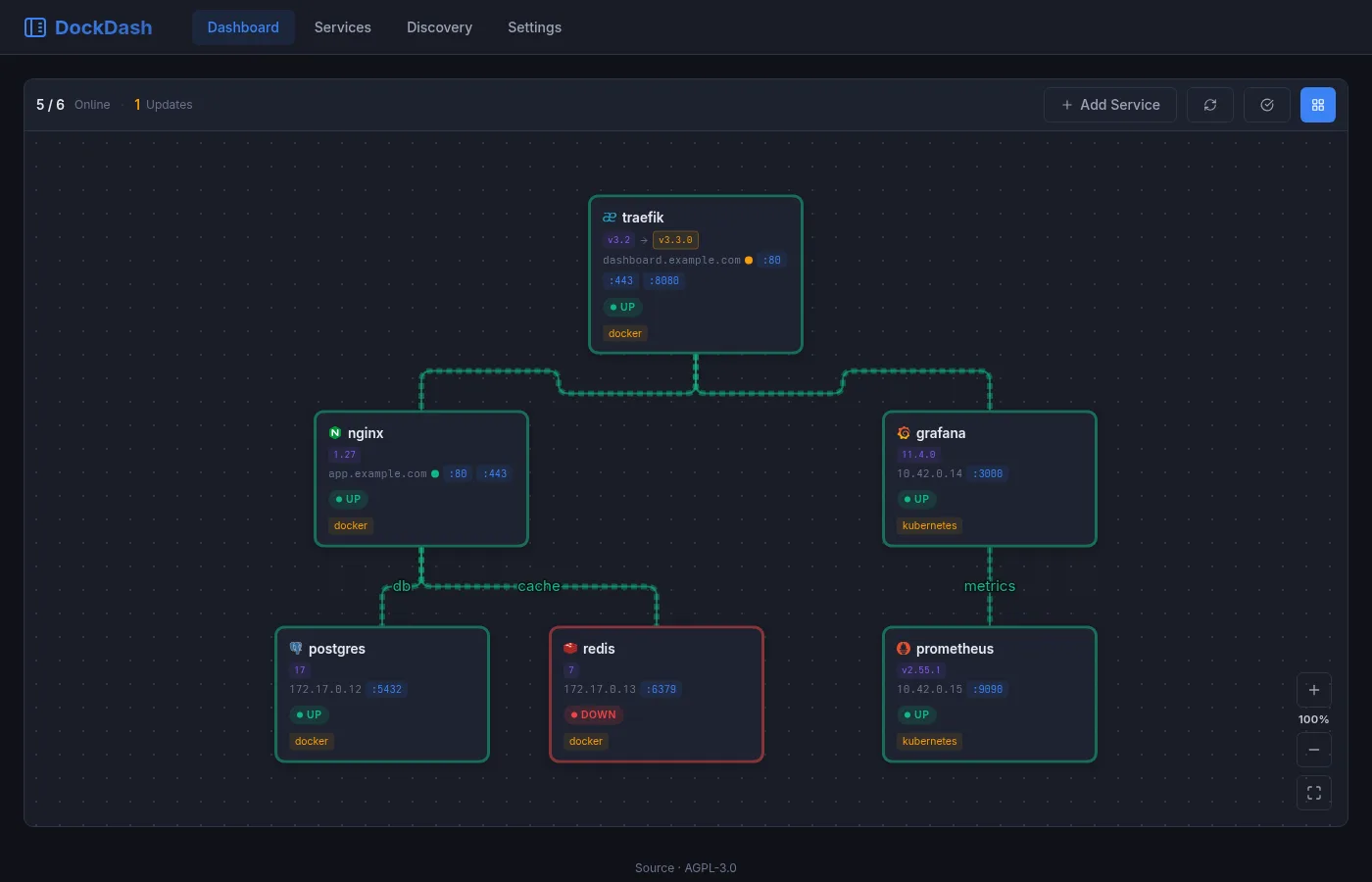
Image source: DockDash. Published by the project; the interface may vary by version.
Who it suits
DockDash is a reasonable candidate for homelab operators running several self-hosted services and wanting one place to inspect status and relationships. It may also suit small teams that prefer to review a concrete version transition and release notes before changing a pinned deployment. A unified inventory can be useful when Docker, Kubernetes, and ordinary network endpoints coexist.
Deployment limits and considerations
The security implications are central. The README warns that DockDash can exec into containers, read and write their filesystems, and control containers; its UI should therefore be treated as close to root access on the Docker host. Authentication is not enforced by default. Before exposing it to an untrusted network, operators should configure OIDC or reverse-proxy authentication and restrict direct reachability.
Mounting the Docker socket gives DockDash—and anyone reaching its UI—control of the Docker daemon. The project documentation suggests considering a restricted socket proxy. If container controls, the terminal, or the file explorer are unnecessary, operators should evaluate disabling those high-privilege features. The supplied sources do not establish minimum hardware requirements, the complete boundaries of Kubernetes support, or coverage across every image registry, so those points require validation against the target environment.
AGPL-3.0 may also affect compliance planning when modified software is provided over a network. Teams should review the license in relation to their deployment and distribution model.
Sources
Sources checked: 2026-10-23