

2026.10.24
Openship: A Control Plane for Self-Hosted Deployments
Openship targets developers and teams that want an integrated, self-hosted path from source code to running applications. Before adoption, understand its Compose and bare modes, Docker socket exposure, networking, and always-on requirements.
What it is for
Openship is an Apache-2.0 open-source, self-hostable deployment platform. Its documented pipeline detects project settings, builds an image or release, runs the application, and configures routing and TLS. Inputs can be a GitHub repository, a local directory, or a prebuilt artifact.
It is aimed at solo developers and small teams that do not want to assemble separate tools for builds, process supervision, domains, and certificates, while still retaining control of the deployment environment. The desktop application runs the control plane locally and drives a server over SSH; it does not host public applications on the user’s laptop. A continuously available self-hosted server is needed when webhook-driven deployment, team access, or hosting applications on the same machine is required.
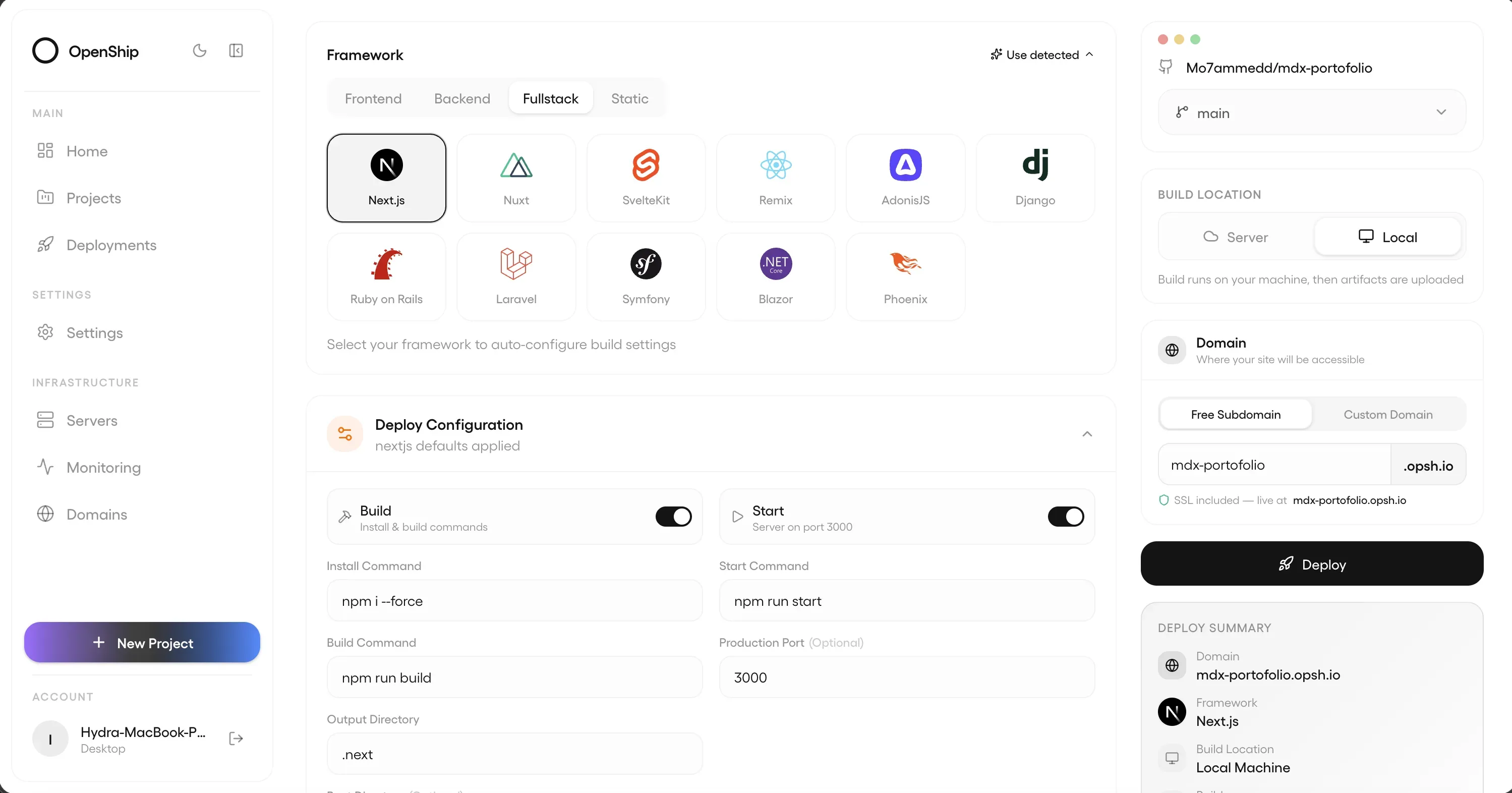
Image source: openship. Published by the project; the interface may vary by version.
Documented features and modes
The project offers a desktop app, web dashboard, and CLI, plus a JavaScript/TypeScript SDK, REST API, and optional MCP endpoint. This supports both interactive use and automation. The README describes GitHub webhook deployments for pushes to a tracked branch. It also presents database, domain, SSL, CDN, mail, and backup management from the same place, although the available scope depends on the selected mode and target.
The main self-hosting decision is Compose versus bare. On Linux with Docker, openship up defaults to Compose mode. The documented stack includes Postgres, Redis, the API, the dashboard, and an OpenResty edge, and can host deployed applications on the same machine. The README describes automatic domains and Let’s Encrypt TLS for this path.
On macOS, Windows, or Linux without Docker, bare mode uses a single control-plane process with an embedded database and deploys applications to an SSH server or Cloud. Release v0.9.3 lists pull-request previews, deployment automation, cache-related improvements, and configuration, observation, retry, and recovery improvements for workers and schedulers. Its notes also identify target types outside the role editor’s scope, so the deployment model must be checked before adoption.
Constraints and deployment considerations
Separate the location of the control plane from the location of the applications. Desktop mode depends on the app being open and is not a substitute for a public, always-on webhook endpoint or team service. Compose requires Linux, Docker, and suitable host networking and port configuration. The raw Docker Compose path uses host networking and is documented as Linux-only.
The trust boundary deserves particular attention. In the raw Compose path, the API container mounts the host Docker socket. The README explicitly describes this as giving the control plane host-level capability through that socket, so it should run only on a trusted host. That path also does not provision the container-to-host SSH control channel created by openship up; additional configuration is required for host operations. Automatic TLS does not remove the need to manage DNS, certificates, ports, persistence, and backups.
The supplied sources do not confirm minimum hardware requirements, a complete compatibility matrix, performance figures, or a universal upgrade policy. Before production adoption, review the current documentation, release notes, and repository security materials. Pin image versions where appropriate, and validate rollback, persistent data, domain changes, and webhook behavior in an environment close to production.
Sources
Sources checked: 2026-10-24